182 Chapter 10: Working with External Data
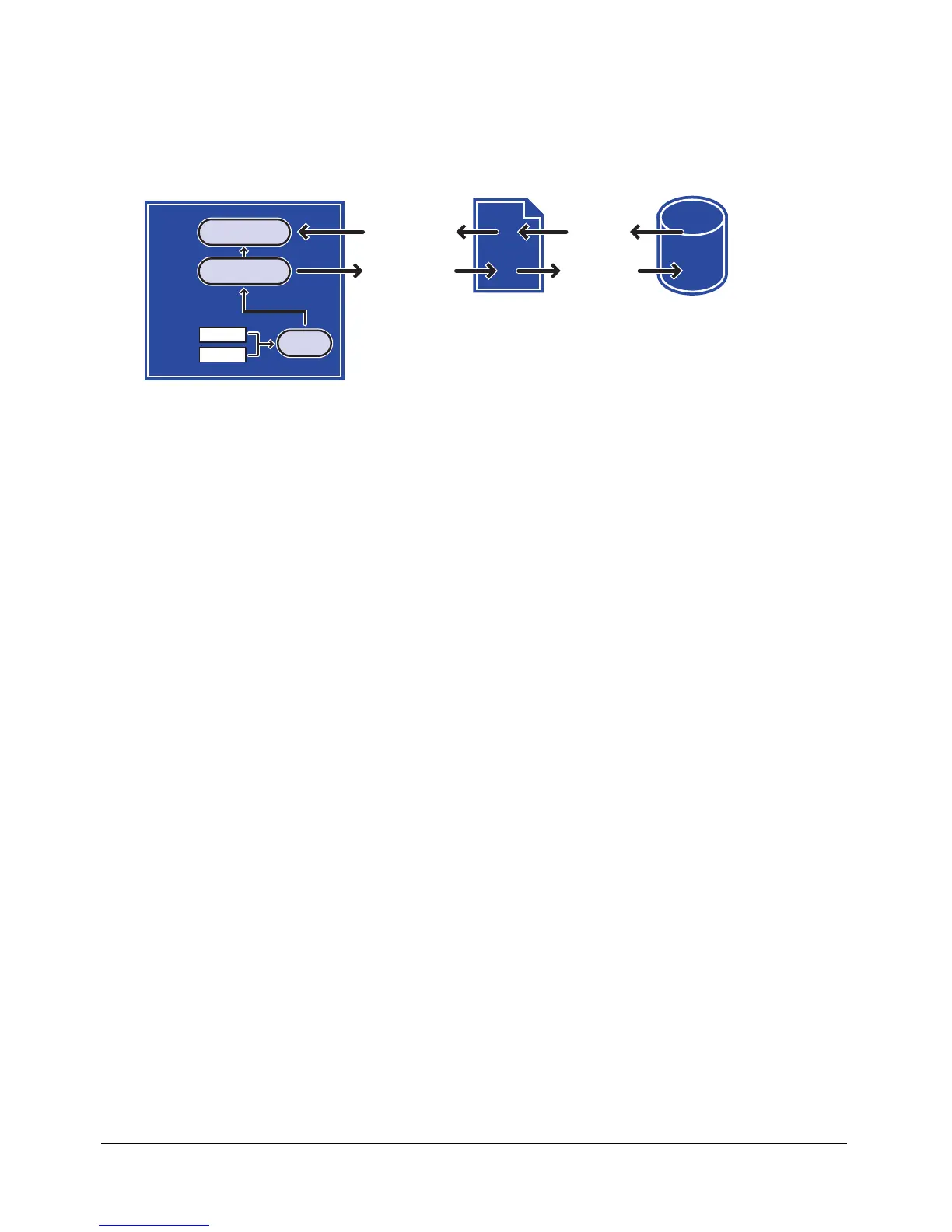
The server-side script that passes information between Flash and the database reads and writes the
data in XML format. You can use ActionScript to convert information collected in the SWF file
(for example, a user name and password) to an XML object and then send the data to the server-
side script as an XML document. You can also use ActionScript to load the XML document that
the server returns into an XML object to be used in the SWF file.
The flow and conversion of data between a Flash movie, a server-side script, and a database
The password validation for the brokerage system requires two scripts: a function defined on
Frame 1, and a script that creates and sends the XML objects attached to the Submit button in
the form.
When users enter their information into text fields in the SWF file with the variables
username
and
password, the variables must be converted to XML before being passed to the server. The
first section of the script loads the variables into a newly created XML object called
loginXML.
When a user clicks the Submit button, the
loginXML object is converted to a string of XML and
sent to the server.
The following script is attached to the Submit button. To understand this script, read the
commented lines (indicated by the characters
//):
on (release) {
// A. Construct an XML document with a LOGIN element
loginXML = new XML();
loginElement = loginXML.createElement("LOGIN");
loginElement.attributes.username = username;
loginElement.attributes.password = password;
loginXML.appendChild(loginElement);
// B. Construct an XML object to hold the server's reply
loginReplyXML = new XML();
loginReplyXML.onLoad = onLoginReply;
// C. Send the LOGIN element to the server,
// place the reply in loginReplyXML
loginXML.sendAndLoad("https://www.imexstocks.com/main.cgi",
loginReplyXML);
}
The first section of the script generates the following XML when the user clicks the
Submit button:
<LOGIN USERNAME="JeanSmith" PASSWORD="VerySecret" />
XML document
username
XML document
Response
SQL request
password
Submit
loginReplyXML
Flash Player movie
Server-side script Database
Jean Smith
loginXML



 To Next Page