Creating interactivity and visual effects 95
Buttons still function when you use a custom pointer. It’s a good idea to put the custom pointer
on the top layer of the Timeline so that it moves in front of buttons and other objects as you move
the mouse in the SWF file. Also, the tip of a custom mouse pointer is the registration point of the
movie clip you’re using as the custom pointer. Therefore, if you want a certain part of the movie
clip to act as the mouse tip, set the registration point coordinates of the clip to be that point.
For more information about the methods of the Mouse class, see the Mouse class entry in
Chapter 12, “ActionScript Dictionary,” on page 205.
Getting the mouse position
You can use the
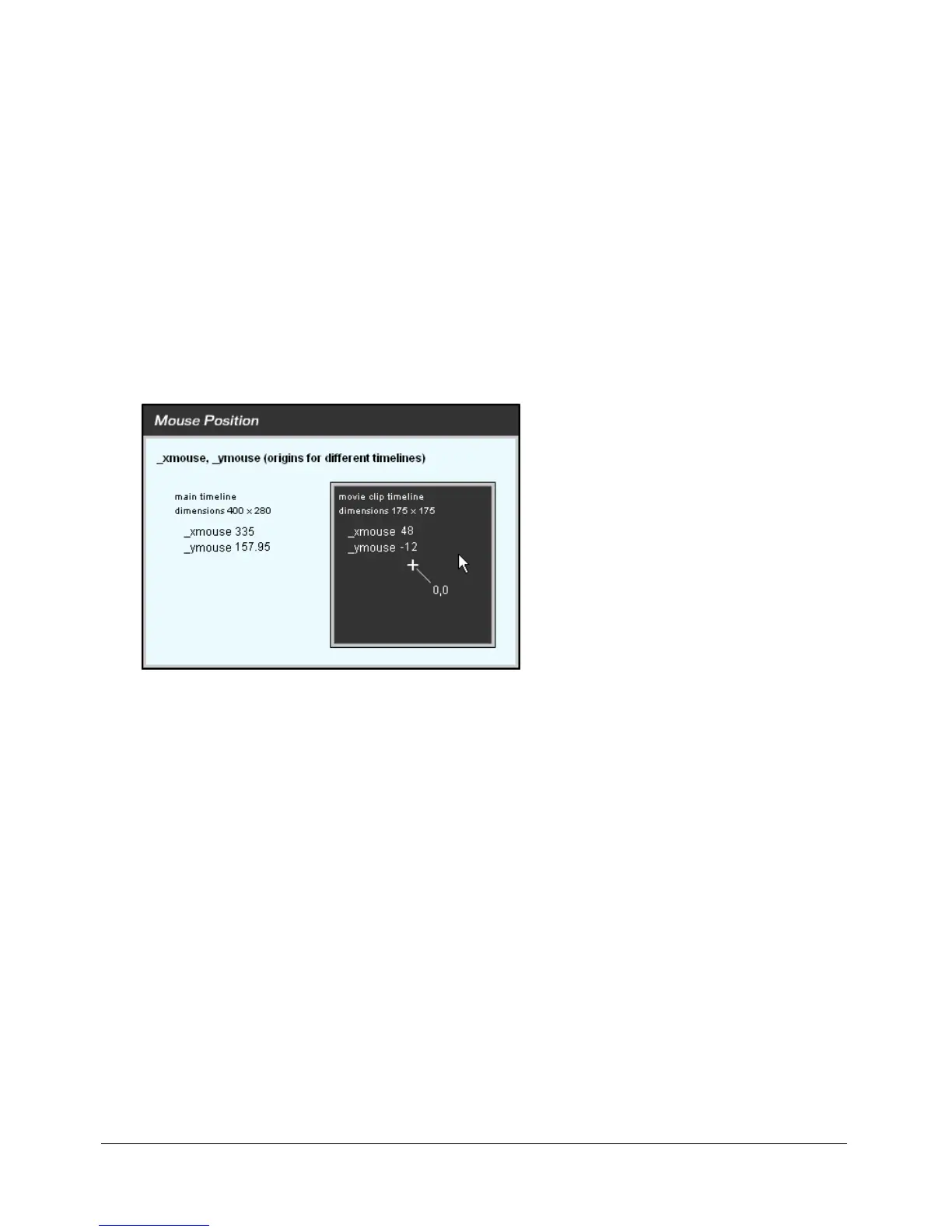
_xmouse and _ymouse properties to find the location of the mouse pointer
(cursor) in a SWF file. Each Timeline has an
_xmouse and _ymouse property that returns the
location of the mouse within its coordinate system. The position is always relative to the
registration point. For the main Timeline (
_level0), the registration point is the upper
left corner.
The _xmouse and _ymouse properties within the main Timeline and a movie clip Timeline
The following procedures show two ways to get the mouse position.
To get the current mouse position within the main Timeline:
1 Create two dynamic text boxes, and name them x_pos and y_pos.
2 Select Window > Development Panels > Actions to open the Actions panel if it is not
already visible.
3 To return the mouse position within the main Timeline, add the following code to any frame
in the
_level0 SWF file:
x_pos = _root._xmouse;
y_pos = _root._ymouse;
The variables x_pos and y_pos are used as containers to hold the values of the mouse positions.
You could use these variables in any script in your document. In the following
onClipEvent()
handler, the values of
x_pos and y_pos update every time the user moves the mouse.
onClipEvent(mouseMove){
x_pos = _root._xmouse;
y_pos = _root._ymouse;
}



 To Next Page