Creating interactivity and visual effects 97
• Assign the following onClipEvent() handler to a movie clip, then select Control > Test Movie
and press the desired key.
onClipEvent(keyDown) {
trace(Key.getCode());
}
The key code of the desired key appears in the Output panel.
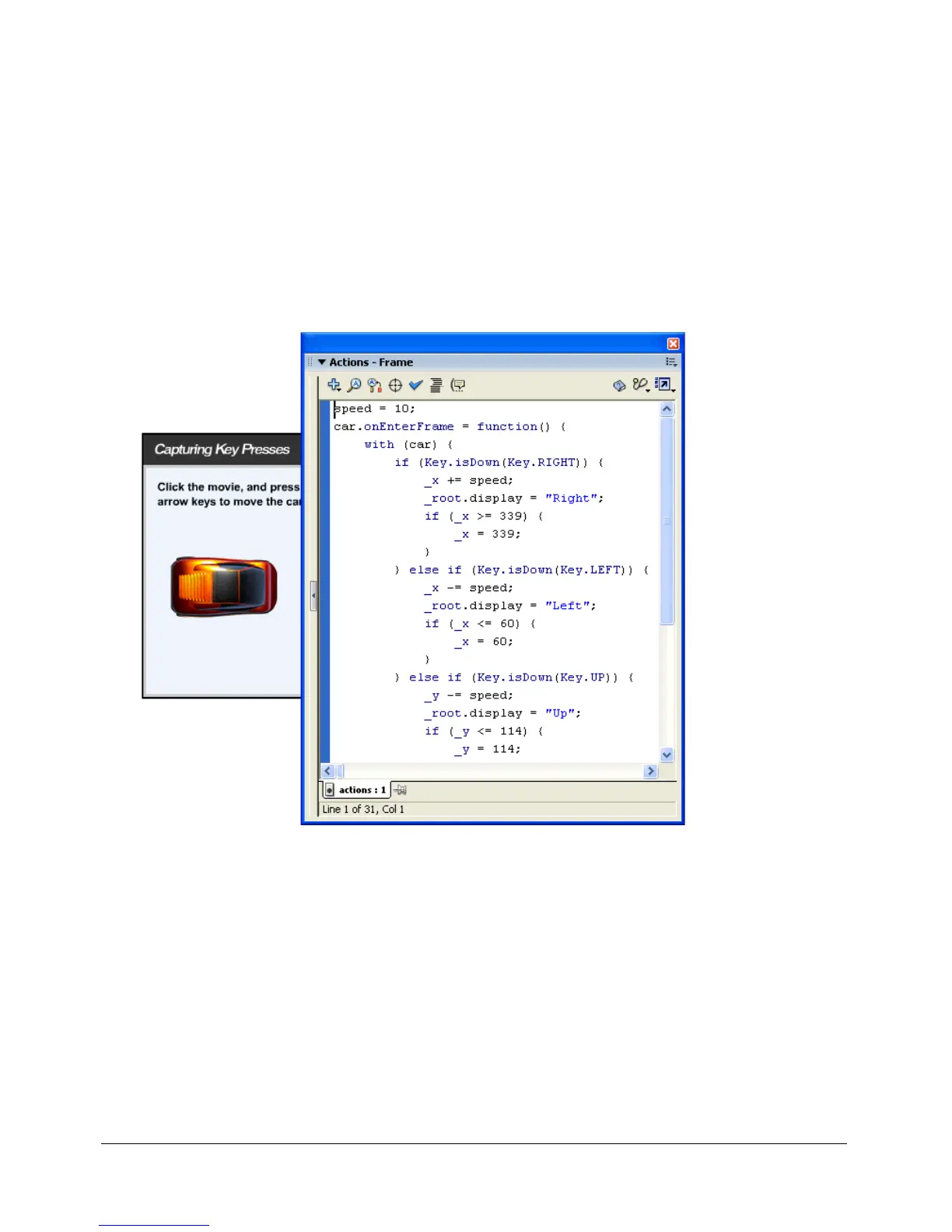
A common place to use Key class methods is within an event handler. In the following example,
the user moves the car using the arrow keys. The
Key.isDown() method indicates whether the
key being pressed is the right, left, up, or down arrow. The event handler,
onEnterFrame,
determines the
Key.isDown(keyCode) value from the if statements. Depending on the value,
the handler instructs Flash Player to update the position of the car and to display the direction.
The input from the keyboard keys moves the car.
The following procedure shows how to capture keypresses to move a movie clip up, down, left, or
right on the Stage, depending on which corresponding arrow key (up, down, left, or right) is
currently pressed. The movie clip is confined to an arbitrary area that is 400 pixels wide and 300
pixels high. Also, a text field displays the name of the pressed key.



 To Next Page