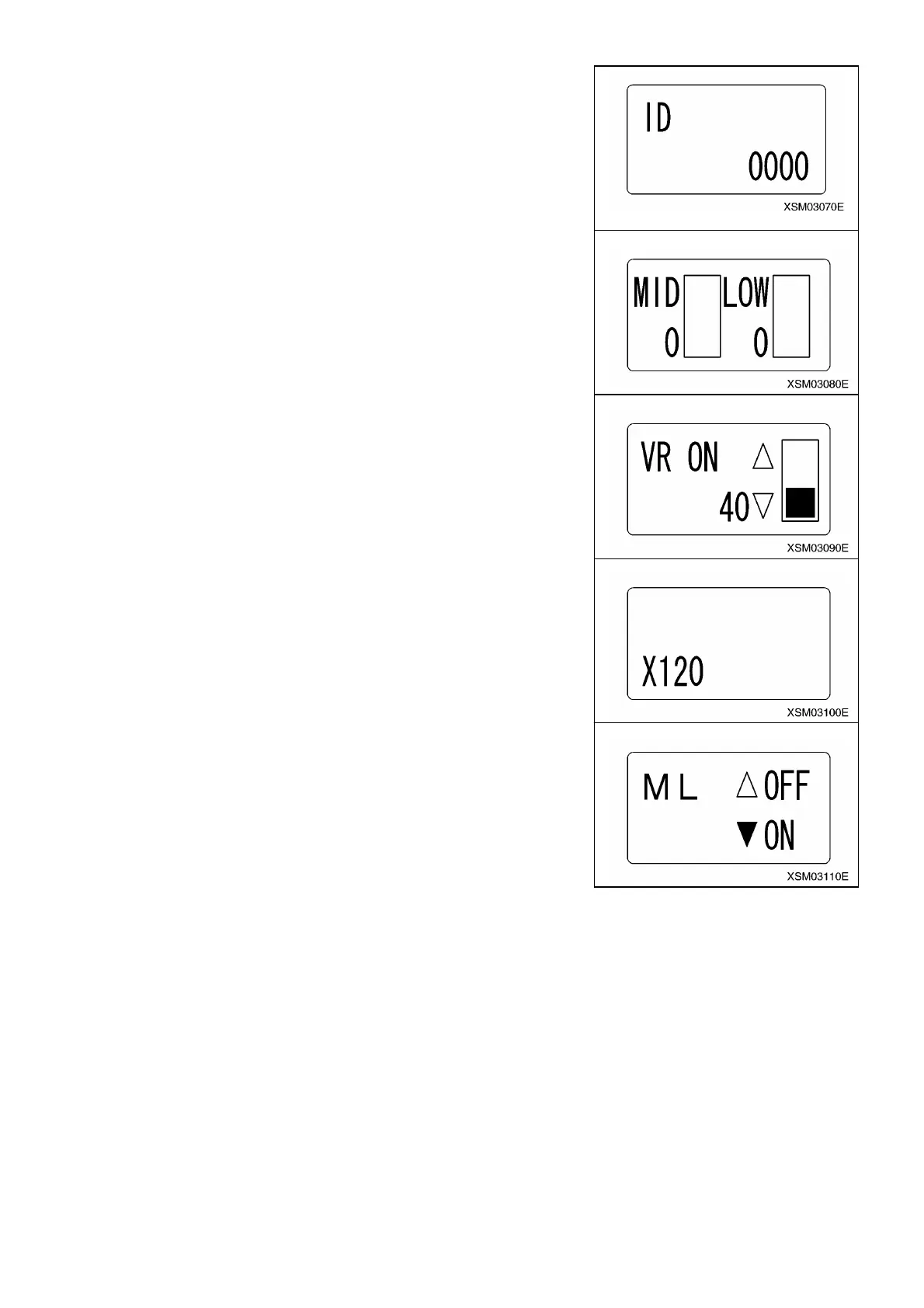
(6) ID Code
Not used.
(7) Gain
A setup of the revolution mentioned above, the gain value (Slew, Boom raising and
lowering) “MID” and “LOW” can be performed.
*Keep the value as “0” for reasons of the structure of the valve.
(8) VR ON (Accelerator ON position)
For setting of Accelerator ON position, in propotion to triggering ratio.
㧖At the time of factory shipment, this value is set to “40”.
This control is relating with (9) FLOW ADJ (Flow-control); Do not change.
Refer to “3. Adjustment of (8) VR ON and (9) FLOW ADJ” for details.
(9) FLOW ADJ (Flow-control)
For setting maximum flow rate point (i.e. lever actuating distance), in proportion to
triggering ratio.
Use G and H buttons to change the value of this control.
㧖At the time of factory shipment, this value is set to “X120”.
This control is relating with (8)VR ON (Accelerator ON position); Do not change.
Refer to “3. Adjustment of (8) VR ON and (9) FLOW ADJ” for details.
(10) ML
For selection of availability of the Moment Limiter.
㨯 If it has no moment limiter, set is as OFF.
㨯 If it has, set is as ON.
㧖At the time of factory shipment, this is set at “ON”.
Make sure that it is turned “ON”. Otherwise the moment limiter will not function
correctly, which may cause serious hazards.
164



 To Next Page