ID Card Printer – User Manual
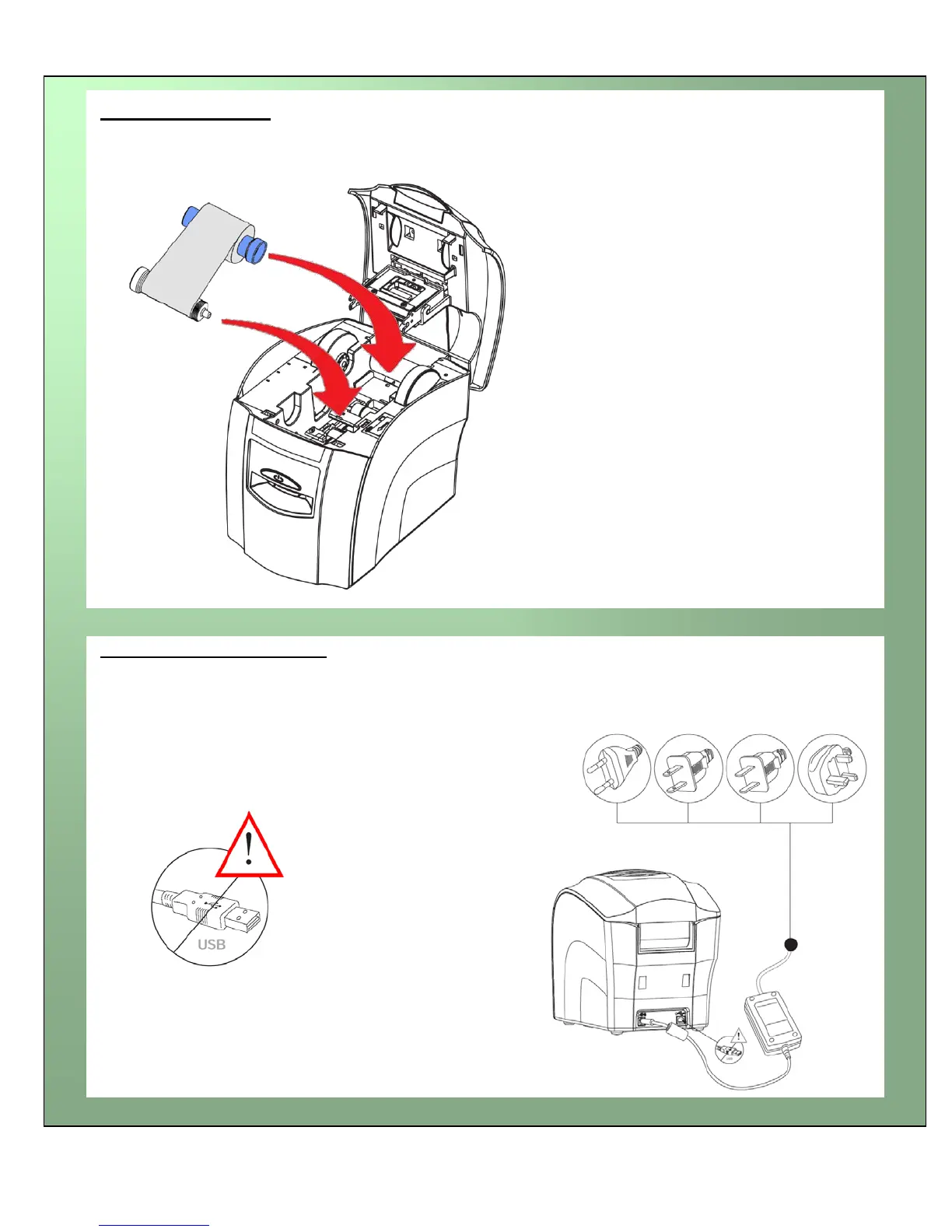
Install the Dye-Film
Connect the Power Supply
Select the correct adapter for your region and connect to Power Supply
unit. Plug in and connect to Printer (which will automatically switch on).
IMPORTANT : Do not connect the USB until the CD
ROM has been installed.
• Remove the Dye-Film from it’s packaging.
• Place the loaded spool into the rear slots
and the take-up spool into the front slots.
• Close the Printer.















 To Next Page