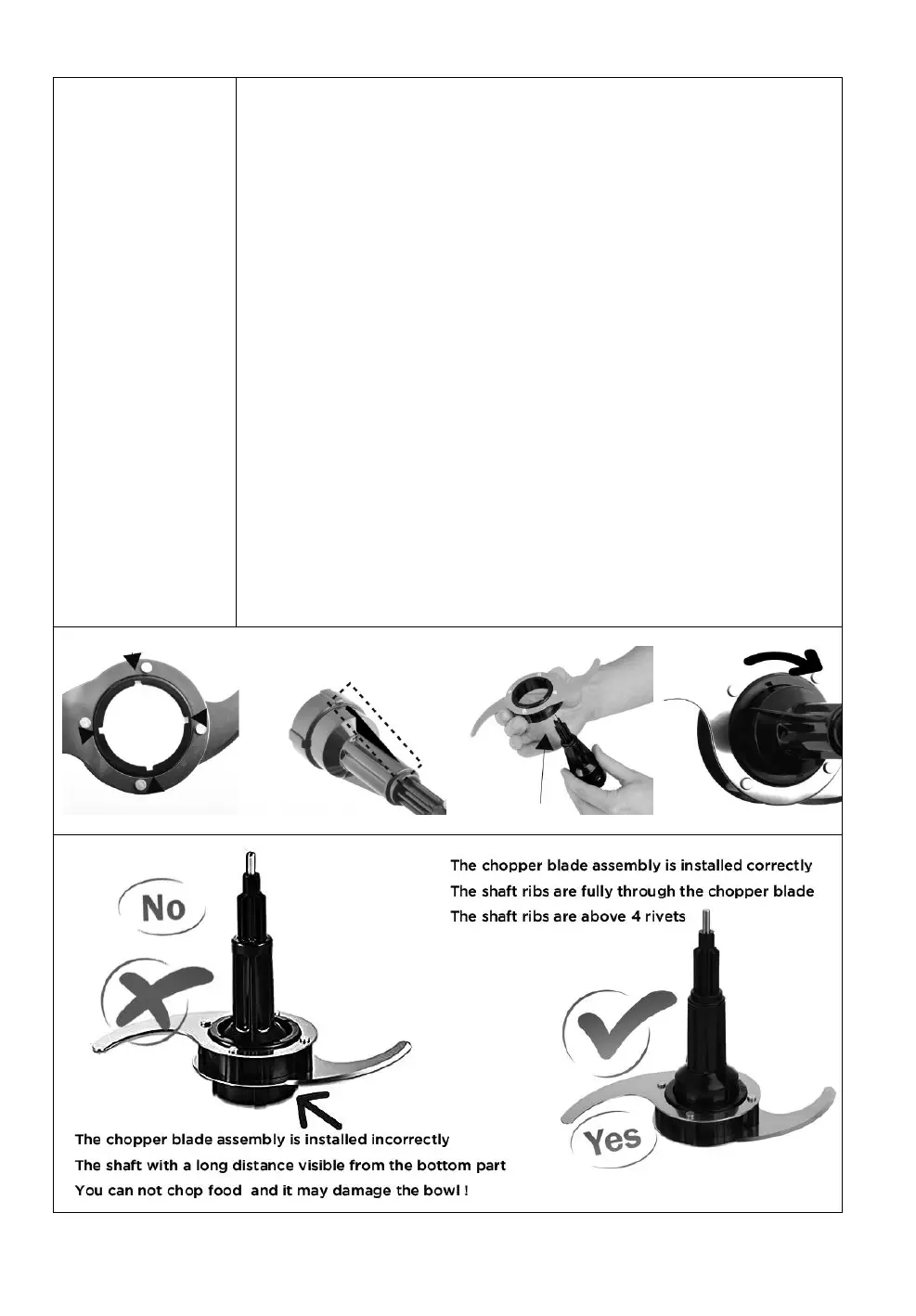
Carefully Install the chopper blade over the drive shaft.
Ensure that the UP marking (find the leaser markings on
the blade ) is facing upward when fitting the blade onto
the drive shaft.
Find the 4 crossed notches
Push the drive shaft ribs through 2 of the the plastic
notches
Rotate the drive shaft clockwise to lock the shaft and
blade assembly firmly.
Once aligned the chopper blade will lower down to the
base of the drive shaft, the 2 ribs should completely
above the 4 rivets on the chopper blade, place the
chopper blade into the bowl it is almost touching the
bottom of the food processor bowl.
If above steps are not so clear for you, please check our
demo video on Amazon page or contact us and we can send
you the related demo video.



 To Next Page