STANDARD CONTROL/DISPLAY OPERATION
39
1 3
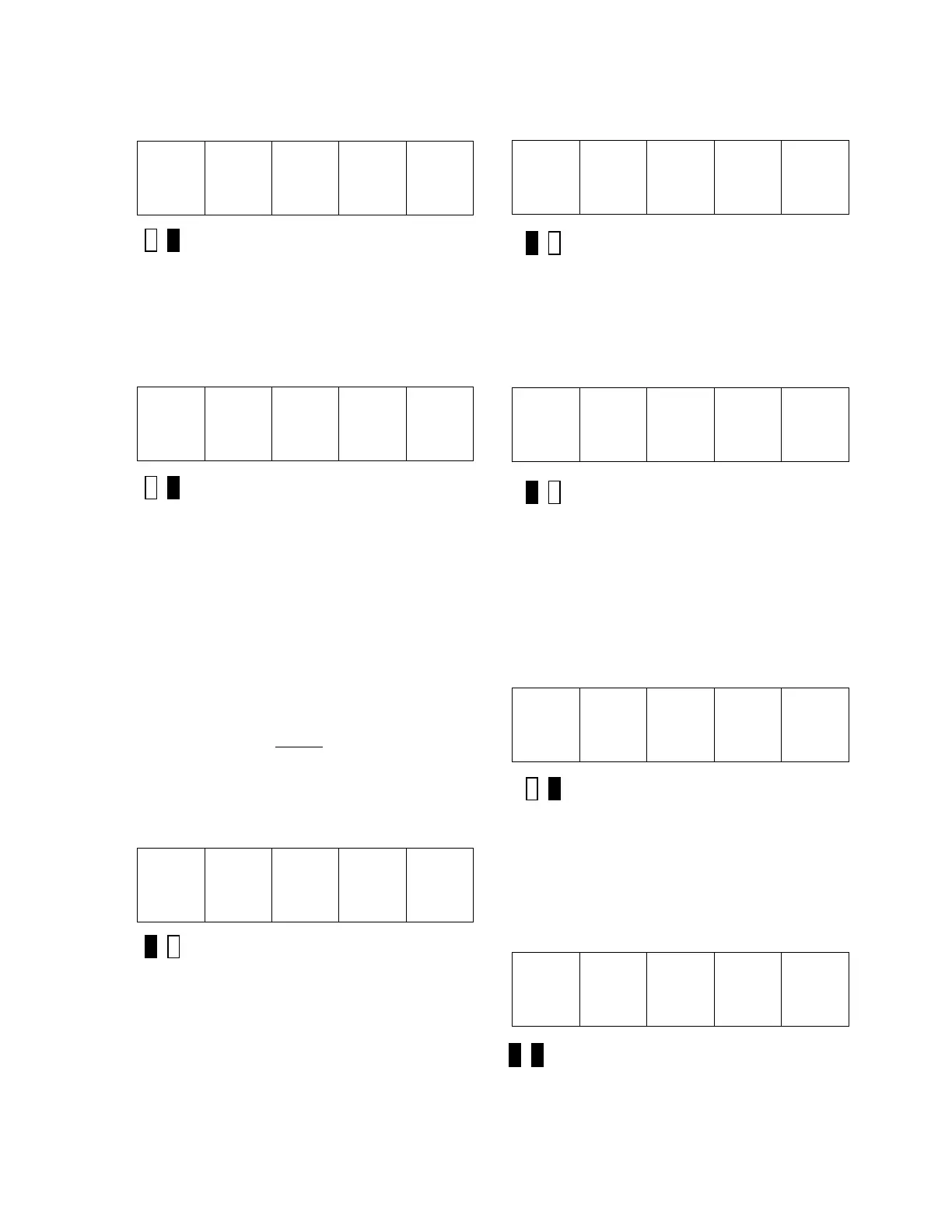
Green LED Lit
3) Use the ▲ and ▼ keys to select the
error code entry in the Disposition List that is
about to be changed/viewed. For example, if
the disposition for error code 102 (Numeric
Underflow) is to be modified, press the key
until the SCDU display changes to:
1 0 2
Green LED Lit
4) Press the ENTER key when the desired
error code is displayed on the SCDU. The red
LED now lights, and the SCDU display
changes as well to a format of ‘E.xF.y’.
The ‘E’ and ‘F’ are abbreviations for Error and
Fault respectively. The ‘x’ and ‘y’ will be
either ‘1’ or ‘0’ to indicate which list will record
the error. For example, if the display is
‘E.1F.1’, the error is recorded in both lists. If
the display is ‘E.0F.1’, the error is recorded in
the fault list, but not in the error list. If the
display is ‘E.0F.0’, neither
list records the
error. In the example above, the factory set
default disposition for a numeric overflow
F#102 is to record the error in the Error List,
but not in the Fault List. In this case, the
SCDU display is:
E. 1 F. 0
Red LED Lit
5) Press either the ▲ or ▼ key repeatedly
to change the numbers after the ‘E’ and ‘F’
from ‘1’ to ‘0’ and vice-versa. Starting from no
declarations, the displays are: ‘E.0F.0’,
‘E.0F.1’, ‘E.1F.0’, and ‘E.1F.1’. For example,
if the disposition for this error should be
changed so that it is NOT recorded in either
the Fault or Error list, press the ▼ key
once so the display changes to:
E. 0 F. 1
Red LED Lit
This display indicates that the Numeric
Underflow error will now be recorded in the
Fault List, but not in the Error List.
Pressing the ▼ key once more will change
the display to:
E. 0 F. 0
Red LED Lit
This is the desired status for the new
disposition of the Numeric Underflow error,
which is to not report it to either the Fault or
Error List.
6) Press the ENT key when the new
disposition code is in the display. At this
point, the green LED will light, and the SCDU
displays the error code again:
1 0 2
Green LED Lit
The ▲ and ▼ keys can now be used to
select another error code to be modified, as in
step 3.
7) When all changes in the Error Disposition
List are finished, pressing ENTER key will exit
back to the function level:
8 0 1
Both LED’s Off


 To Next Page
 Loading...