STANDARD CONTROL/DISPLAY OPERATION
45
will declare a SEVERE FAULT under several
conditions including an IST Fault, power
supply failure, line sync loss, low line, or DCU
failure. If a SEVERE FAULT exists when the
PCU starts the diagnostic tests, the SCDU
displays:
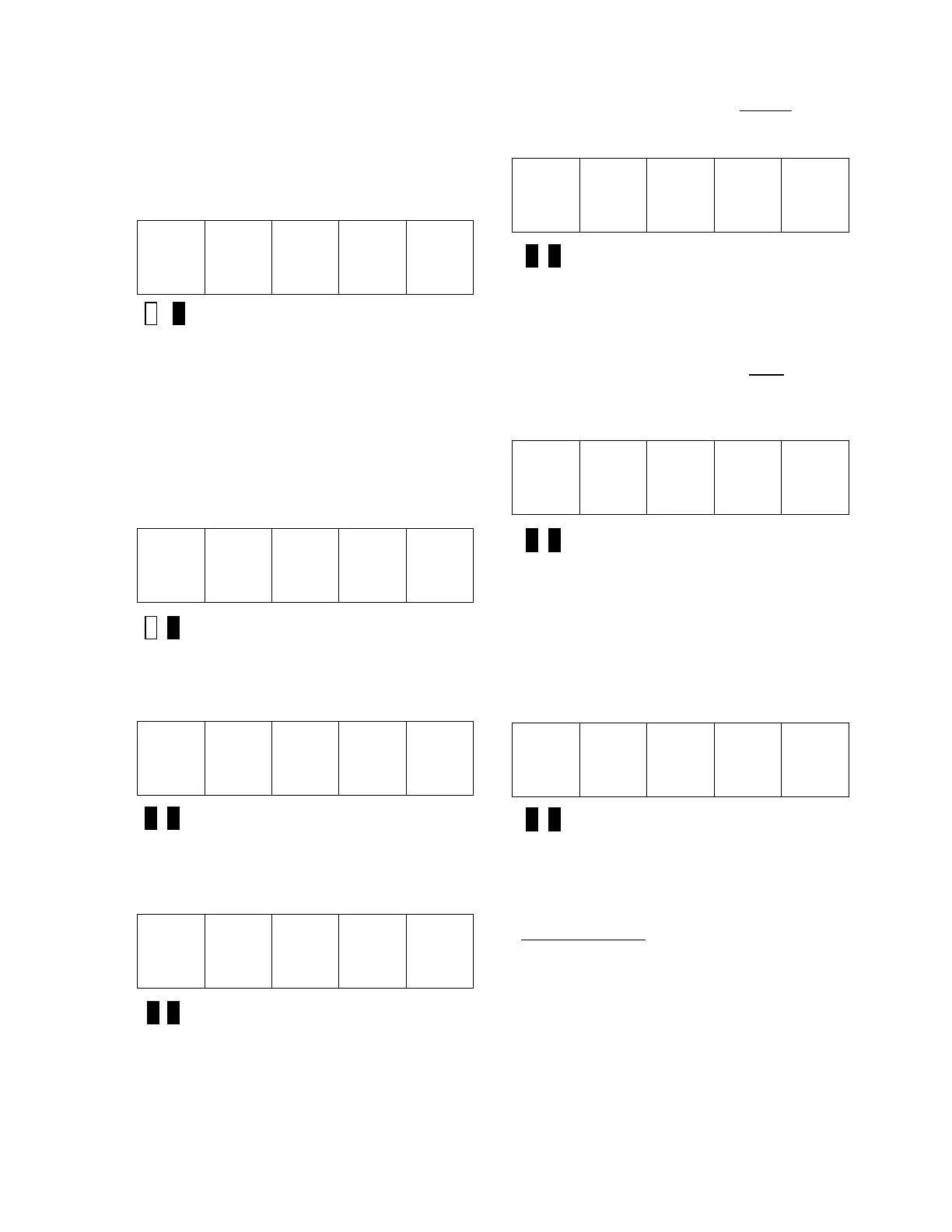
S F L t
Green LED Lit
Severe faults can only be cleared by pressing
the CPU reset button on the Drive Control
PCB or by cycling power to the drive.
If the display stays on 'tESt' and the contactor
doesn't pick up, there is a fault in motor field
connections or settings.
If all tests indicate that there are no failed
power components (SCRs and fuses), the
SCDU displays:
P A S S
Green LED Lit
Press the DATA/FCTN key to exit the PCU
Diagnostics routine and return to the
"Function" level. The SCDU displays:
9 9 8
Both LEDs Off
If the PCU detects one or more Open AC
Fuses, it displays the fault code for a blown
fuse (F910):
F 9 1 0
Both LEDs Off
If the PCU detects one or more shorted
SCR/doubler packs, the SCDU displays the
fault code for a shorted doubler (F911):
F 9 1 1
Both LEDs Off
Remove power from the drive to replace the
SCR(s) that are shorted, and repeat this test
until the SCDU displays the 'PASS' message.
If the PCU detected one or more open
SCR/doubler packs, the SCDU displays the
fault code for an open SCR/doubler pack
(F912):
F 9 1 2
Both LEDs Off
Remove power from the drive, consult Section
5, MAINTENANCE, to replace the SCR(s) that
are open, and repeat this test until the SCDU
displays the 'PASS' message.
If the PCU detects Reversed Armature
Feedback wires, it displays the fault code for a
Reverse Armature Fault (F917):
F 9 1 7
Both LEDs Off
Remove power from the drive, reverse the
Armature Feedback wires, and repeat this test
until the SCDU displays the 'PASS' message.
This fault also occurs if the Armature FB wires
are not connected
.


 To Next Page