Magstim Rapid²
Operating Manual
© The Magstim Company Limited 24 MOP03-EN-03
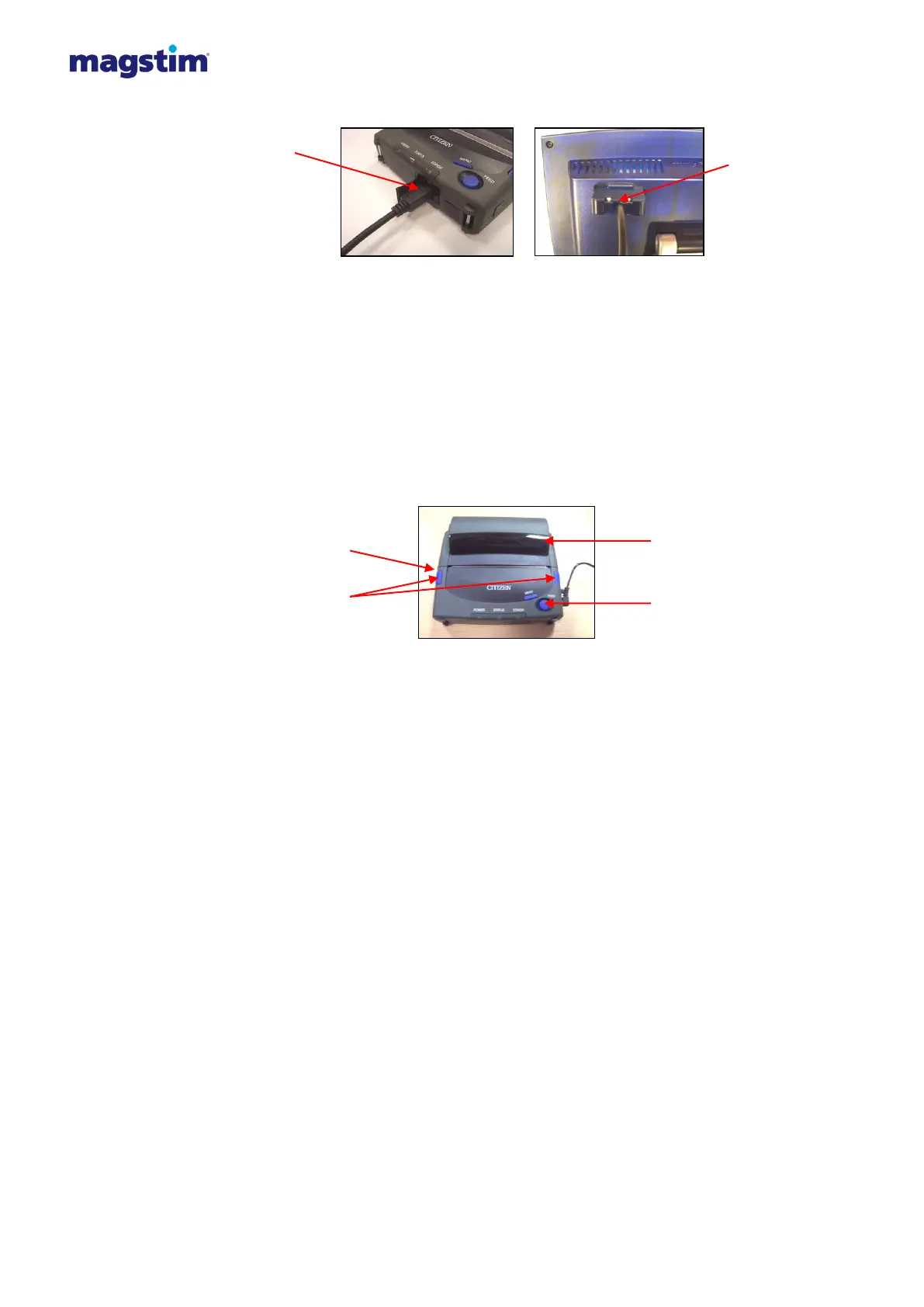
Figure 4.8: Connecting the printer to the Rapid² system
4. Switch the printer on via the green button on the left hand side of the printer. The ‘Power’ LED
should now be illuminated green.
5. To load paper, push the cover buttons on the side of the printer; this will open the Roll Paper
Cover.
6. Align the edges of the paper roll against the paper holders and push down gently.
7. Pull the paper through and close the cover. The printer is now ready to be used.
Figure 4.9: Printer
Optical RS/232
Interface cable


 To Next Page
 Loading...