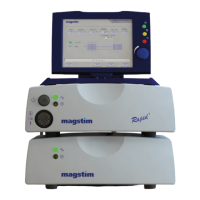
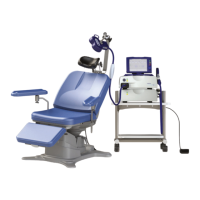
Magstim Rapid²
Operating Manual
© The Magstim Company Limited 17 MOP03-EN-03
3.3.2.4 15 Way D-Type Connector* (4)
This connector is situated on the rear of the UI behind the removable cover. It is designed to accept
the Motor Evoked Potential (MEP) pod, available as a separate item. It has type BF connection.
3.3.2.5 DC Power Jack* (5)
The DC Power Jack is situated on the rear of the UI. This connector allows an external 24V, 750mA
DC power supply to be attached. A suitable medical grade supply must be used, conforming to IEC
60601-1. This is NOT required when the UI is connected to the Magstim Rapid
2
.
3.3.2.6 Batteries* (6)
The battery compartment is accessed from the base of the UI. The batteries are required to maintain
configuration details such as time and date following power cycles.
3.3.2.7 26 Way D Type Connector* (7)
This connector is situated on the rear of the UI, and has 3 rows of pins. It provides trigger input and
output signals (see Appendix B).
3.4 Accessories
The use of the correct accessories is essential to the functioning of the Magstim Rapid². The Magstim
Company Limited cannot guarantee the instrument’s performance unless accessories used are
obtained from The Magstim Company Limited. Only Magstim accessories purchased from The
Magstim Company Limited should be used with the Magstim Rapid².
Note: The Magstim Rapid² system should only be powered using the power leads supplied by The
Magstim Company Ltd.
3.4.1 Stimulating coils
A range of stimulating coils is available for use with the Magstim range of products. For more details,
please contact the Sales department. Contact details are shown in Section 7.3.
3.4.2 MEP Pod
NOTE. The Rapid
2
must be switched off before connecting or disconnecting the MEP Pod.
The Motor Evoked Potential (MEP) Pod is an optional component which allows the user to capture
EMG signals and display them on the UI. 2 channels are available. The MEP Pod should be mounted


 To Next Page