2 - Installation
tDynamo| Three-way Secure Card Reader Authenticator | Installation and Operation Manual
Page 20 of 39 (D998200257-20)
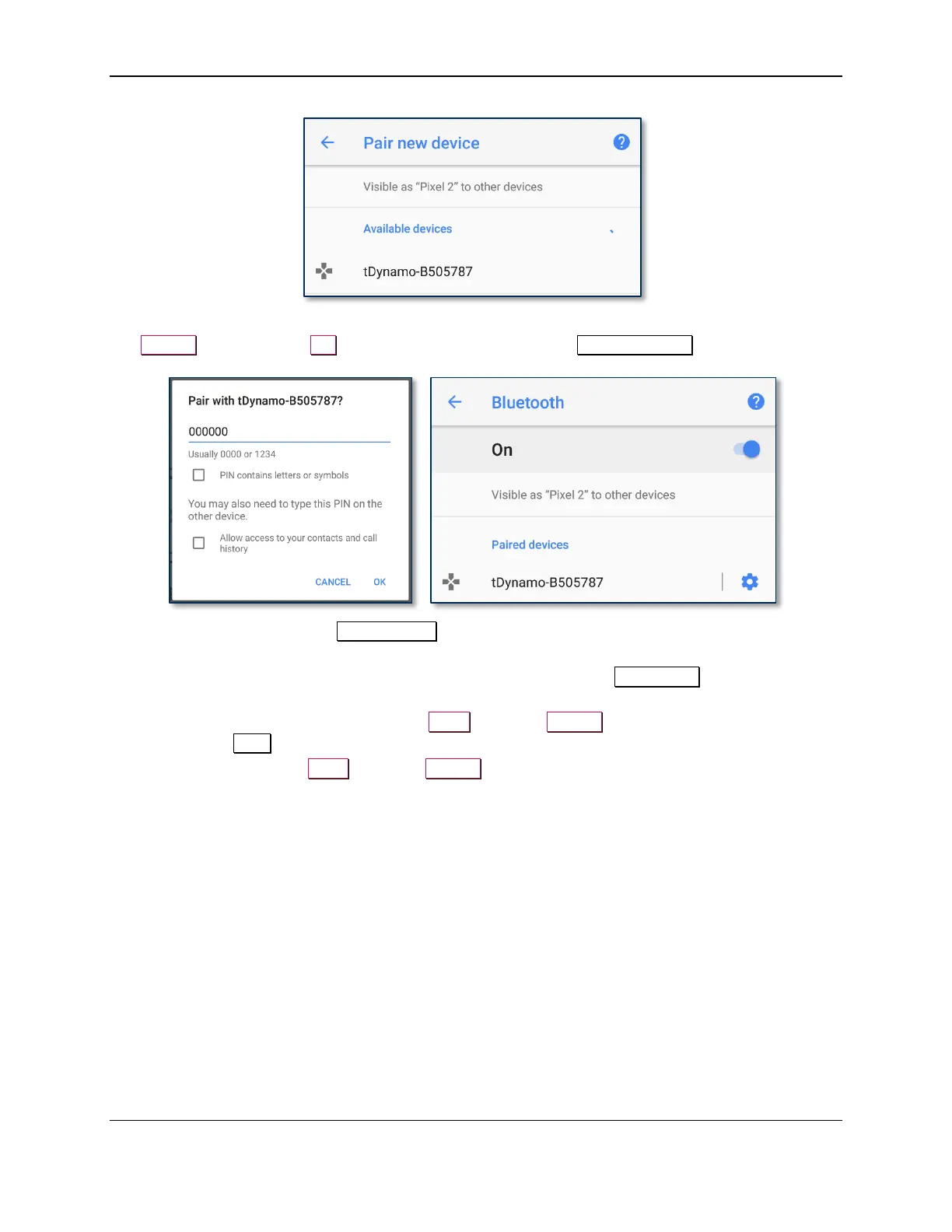
11) When the host asks for a passcode or PIN, enter tDynamo’s configured passkey (or the default
000000), then press the OK button. The device appears in the Paired devices list.
12) Use the host software or the MagTek Test app to connect to the device and to test swiping, inserting,
and tapping a card. For details about reading each payment type, see section 3.5 Card Reading.
a) After connecting to the device, the app reports the device is now Connected, and the device
indicates it is in Connected mode (see section 3.2 About the Status LEDs).
b) Before testing a swipe, use the app to Send command 580101 to the device and receive
response 0000 to enable the magnetic stripe read head.
c) After swipe testing, Send command 580100 to disable it and conserve power.



 To Next Page