BA490801-en
Pos: 67 / Techn ische Dokument ation/ Alle Ger äte/Über schr iften/ Überschri ften 1.1/H/ Überschr ift 1 .1: Haup tschalter @ 6\m od_11 77592 8583 12_75. docx @ 90 635 @ 2 @ 1
Pos: 68 / Techn ische Dokument ation/ Hebetech nik/ - Arch iv -/ 00 Heb etechni k - Alle/ Inh alte/ I nha lt: H aup tsc ha lter m it Not -Aus- Funkt ion HBZ @ 22\m od_1295874475528_75.docx @ 964591 @ @ 1
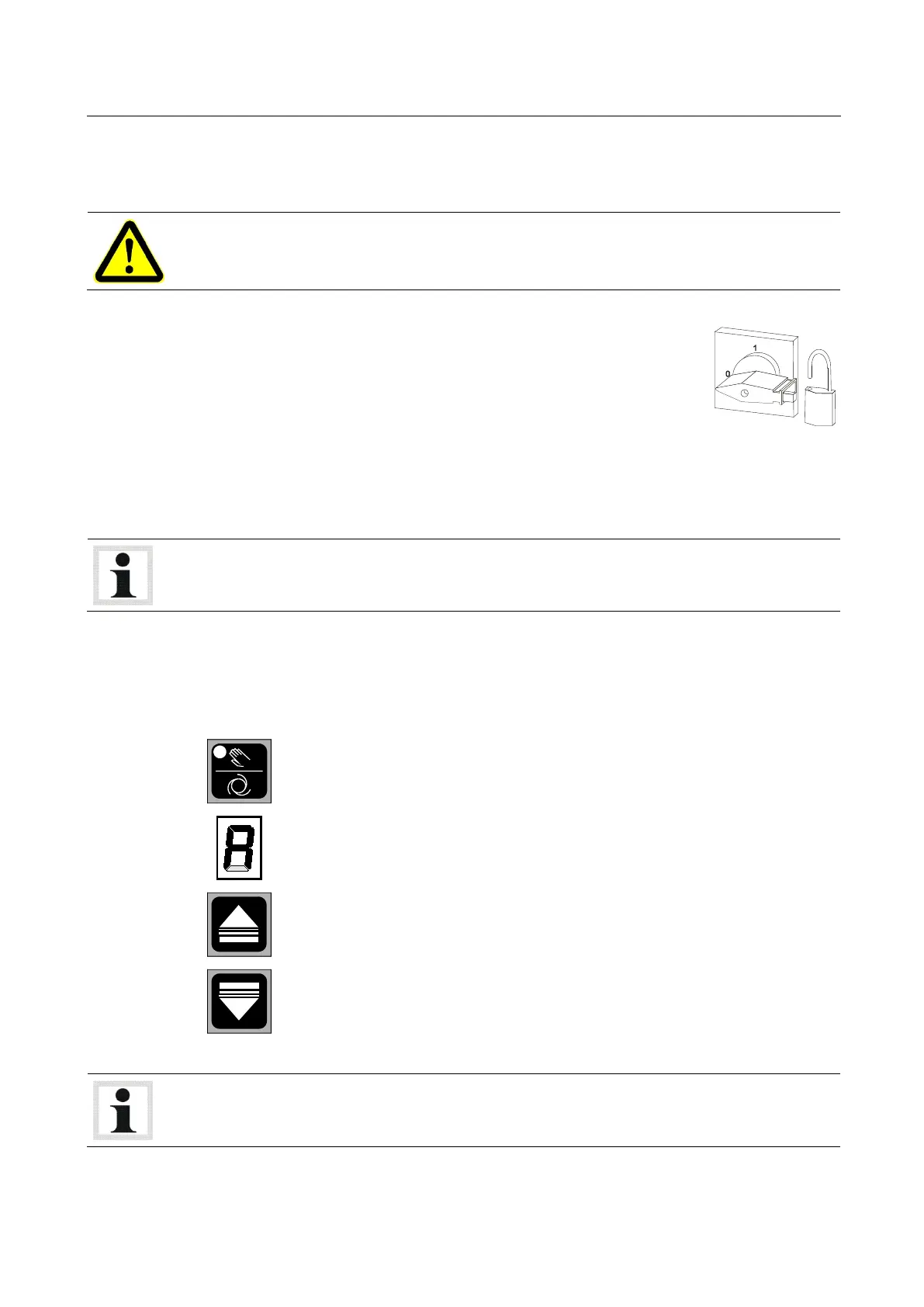
The main switch is used as emergency switch. In case of emergency turn it to position 0.
• Main switch in position 0: Power supply is interrupted
• Main switch in position 1: Lift is ready for operation
• When in position 0, the main switch can be protected against tampering
by means of a padlock.
Pos: 6 9 /Tec hnische Dokume ntat ion/Alle Gerät e/Übersc hriften/ Übers chrifte n 1.1/ N/Übers chrift 1.1: No t-Ha lt-Scha lter @ 12\mod _1 23176 26854 15_75.d ocx @ 3 02085 @ 2 @ 1
Pos: 70 / Techn ische Dokument ation/ Papier korb/H ebetech nik/Inha lt: No t-Ha lt @ 12\mod_1231763835049_75.docx @ 302215 @ @ 1
In case of emergency push the emergency stop button to stop the lift movement immediately.
Pos: 71 / Techn ische Dokument ation/ Hebetech nik/ - Arch iv -/ 00 Heb etechni k - Alle/In halte/ Inf o!/In halt : Inf o - Not-Halt @ 12\mod_1231764019369_75.docx @ 302260 @ @ 1
To make the lift ready for operation, unlock the emergency stop button and switch off the lift briefly
using the main switch.
Pos: 72 /Techn ische Dokument ation/Alle Ger äte/Übersc hriften/ Überschrifte n 1.1/B/Über schrift 1.1: Betr iebsarten @ 14\m od_12 4228 26630 93_75. docx @ 37 5477 @ 2 @ 1
Pos: 73 /Techn ische Dokument ation/Alle Ger äte/Übersc hriften/ Überschrifte n 1.1.1/A/ Über sc hrif t 1. 1.1 : A utom atik -Be trieb @ 12\mod _1231 7532 41005_ 75.d ocx @ 30 1580 @ 3 @ 1
Pos: 74 / Techn ische Dokument ation/ Papier korb/H ebetech nik/Inha lt: A utomatik- Betr ieb RGE @ 12\mod_1231753348068_75.docx @ 301635 @ @ 1
Select "Automatic mode" by pressing this button on each column.
Activation of this operating mode is indicated by the letter A on the seven-
segment display.
Use these buttons on the control unit to raise or lower the lift.
Pos: 75 / Tec hnis che Dokum entation/ Hebetechni k/- Arch iv -/ 00 Heb etechni k - Alle/In halte/ Inf o!/In halt : Inf o - Autom atikbetr ieb RGE @ 12\mod_1231754332521_75.docx @ 301660 @ @ 1
After switch-on the lift is in automatic mode.
Pos: 76 /----- Form at-----/ MAN UE LLE R UM BR UCH Se iten umb ruc h @ 0\mod_1134403577687_0.docx @ 1277 @ @ 1


 To Next Page