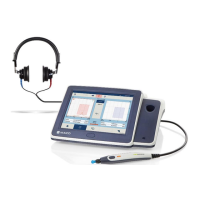
Operation Manual
touchTymp MI 26
and
MI 36
Version
In general, AGC is used to hold the level of the tone constant.
Especially in smaller ear canal volumes AGC provides an
accurate and safe intensity reflex stimulation. Without AGC,
the reflex activator stimuli in these smaller ear canals would
be higher than the referenced calibration value.
5.6.10 Settings – Acoustic Reflexes – Level
Figure 130
Figure 131
Figure 132
Figure 133
Level: Defines the test operation on which level change is used
when entering the Acoustic Reflex module. Options include:
• Automatic: touchTymp starts Acoustic Reflex test at
the minimum level and increases in 5 dB steps
automatically until a reflex is registered or the
maximum level is reached (Figure 130).
• You can adjust the minimum and maximum level for
Ipsi and Contra in 5 dB steps either for the level range
(if Automatic is selected) or a single level (if Fixed is
selected). Levels can be selected between:
• Ipsi: min: 70 dB HL, max: 105 dB HL,
• Contra: min : 70 dB HL , max : 120 dB HL (Figure 131).
• Fixed: The measurement is performed at one level as
defined in the Settings (Figure 132 and Figure 133).
5.6.11 Settings – Acoustic Reflexes – Stimulus
Ipsi 226 Hz, Ipsi 1000 Hz, Contra 226 Hz, Contra
1000 Hz: Defines the default frequencies for Ipsilateral
and Contralateral measurements when the Acoustic
Reflex screen is entered for testing. Default frequencies
can be modified within the test screen and will return to
the default settings when the screen has been exited
(Figure 134).
NOTE: Stimuli for MI 26 version are frequencies
500 Hz, 1000 Hz, 2000 Hz, 4000 Hz. Stimulus options
for MI 36 version also include noise stimuli (BB –
Broadband, HP – High Pass, LP – Low Pass).
When options are greyed out in the settings screen, the
license is not active (Figure 135).


 To Next Page
 Loading...