17
The Touchplates of the 0-CTRL
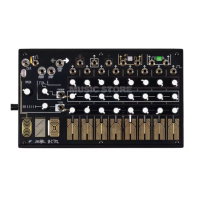
There are eleven touchplates on the 0-CTRL: three for macro control, and eight for Step selection
and generating Pressure and Touch Gate signals.
The Clock touchplate starts and stops the sequencer.
The Direction touchplate changes the sequence’s direction when it is touched (the DIR input does the same
thing - the touchplate and input can play with or against each other as you see fit!).
The Interrupt touchplate lights when Interrupt is On, and pressing it turns Interrupt On and Off.
When Interrupt is On, you may select Steps by hand using the Step touchplates, thereby sequencing
manually. When Interrupt is Off, touching a Step select touchplate will not cause the Step to be selected,
allowing for Pressure and Touch Gate signals to be created without interrupting a sequence, Touch Gate to
be patched to the Clock input for manual clocking, etc.


 To Next Page