30
Patch Corner (cont.)
Touch-Controlled Sprocket Wrench
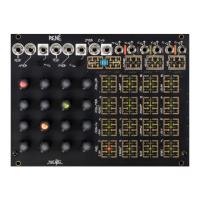
Set Pitch, Strength, and Time channel knobs to taste, and turn 0-CTRL Clock ON. Press and hold
individual Step touchplates to interrupt the sequence with repeating notes with pitch, strength, and
length set by the three channels’ knobs.
Touch-Generated Envelopes
Turn Clock OFF and patch Touch Gate Output to Clock Input. Set Strength and Time rows to taste. Each
press of a Step touchplate will generate a Dynamic Gate and Envelope whose strength and length are
determined by the Strength and Time settings for that Step. (Thanx Sam Turner)
Expressive Envelope Offsets
Patch a stacking cable from the Dynamic Envelope to the Pressure output. Patch a cable from the
Pressure output (via the stacking cable) to your modulation destination of choice. Switch Interrupt off.
Begin sequencing the 0-CTRL — the Dynamic Envelope will provide repeatable transient control
voltage in time with the sequence. To add an expressive offset to these envelopes, press a pad. (Thanx
Peter Speer)


 To Previous Page