10
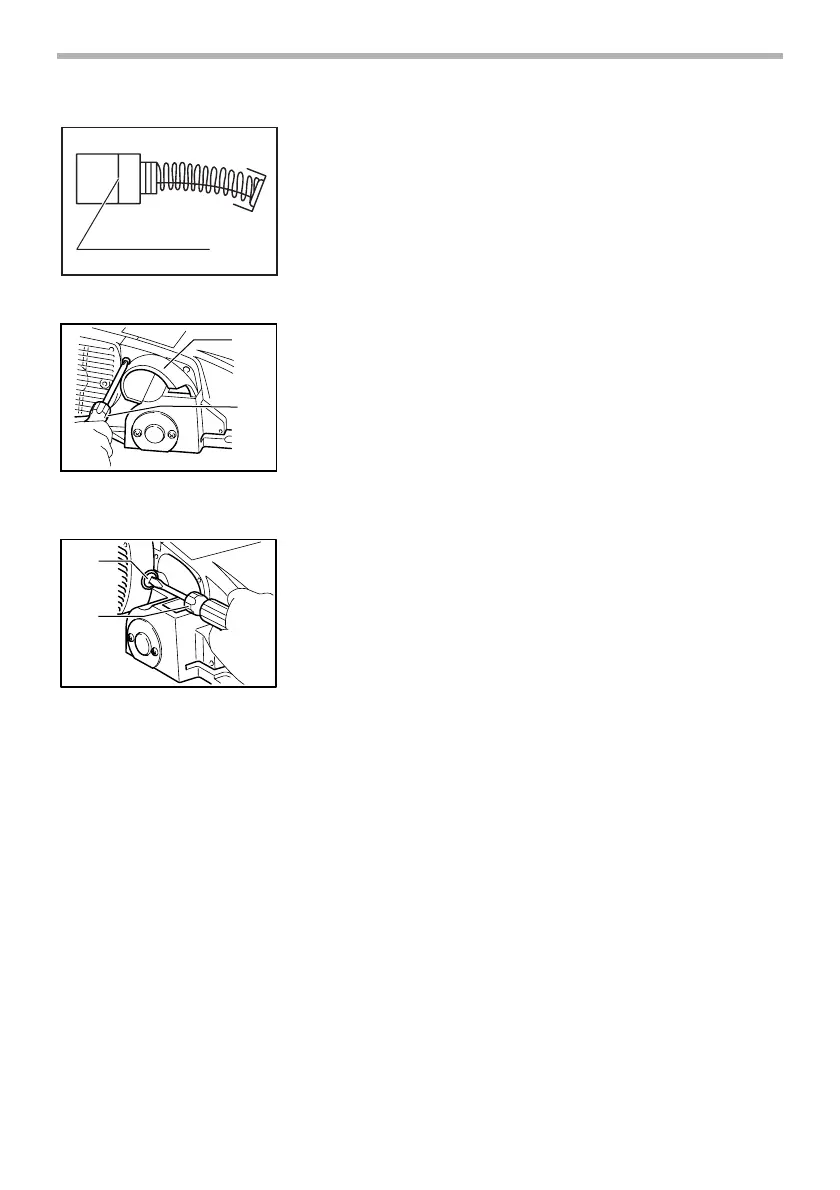
Replacing carbon brushes
Remove and check the carbon brushes regularly. Replace
when they wear down to the limit mark. Keep the carbon
brushes clean and free to slip in the holders. Both carbon
brushes should be replaced at the same time. Use only iden-
tical carbon brushes.
Use a screwdriver to remove the chip cover.
Use a screwdriver to remove the brush holder caps. Take out
the worn carbon brushes, insert the new ones and secure
the brush holder caps.
To maintain product SAFETY and RELIABILITY, repairs, any
other maintenance or adjustment should be performed by
Makita Authorized or Factory Service Centers, always using
Makita replacement parts.
1. Limit mark
1
001145
1. Chip cover
2. Screwdriver
1
2
002595
1. Brush holder cap
2. Screwdriver
1
2
002596



 To Next Page
 Loading...