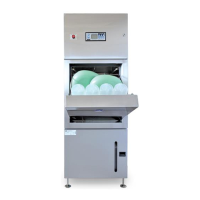
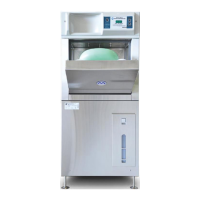
Bedpan / Urinal Bottle and Utensil / Bowl Washer Disinfector (WDS)
Operation, Maintenance and Installation Manual
Issue 16 Page 51 August 22
To enter a new record, just start typing the data on the next new line
Press Save when completed
The Reference / Serial Number needs to match the Serial Number of the respective device. This can be viewed on
the device using Diagnostics Command ’36 <Enter>’
The Device Reference Number / Serial Number can be entered or changed with commands ’36 nnnn 1892
<Enter>’
6.5.5 Changing the Report Titles
The D13447PC.ini file which resides with the C1344PC.exe can be edited with a text editor (eg Microsoft Notepad)
If the following lines are added to the .ini file, then the title test after the “=” can be edited and changed. When
changes are made, save it with the same name (“D13447PC.ini”)
[Print]
EventReportTitle=Event Report
StatisticsReportTitle=Statistics Report
CycleReportTitle=Cycle Report
6.5.6 How to Download the Log Data
Select “Download” button
If there is already data on the screen, there will be a prompt giving the option to save this data before loading in
the new data
Next, you will see the Download options window; select the com-port for the USB port
Deselect “Download all records” to enter the Number of records if required, otherwise leave this selected to
Download All Records
Note: Download all records could take considerable time (one or two minutes)
Press Download button to start the data transfer
The progress number of records is shown in the lower LHS of the main window
Once completed, the table should look something like shown in 6.5.3
6.5.7 How to Save and Open Files
The Save button allows the on screen data to be saved as CSV format file
The Open button allows a previously saved file to be loaded and viewed on-screen


 To Next Page