2-97
IT
EN PL
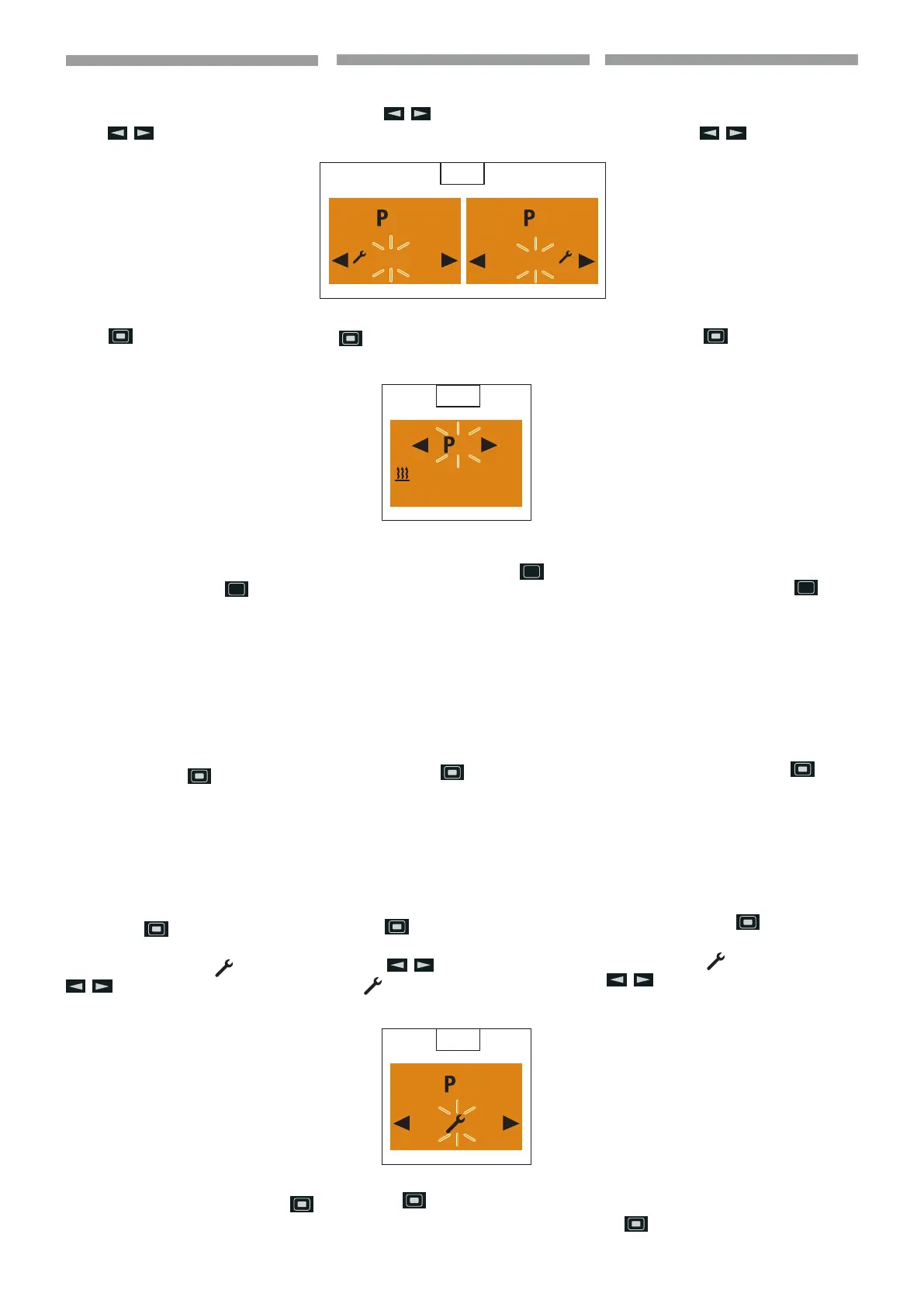
Activating / deactivating the program
memory
Use the
button to select the “On” or
“O” setting. (
62)
Conrm the “On” or “O” setting with the
button, the program, e.g. P2 is activa-
ted or deactivated. (
63)
p
Please note! After editing the
program, press the
button
to return to the Program / Pre-
selection menu item or wail until
- if the vehicle lighting is
On the Program / Preselec-
tion menu item is displayed,
- if the vehicle lighting is O the
display lighting goes out.
Do not press the
button, as otherwise
the “On” setting switches to “O” and vice
versa.
Editing the program memory
Use the
button to conrm the selected
program memory, e.g. P2.
Use the
button to select the sym-
bol
.
(
64)
Press the
button to conrm the set-
ting.
62
2
O
On
2
O
On
63
2
Mi. 21 °C
06 : 30 60 min.
64
2
O
On
Attivare / disattivare una memoria pro-
grammi
Selezionare l’impostazione “On” o “O” con
il tasto
. (62)
Confermare l’impostazione “On” o “O” con
il tasto
; il programma, ad es. P2, è atti-
vato o disattivato. (
63)
p
Avvertenza! Al termine dell’ela-
borazione del programma, tor-
nare con il tasto
all’opzione
Programma / Preselezione del
menu oppure attendere nché in
- Illuminazione veicolo On viene
visualizzata l’opzione Program
ma/ Preselezione del menu, in -
Illuminazione veicolo O si spe-
gne l’illuminazione del display.
Non premere il tasto
, poiché altrimenti
si commuta l’impostazione “On” in “O” e
viceversa.
Elaborare la memoria programmi
Con il tasto
confermare la memoria
programmi selezionata, ad es. P2.
Selezionare il simbolo
con il tasto
.
(
64)
Confermare l’impostazione con il tasto
.
Włączanie / wyłączanie pamięci pro-
gramów
Wybrać ustawienie “On” lub “O” za po-
mocą przycisku
. (62)
Potwierdzić ustawienie “On” lub “O” za po-
mocą przycisku
; program np. P2, jest
włączany lub wyłączany. (
63)
p
Ostrzeżenie! Po zakończeniu pr-
zygotowania programu wrócić,
za pomocą przycisku
do op-
cji menu Program / Wybór wstęp-
ny menu lub poczekać, aż - przy
włączonym oświetleniu pojazdu
wyświetli się opcja menu Program
/ Wybór wstępny menu,
- przy wyłączonym oświet-
leniu pojazdu wyłączy się -
podświetlanie wyświetlacza.
Nie naciskać przycisku
, po-
nieważ spowoduje to przełączenie
ustawienia “On” na “O” i odwrotnie.
Edycja pamięci programów
Za pomocą przycisku
potwierdzić wy-
braną pamięć programów, np. P2.
Wybrać symbol
za pomocą przycisku
.
(
64)
Potwierdzić ustawienie za pomocą przycis-
ku
.
648870 IT-EN-PL (04/05/2015)










 To Next Page