2-96
IT
EN PL
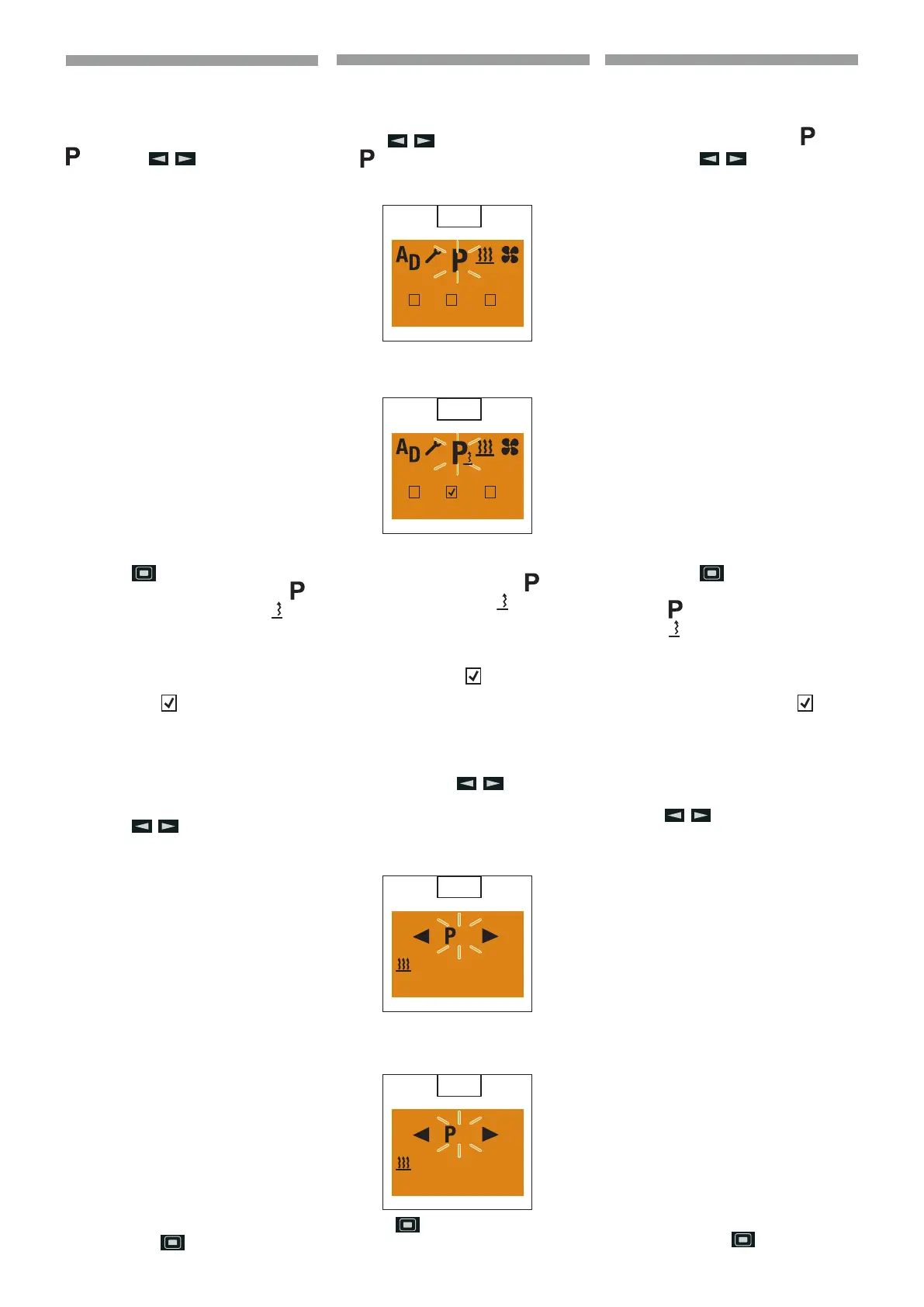
Program preset times
Display On, the Start display appears
(58).
Use the
button to select the sym-
bol
in the Menu bar.
Display, if no preselection is activated.
Display, if a preselection is activa ted e.g. P2.
(
59)
Conrm the Program menu item by pres-
sing the button.
p
Please note! If the symbol
is marked with
, a or several
program memories is/are alrea-
dy activated. Activated program
memories are marked in the di-
splay with a
.
EasyStart Timer settings
Selecting the program memory
The P1 program memory is displayed, if
applicable, use the
button to se-
lect the next program memory P2, P3 or P1
again.
Program memory P1 display, factory set-
ting. (60)
Program memory P2 display with program-
med preselection. (
61)
Press the
button to conrm the selec-
ted program memory.
58
1
2
3
59
1
2
3
60
1
Mo. - Fr. 21 °C
07 : 00 30 min.
61
2
Mi. 21 °C
06 : 30 60 min.
Programmare gli orari di preselezione
Display On, viene visualizzata la videata in-
iziale (
58).
Selezionare dalla barra del menu il simbolo
con il tasto .
Indicazione quando non è attivata nessuna
preselezione.
Indicazione quando è attivata una presele-
zione, ad es. P2. (
59)
Confermare l’opzione Programma del menu
con il tasto
.
p
Avvertenza! Se il simbolo è
contrassegnato con un
, vuol
dire che una o diverse memo-
rie programmi sono già attivate.
Le memorie programmi attivate
sono contrassegnate sul display
con un
.
Impostazioni di EasyStart Timer
Selezionare la memoria programmi
Viene visualizzata la memoria programmi
P1, eventualmente selezionare la memoria
programmi successiva P2, P3 o di nuovo P1
con il tasto
.
Indicazione memoria programmi P1, im-
postazione di fabbrica.
(
60)
Indicazione memoria programmi P2 con
preselezione programmata. (
61)
Confermare la memoria programmi selezio-
nata con il tasto
.
Programowanie ustawienia godzin
Wyświetlacz włączony, wyświetlany jest ek-
ran początkowy (
58).
Wybrać na pasku menu symbol
za po-
mocą przycisku
.
Wskazanie w przypadku, gdy nie jest akty-
wne żadne ustawienie wstępne.
Wskazanie w przypadku, gdy jest aktywne
ustawienie wstępne, np. P2. (
59)
Potwierdzić opcję w menu Programu za po-
mocą przycisku
.
p
Ostrzeżenie! Jeżeli symbol
jest oznaczony znakiem
oznacza to, że jest już ak-
tywna jedna lub kilka pamięci
programów. Aktywne pamięci
programów są oznaczone na
wyświetlaczu znakiem
.
Ustawienia EasyStart Timer
Wybrać pamięć programów
Wyświetlana jest pamięć programów P1,
ewentualnie wybrać następną pamięć pro-
gramów P2, P3 lub ponownie P1 za pomocą
przycisku
.
Wyświetlenie pamięci programów P1, usta-
wienie fabryczne.
(
60)
Wyświetlenie pamięci programów P2 przez
ustawienie zaprogramowane. (
61)
Potwierdzić wybraną pamięć programów
za pomocą przycisku
.
648870 IT-EN-PL (04/05/2015)










 To Next Page