Installation manual / Manusa
DTCXSO01EN-V10
32. Selecting door operating mode
To select the door operating mode, press the appropriate key.
2. Selecting door operating mode
Door Open AB
Door Closed CE
Pharmacy Opening FA *
Reduced Opening A1-A4
Automatic Door AU
Exit Only SS **
* Operating mode only available on Bravo operator with automatic lock.
** Depending on operator and the safety level set for mode changes, a user password may be required.
The “Exit Only SS” mode key may have more than one function, depending on the operator to which it is connected.
For adjustable settings, see Advanced settings.
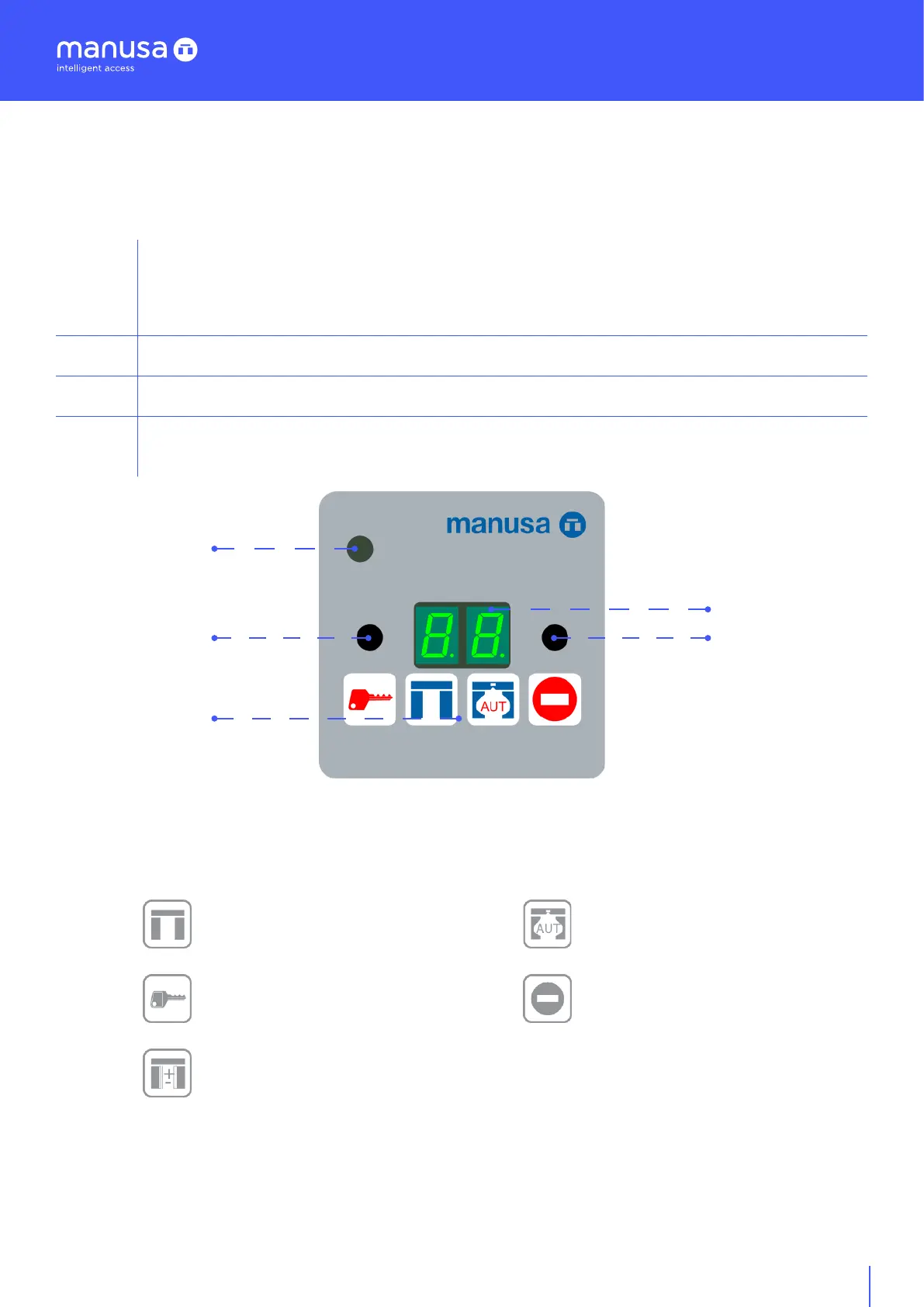
Control element that, when connected to a VISIO, ACTIVA+, VISIO+ or BRAVO operator, enables selection of door
operating mode, access to Technical Service functions, and fault display. Two dierent combinations of keys enable
keypad locking and unlocking. The available operating modes are as follows:
1. Description
1
A 7-segment, 2-digit display indicating selected operating mode in a language to be chosen from the
following: Spanish, French, English, German, Italian, Portuguese, Dutch and Catalan.
If the monitoring system detects a fault, a flashing number on the display indicates the type of fault.
2/3
Buttons reserved for Technical Service functions.
4
Buttons to select the operating mode.
5
Infra-red receiver, fitted as standard, for remote control of the door using a remote-control unit
(optional, code EMMD04).
5
2
4
1
3


 To Next Page