Installation manual / Manusa
DTCXSO01EN-V10
86.7 Exiting technical service functions
6.6 Deleting the authorised remote control list
Press (2) repeatedly until Fb appears.
Then press (3).
Press (2) repeatedly until 5b appears on the display.
Then press (3).
From now on, the program switch will not respond to any remote control.
6.7 Exiting Technical Service functions
Press (2) repeatedly until F0 appears.
Then press (3).
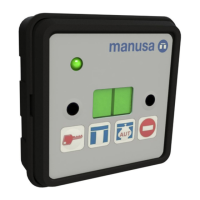
The display will show the selected operating mode or fault detected, if any.
Important: To store any changes in the memory, change the setting mode to “Open” and then to “Automatic”.
6.5 Adding remote controls to the authorised list
When remote controls are used for the first time, the list must be deleted as shown in section 5.6.
Press (2) repeatedly until FC appears. Then press (3).
While pointing the remote control (EMMD04) at the program switch, press and hold any key on the remote control until
a number between 1 and 4 flashes on the display. This number indicates how many remote controls are stored on the
list. The list can include up to four remote controls.
The program switch only responds to the remote controls included in the list. Only EMMD04-type remote controls can
be on the list.


 To Next Page