1600/1800 Manual
25
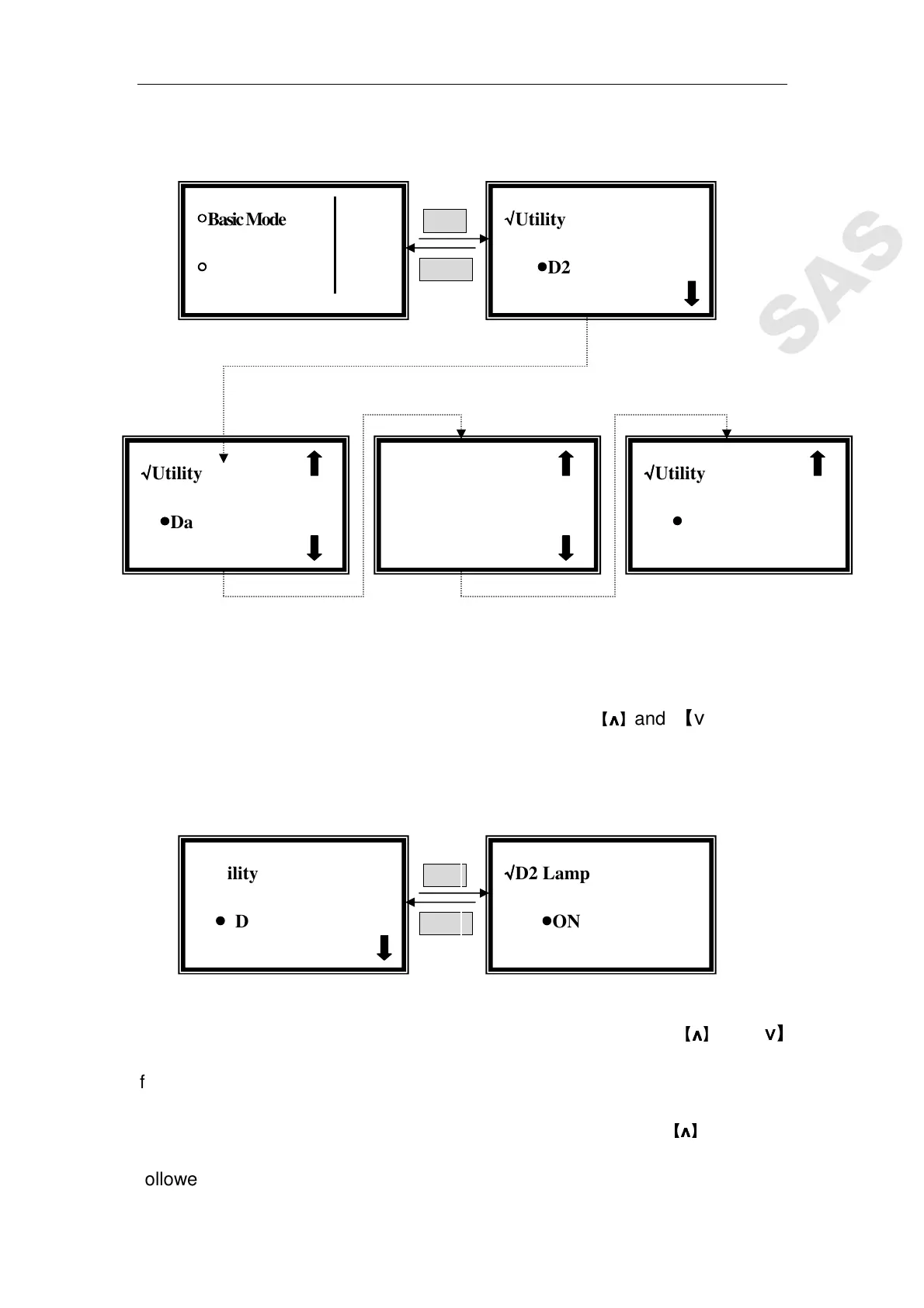
by【ENTER】.10 items will to be set. (Fig. 40)
ENTER
RETURN
Fig. 40
Set Deuterium Lamp
Move the cursor on “D2 Lamp on/off” by pressing
【
∧
∧∧
∧
】
and 【∨
∨∨
∨】in utility
setting interface, then press【
ENTER】to go into D2 controlling interface.(Fig.
41)
ENTER
RETURN
Fig. 41
Move the cursor on “OFF” to shut off the D2 lamp by pressing
【
∧
∧∧
∧
】
and 【∨
∨∨
∨】
followed by 【ENTER】. Press 【RETURN】to exit.
Move the cursor on “On” to lighten the D2 lamp by pressing
【
∧
∧∧
∧
】
and 【∨
∨∨
∨】
followed by 【
ENTER】. Press 【RETURN】to exit.
√
√√
√Utility
●
●●
●Lamp Life
√
√√
√Utility
●
●●
●Date & Time
√
√√
√Utility
●
●●
●D2 Lamp on/off
○
○○
○Basic Mode
○
○○
○Quantitative
√
√√
√D2 Lamp
●
●●
●ON √
√√
√
√
√√
√Utility
●
●●
● D2 Lamp on/off
√
√√
√Utility
●
●●
●Version



 To Next Page