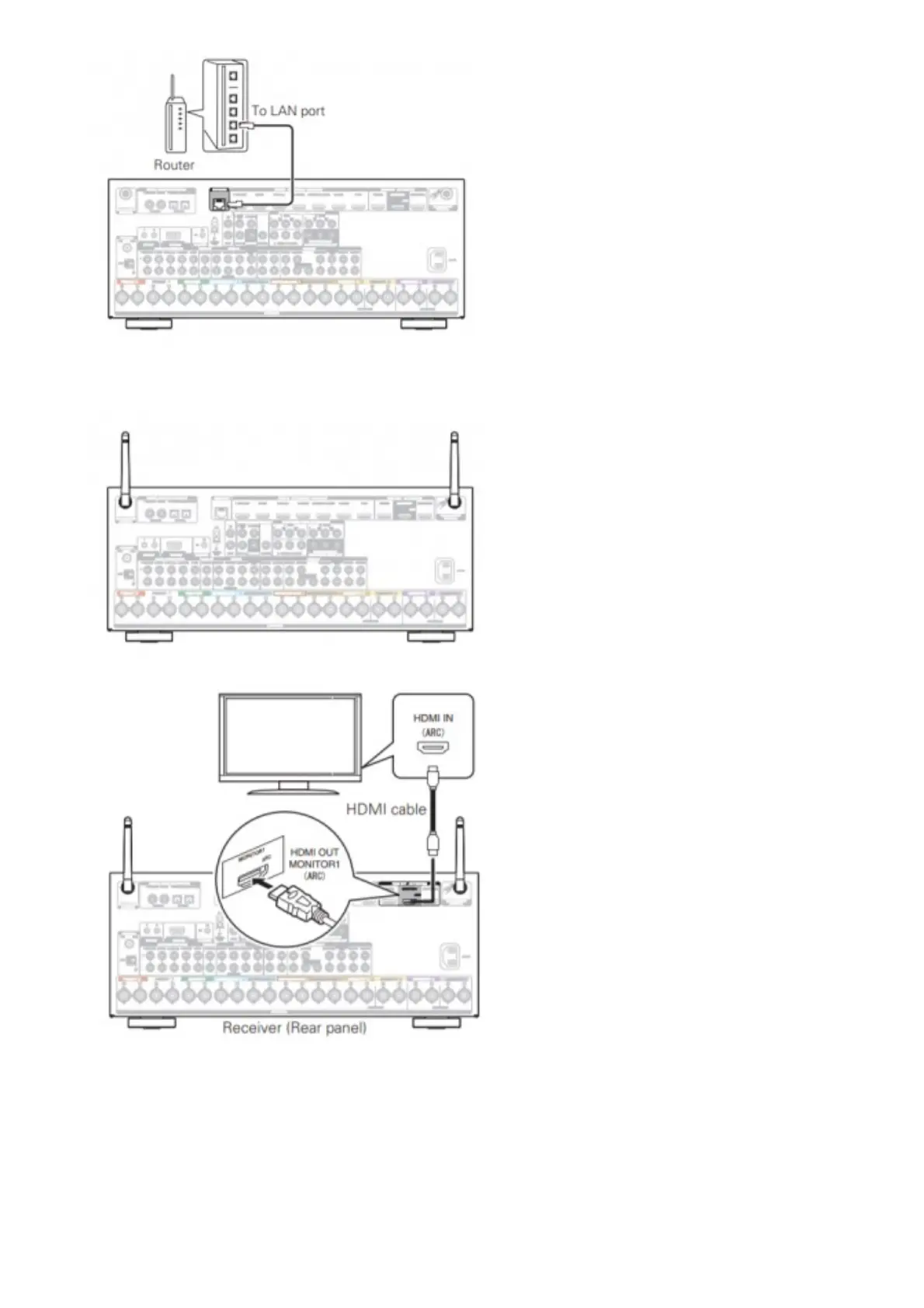
Wireless LAN
When connecting to wireless LAN (Wi-Fi), follow the instructions in “Connecting the external antennas for
Bluetooth/Wireless connectivity” and connect the antennas.
3. Connect the receiver to your TV with an HDMI cable
ARC (Audio Return Channel) :
If your TV supports ARC, your TV can send audio back to the AV receiver when you are using your TV’s built-in
video sources (TV tuner, Smart TV streaming services, etc…) ARC requires that you enable HDMI CEC on
your TV. Please refer to your TV’s Owner’s Manual for instructions on how to setup HDMI CEC. Note that some
TV manufacturers use other names for the HDMI CEC function.
4. Turn on the TV



 To Next Page