EasyManua.ls Logo

Marantz AV8802A - Remotely Connecting Marantz Devices

Marantz AV8802A
371 pages
Print Icon
To Next Page IconTo Next Page
To Previous Page IconTo Previous Page
Loading...
o
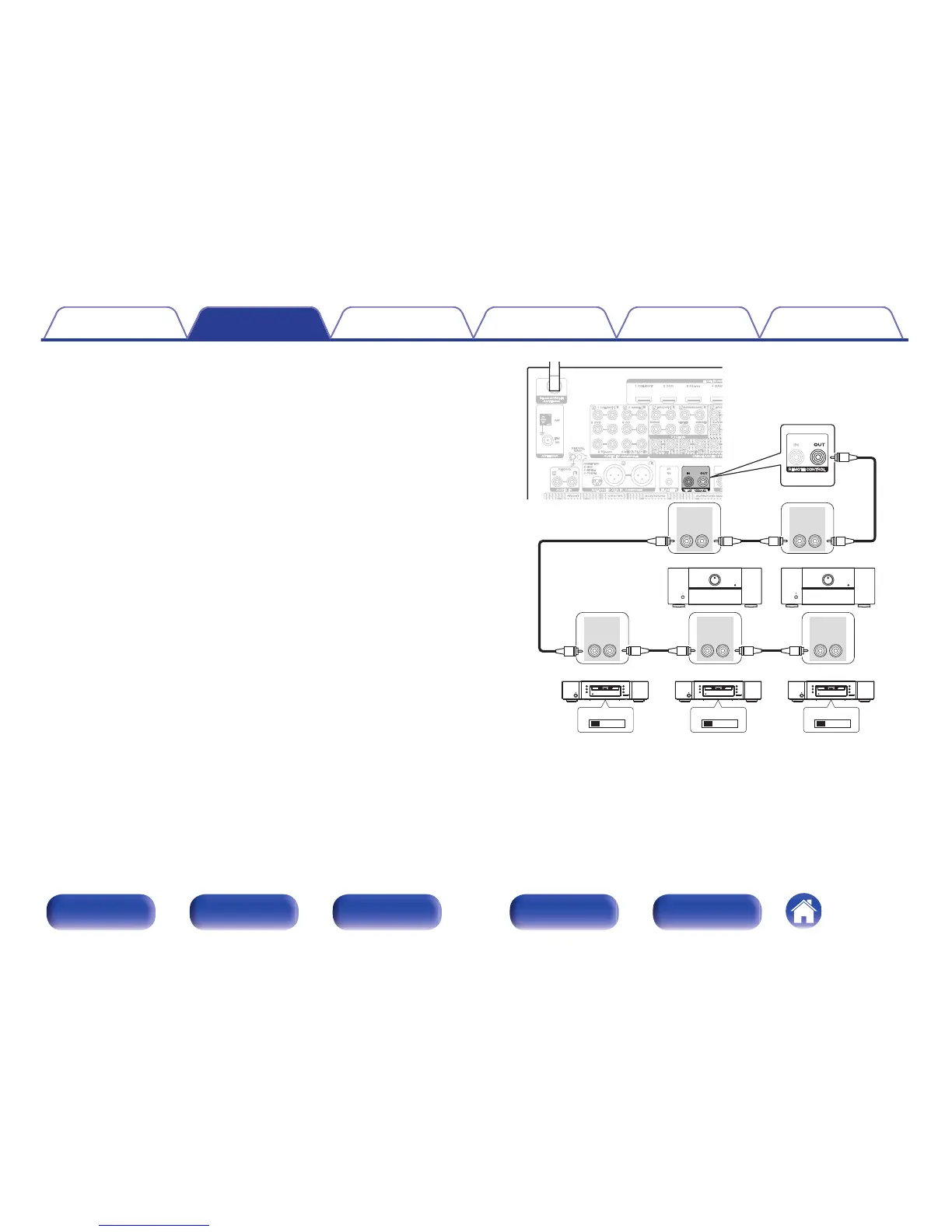
Remotely connecting Marantz devices
When you are using a Marantz device other than this unit that supports
remote connection, you can transmit remote control signals just by
connecting the device to the REMOTE CONTROL IN/OUT connector
with a monaural cable.
Set the remote control switch located on the rear panel of the
connected audio component to “EXTERNAL” or “EXT.” to use this
feature.
.

EXTERNAL INTERNAL EXTERNAL INTERNAL EXTERNAL INTERNAL
REMOTE
CONTROL
OUTIN
REMOTE
CONTROL
OUTIN
REMOTE
CONTROL
OUTIN
REMOTE
CONTROL
OUT IN
REMOTE
CONTROL
OUT IN
Contents
Connections Playback Settings Tips Appendix
82
Front panel Display Rear panel Remote Index

Table of Contents

Related product manuals