7
ENGLISH
7
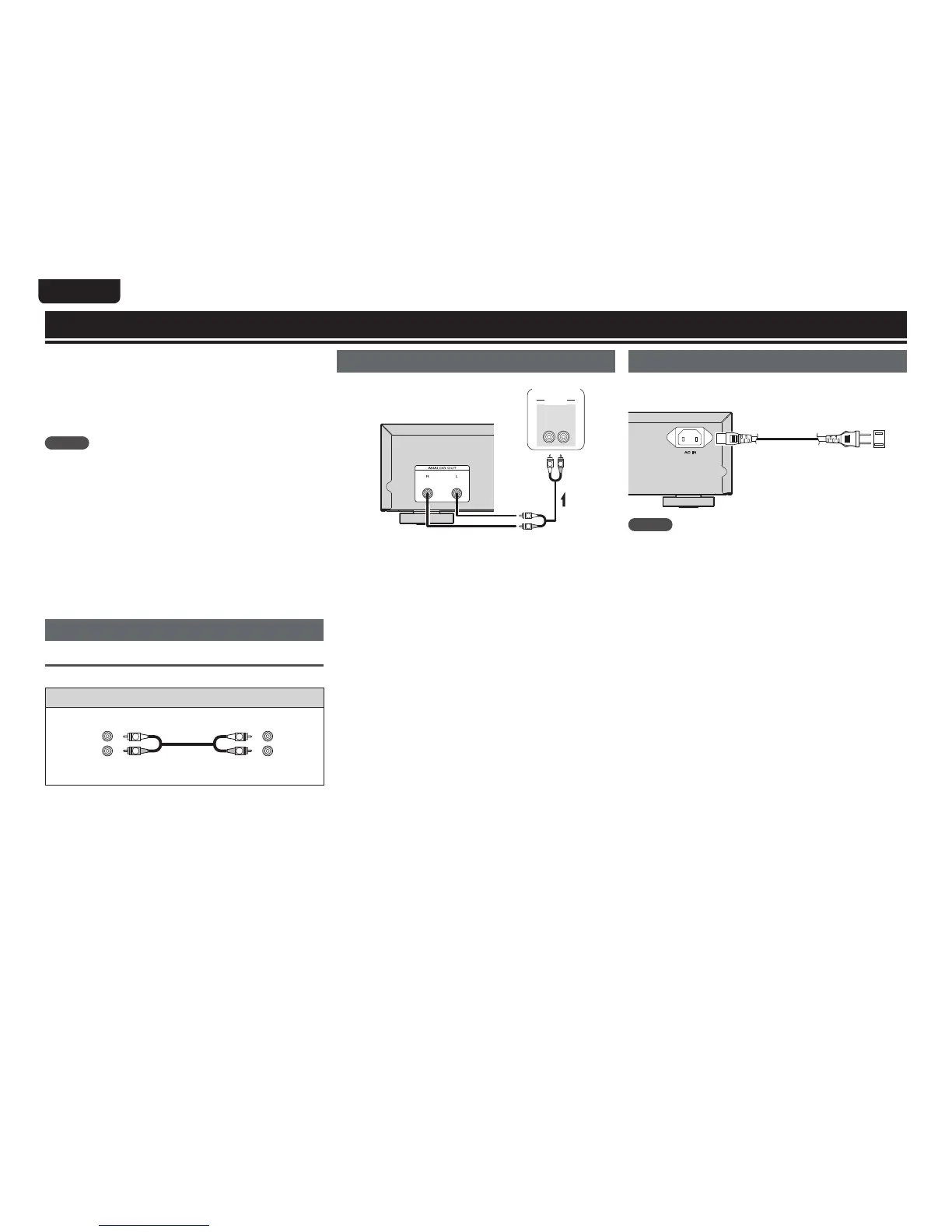
This chapter explains how to connect the analog device (amp)
and power cord.
For other connections, see the sections below.
n USB memory device/iPod connection (vpage14)
n Remote control connection (vpage14)
NOTE
tDo not plug in the power cord until all connections have been
completed.
tWhen making connections, also refer to the owner’s manual of the
other components.
tInsert the plugs securely. Loose connections will result in the
generation of noise.
tBe sure to connect the left and right channels properly (left with
left, right with right).
tBe sure to connect the input and output properly.
tDo not bundle power cords together with connection cables.
Doing so can result in humming or noise.
tDo not connect the unit to the PHONO input connectors on the
amplifier.
Preparations
Connecting cables
Select the cables according to the equipment being connected.
Audio cables
Analog connections (stereo)
R
L
R
L
Audio cable (supplied)
(White)
(Red)
Basic connections
Analog connection
R
L
R
L
"6%*0
3-
*/
"6%*0
Amplifier
Signal flow
Connecting the power cord
Do not plug in the power cord until all connections have been
completed.
To household power outlet
(AC 120 V, 60 Hz)
Power cord
(supplied)
NOTE
tInsert the plugs securely. Loose connections will result in the
generation of noise.
tDo not unplug the power cord while the unit is operating.
tDo not use a power cord other than the cord supplied with this unit.



 To Next Page