21
ENGLISH
21
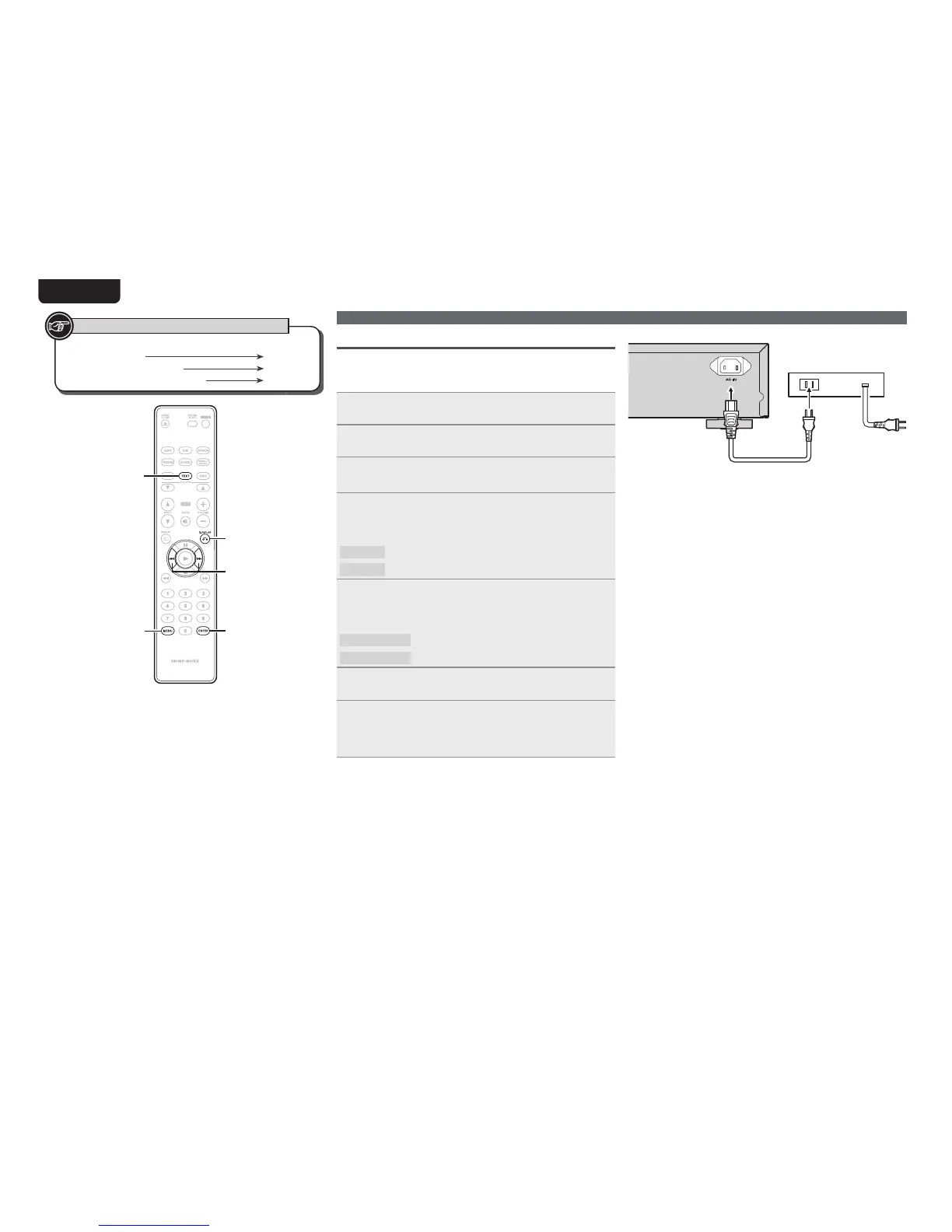
Timer Play (Timer play setting)
When this unit is connected to a commercially available external audio
timer, the unit’s power is switched on and media playback starts at
the specifi ed time.
1
Connect the audio timer to this unit.
2
Set the media that you want to playback in the unit.
3
Select “Timer Play=>” using
[8]
and
[9]
, and
press
[ENTER].
4
Select “2 On=>” for the timer play settings using
[8]
and
[9]
, and press [ENTER].
GSelectable itemsH
1 Off
Timer play is not set.
2 On=>
Timer play is set.
5
Select the playback media using
[8]
and
[9]
,
and press
[ENTER].
GSelectable itemsH
1 CD
Plays back the DISC media.
2 USB/iPod=>
Plays back the USB memory device or iPod.
6
Press [MENU].
The settings are saved, and the display returns to normal.
7
Set the audio timer.
tFor connection to audio timer and it’s operation, please refer to the
instruction manual of your audio timer.
Audio timer
Performing menu settings
Button located on both the main unit and
the remote control
BUTTON
Button only on the main unit
<BUTTON>
Button only on the remote control
[BUTTON]
Symbols used to indicate buttons in this manual
[ENTER]
[Q.REPLAY]
[MENU]
[8, 9]
[TEXT]



 To Next Page