JIG FOR SERVICING
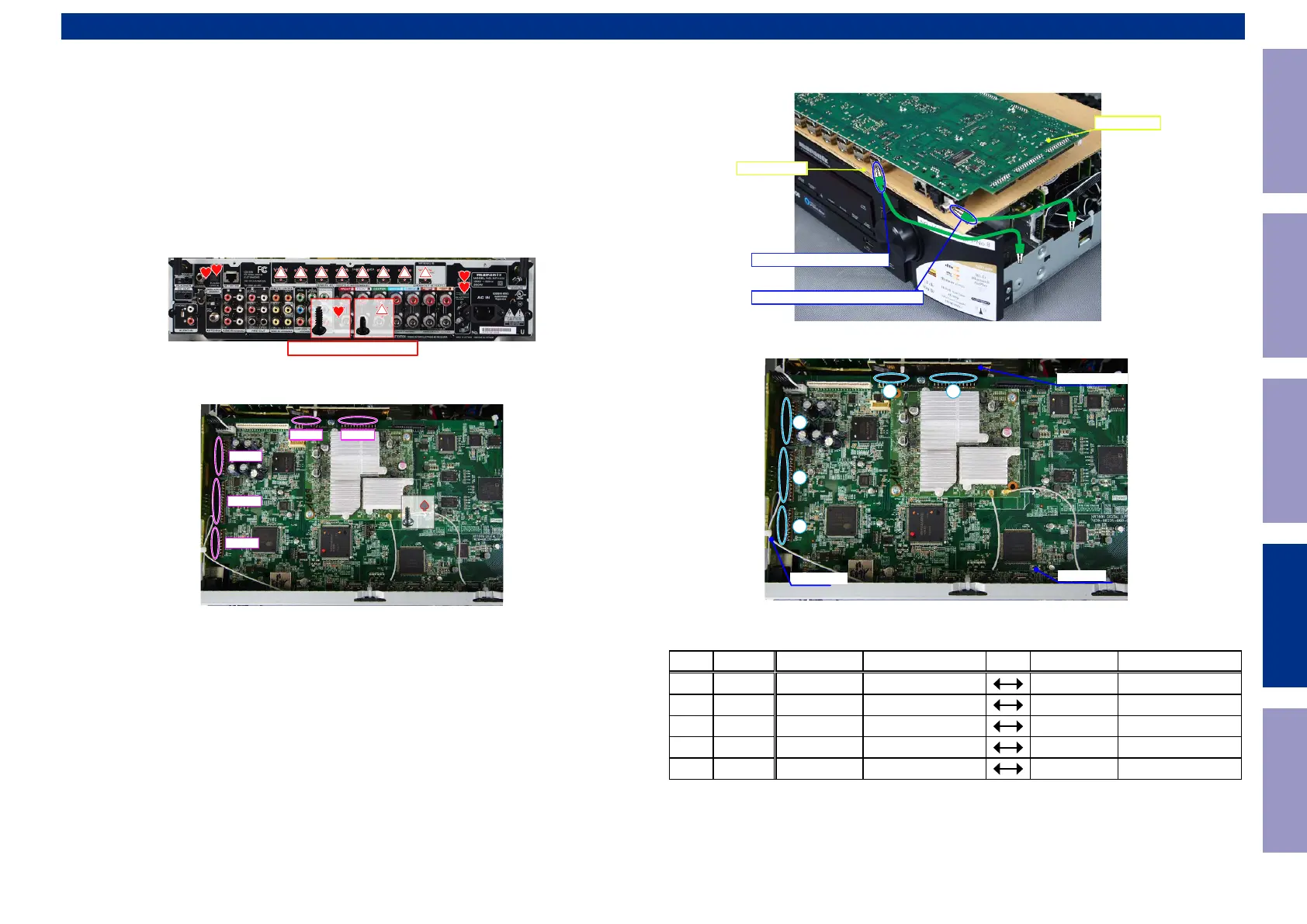
Use the following jigs (extension cable kit) when repairing the PCBs.
Order with your dealer for the jigs your dealer if necessary.
CAUTION : Incorrect connections may cause malfunction.
Connection of Jig for DIGITAL PCB
---Items to Be Prepared---
8U-110084S : EXTENSION UNIT KIT : 1Set
Insulation sheet (Not supplied) : 1 sheet
Ground lead (Not supplied) : 2 pc
-Proceeding-
(1) Remove the screws.
(2) Remove the connector PCB.
↑Shooting direction: A↑
x4 x8
x1
N1039N1040
N1014
N1016
N1022
(3) Remove the DIGITAL PCB from the chassis and turn it over.
Place an insulation sheet larger than the PCB underneath the DIGITAL PCB.
b
Connect the earth of the PCB to the chassis using an earth wire, etc.
(4) Connect the expansion cables.
Board-to-Board Connections
No. Pin Ref. No. PCB Ref. No. PCB
q
17pin CP4608 SIDE CNT
N1022 DIGITAL
w
27pin CP4604 SIDE CNT
N1016 DIGITAL
e
23pin CP4603 SIDE CNT
N1014 DIGITAL
r
15pin CP4616 FRONT CNT
N1040 DIGITAL
t
23pin CP4613 FRONT CNT
N1039 DIGITAL
PCB DIGITAL
Insulation sheet
CHASSIS-HDMI CONNECTOR
CHASSIS-COMPOSITE CONNECTOR
DIGITAL
FRONT CNT
SIDE CNT
1
2
3
4 5
Before Servicing
This Unit
Electrical Mechanical Repair Information Updating
152



 To Next Page