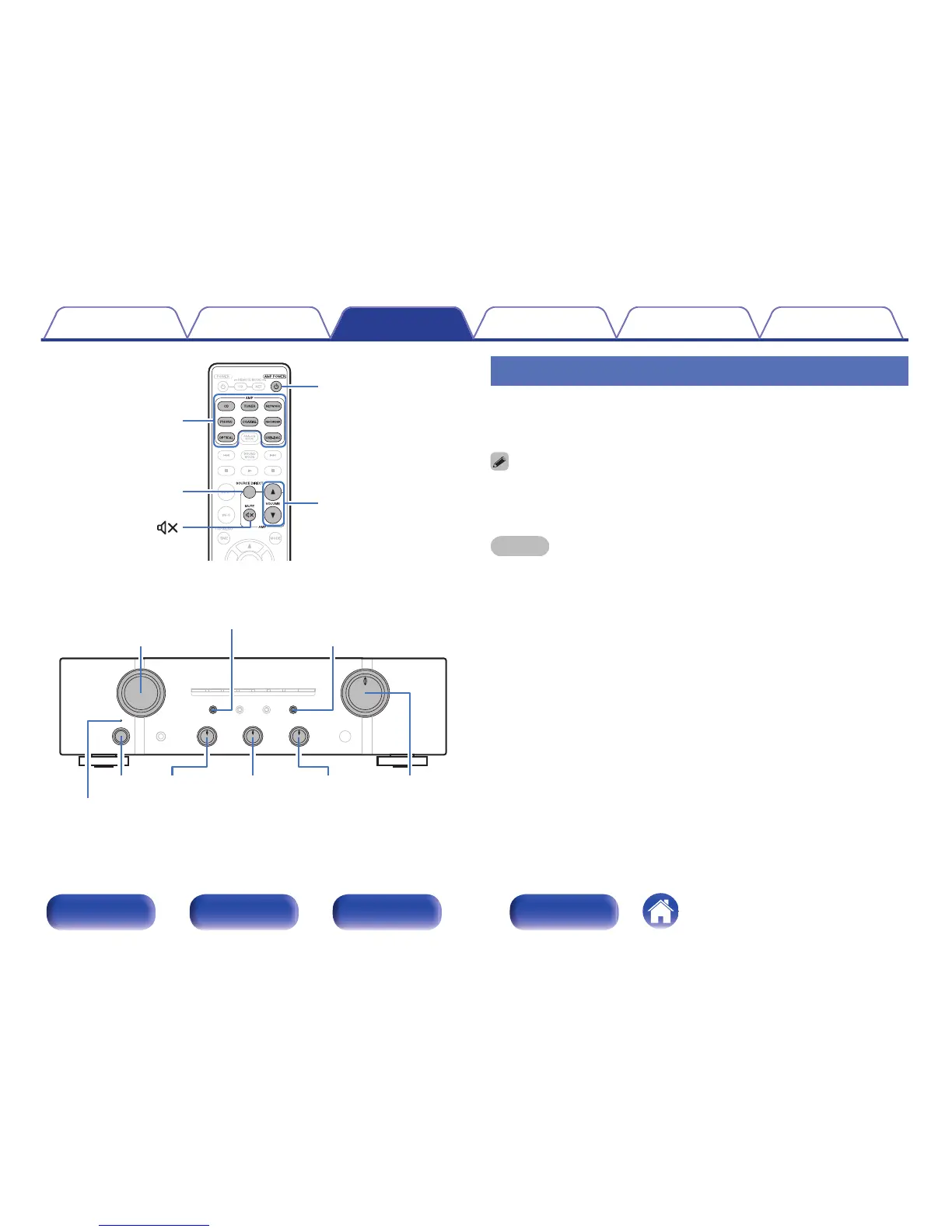
Turning the power on
1
Press X on the main unit to turn the power on.
Input indicator for the selected source lights.
0
Press AMP POWER X to turn on power from standby mode.
0
You can turn the INPUT SELECTOR when the unit is in standby mode to turn on
the power.
NOTE
Turn VOLUME on the main unit to adjust the volume to the lowest level before turning
on the power.
o
Turning the power off
1
Press X on the main unit to turn the power off.
All lit indicators turn off.
o
Switching the power to standby
1
Press AMP POWER X on the remote control.
The power indicator lights in red.
Contents Connections Playback
Settings
Tips Appendix
27
Front panel Rear panel
Remote control
unit
Index







 To Next Page