Setting the Auto Standby mode
You can set the unit to automatically switch to standby mode if the unit is
not operated for 30 minutes when there is no audio input (Auto Standby
mode).
Auto Standby mode is set to off by default.
.
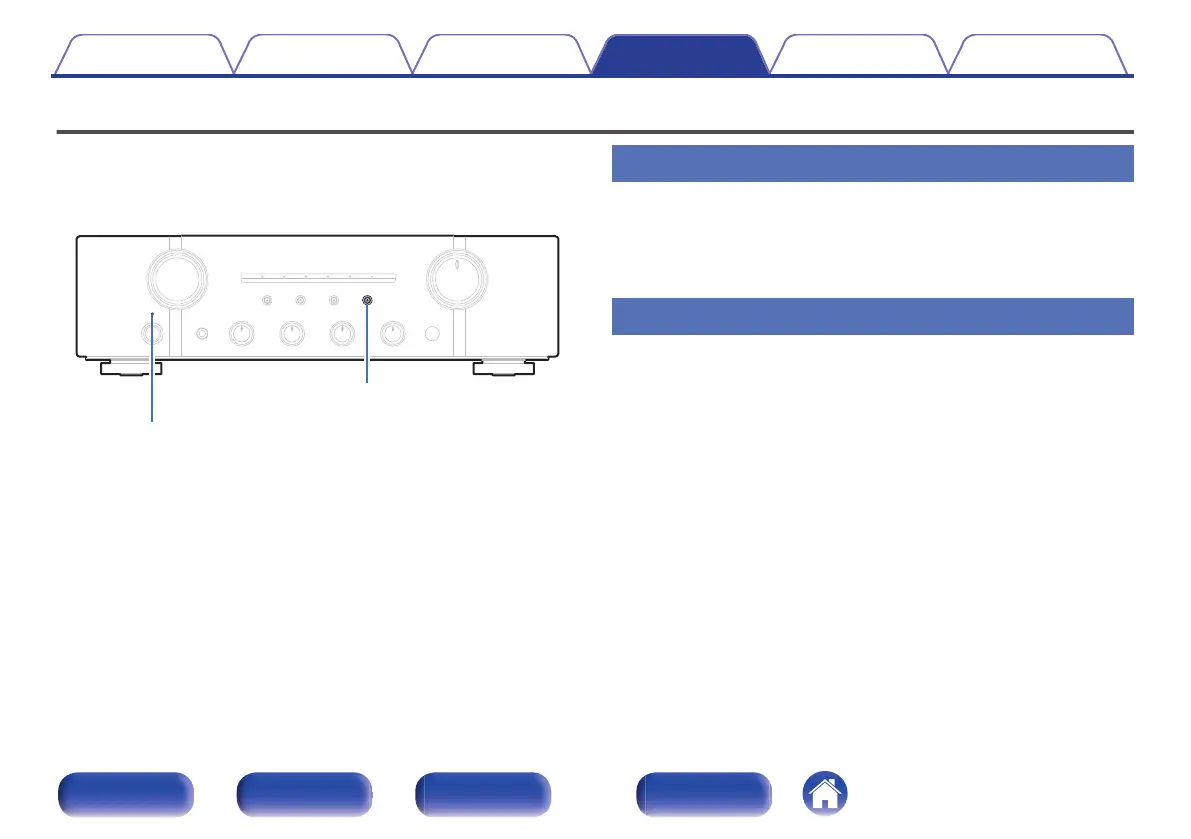
SOURCE DIRECT
Power indicator
Turning Auto Standby mode on
1
Press and hold SOURCE DIRECT on the main unit for
more than 5 seconds to turn the Auto Standby mode on.
The power indicator flashes three times.
Turning Auto Standby mode off
1
Press and hold SOURCE DIRECT on the main unit for
more than 5 seconds to turn the Auto Standby mode off.
The power indicator flashes once.
Contents Connections Playback Settings Tips Appendix
31
Front panel Rear panel
Remote control
unit
Index


 To Next Page