13
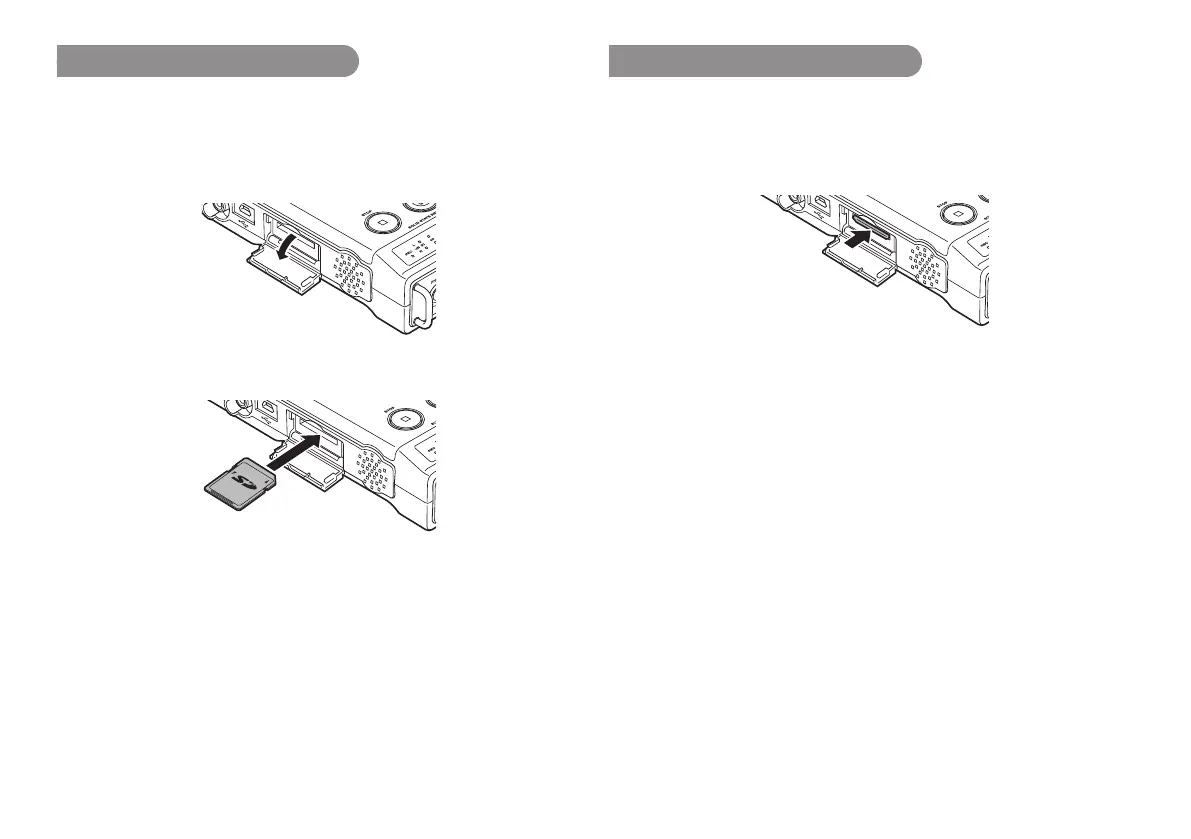
Installing a memory card
The PMD661 records onto various types of SD cards.
1.
Check that the power is turned off.
2.
Pull the SD card lid.
3.
Fully insert the SD card.
4.
Close the SD card lid.
Removing a memory card
1.
Check that the power is turned off.
2.
Pull the SD card lid.
3.
Push the card, then pull it to remove it.
4.
Close the SD card lid.
Note:
If the SD card lid opens while the power is on, “Door Open” message is
displayed.
While recording is in progress, opening the SD card lid automatically stops
recording and writes critical file information to properly close the file.



 To Next Page