39
Preset Menu
You can stores 3 detailed presets on the recorder for such settings
as recording input, recording format, playback mode, etc. There are
20 setting items in the preset menu, and 3 presets can be set with
the desired conditions.
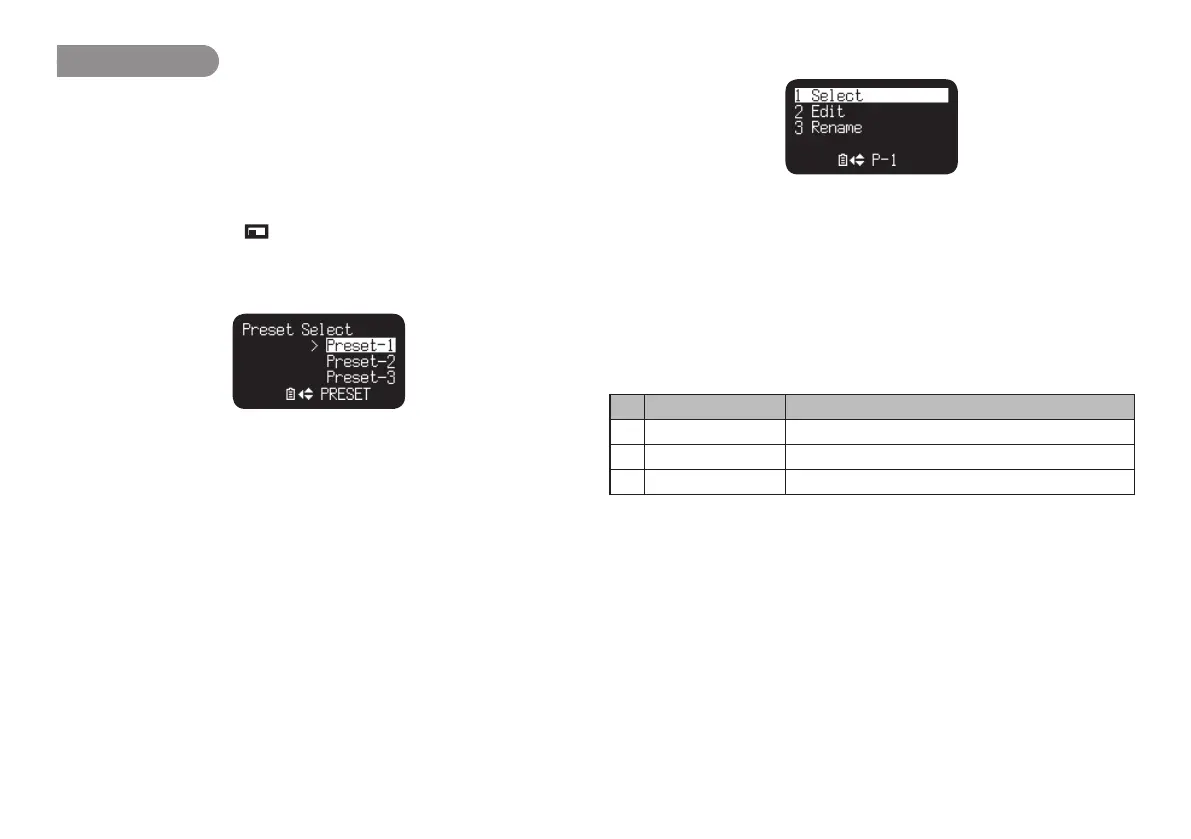
“Preset Select” allows you to select a preset number.
1.
From Stop, press the (F1: MENU) button.
2.
Press the PITCH + or PITCH – button to select “Presets”. Then
press the 3/8/ENTER button.
3.
Press the PITCH + or PITCH – button to select Preset 1, 2, 3 or
renamed Preset.
4.
Press the 3/8/ENTER button to accept the selected Preset.
• Action Menu appears on the display.
• Select “Select” item and press the 3/8/ENTER button to store
the settings of the selected preset.
• Select “Edit” item and press the 3/8/ENTER button to set or
change the selected preset.
• Select “Rename” item and press the 3/8/ENTER button to
change the name of the selected preset.
Action Menu Functions
# Display Description
1 Select Store the settings of the selected preset.
2 Edit Set or change the selected preset.
3 Rename Change the title of the selected preset.



 To Next Page