40
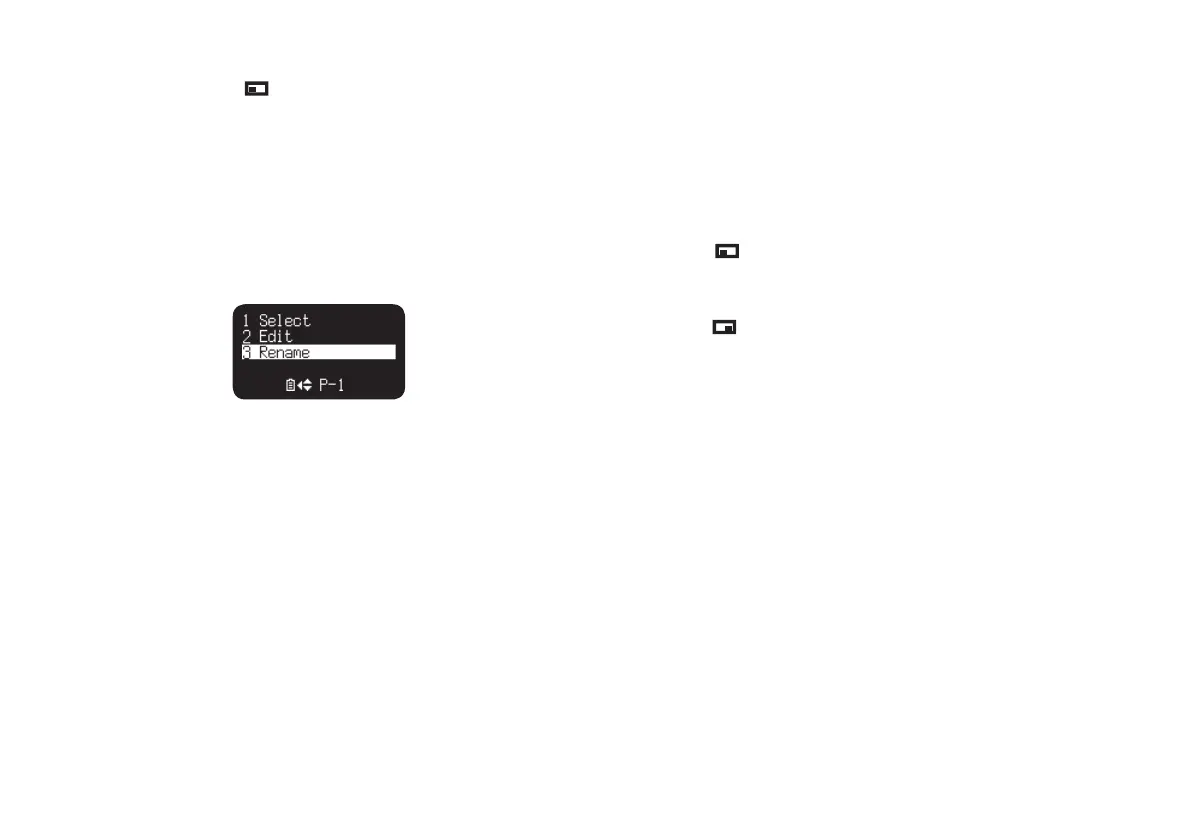
Preset Rename
1.
From Stop, press the (F1: MENU) button.
2.
Press the PITCH + or PITCH – button to select Preset Menu. Then
press the 3/8/ENTER button to accept.
3.
Press the PITCH + or PITCH – button to select Preset 1, 2, 3 or
renamed Preset.
Then press the 3/8/ENTER button to accept the selected Preset.
4.
Press the PITCH + or PITCH – button to select “Rename” and
press the 3/8/ENTER button to accept.
5.
Rename the preset title.
Text can be changed and deleted. Press the 4 or ¢ button to
move the cursor to the place you wish to change text or delete text
from.
To change the letter
Press the PITCH + or PITCH – button to select the character you
want to change.
To insert a letter
Press the
(F1: INS) button. A character is inserted into the left
of the highlighted character and then it will be highlighted.
To delete the letter
Press the
(F2: DEL) button to delete the selected character.
6.
Press the 3/8/ENTER button to store the changes.
Press the 4 button to go back the previous page without store
the changes when the first letter of the preset title is highlighted.
Notes:
If the last letter of the preset title is Space(SP) character, the changed title
does not include the last letter.
The maximum length of a preset title is limited to 8 letters. When the 9th
letter is inserted the last letter is deleted.
The characters which you can insert are A B C D E F G H I J K L M N O P Q
R S T U V W X Y Z a b c d e f g h i j k l m n o p q r s t u v w x y z (Space) !
“ # $ % & ’ ( ) + , – . ; = @ [ ] ^ _ ` { } ~ 0 1 2 3 4 5 6 7 8 9.
•
•
•



 To Next Page