47
ENGLISH
SURROUND
SPEAKER B SYSTEM
(SR4001 only)
The Surround Speaker B system is a function which
allows you to listen to the same source in a room other
than the room in which the SR4001 is located.
The operations possible with the Surround speaker
function are explained briefl y below.
ANOTHER ROOM PLAYBACK USING THE
S (SURROUND) SPEAKER B TERMINALS
The SR4001 allows you to connect another set
of speakers and place them in a another room or
separated area for listening to music.
The SURROUND SPEAKER B system can not be
operated with the supplied remote controller.
MULTI
SPEAKER
DIGITAL
RLVIDEO
S-VIDEO
AUX 1 INPUT
AUDIO
SETUP
SIMPLE
MULTI
PURE
T-MODE
SURROUND
MEMORY
DISPLAY
ATT
MUTE
STANDBY
PHONES
POWER ON/OFF
INPUT SELECTOR
VOLUME
UP
DOWN
AV SURROUND RECEIVER SR5001
DIRECT
AUTO
HT-EQ
EXIT
MENU
MODE
BAND
CLEAR
ENTER
2.1.
1.
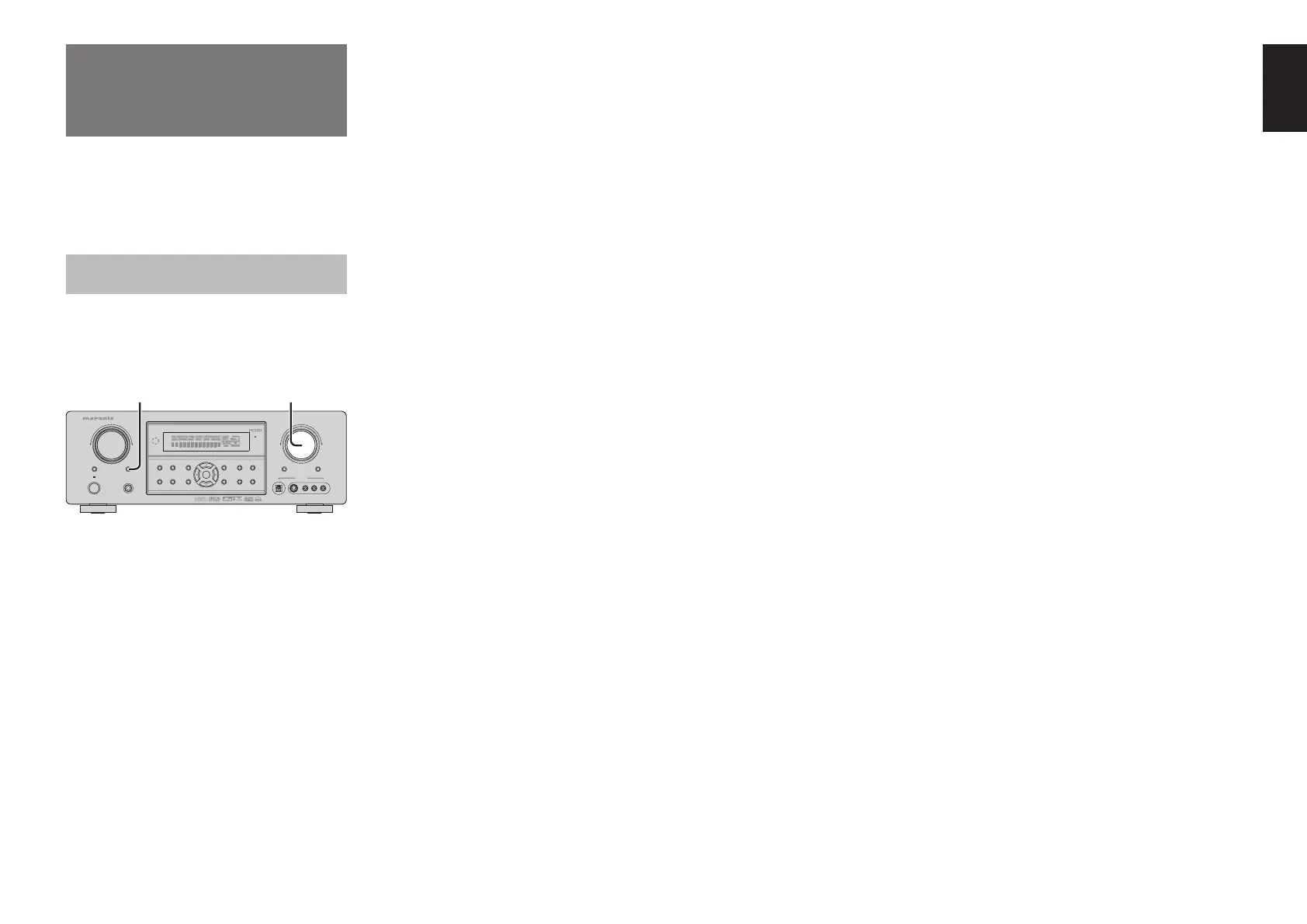
Press the S (Surround) SPEAKER B button.
The unit enters surround speaker B mode and
the “SPKR B” will appear on the display.
2.
The volume of S. SPEAKER B is interlocked
with the main volume.
Notes for SURROUND SPEAKER B
• SURROUND SPEAKER B On/ Off is available in
main room only.
• SURROUND SPEAKER B
output terminals can be
used when the SURROUND BACK SPEAKER is set
NONE in SPEAKER SETUP menu. (See SPEAKER
SETUP, page 26)
• “The Surr. Back Speakers are in use” is displayed
by pressing the S. SPEAKER B button
when the
SURROUND BACK SPEAKER is set except NONE
in SPEAKER SETUP menu. (See SPEAKER SETUP,
page 26)
• Surround Speaker B function is unavailable, while
the unit is 7.1 CH input mode.


 To Next Page