89
Connections (Advanced connection)
Connecting the REMOTE CONTROL connectors
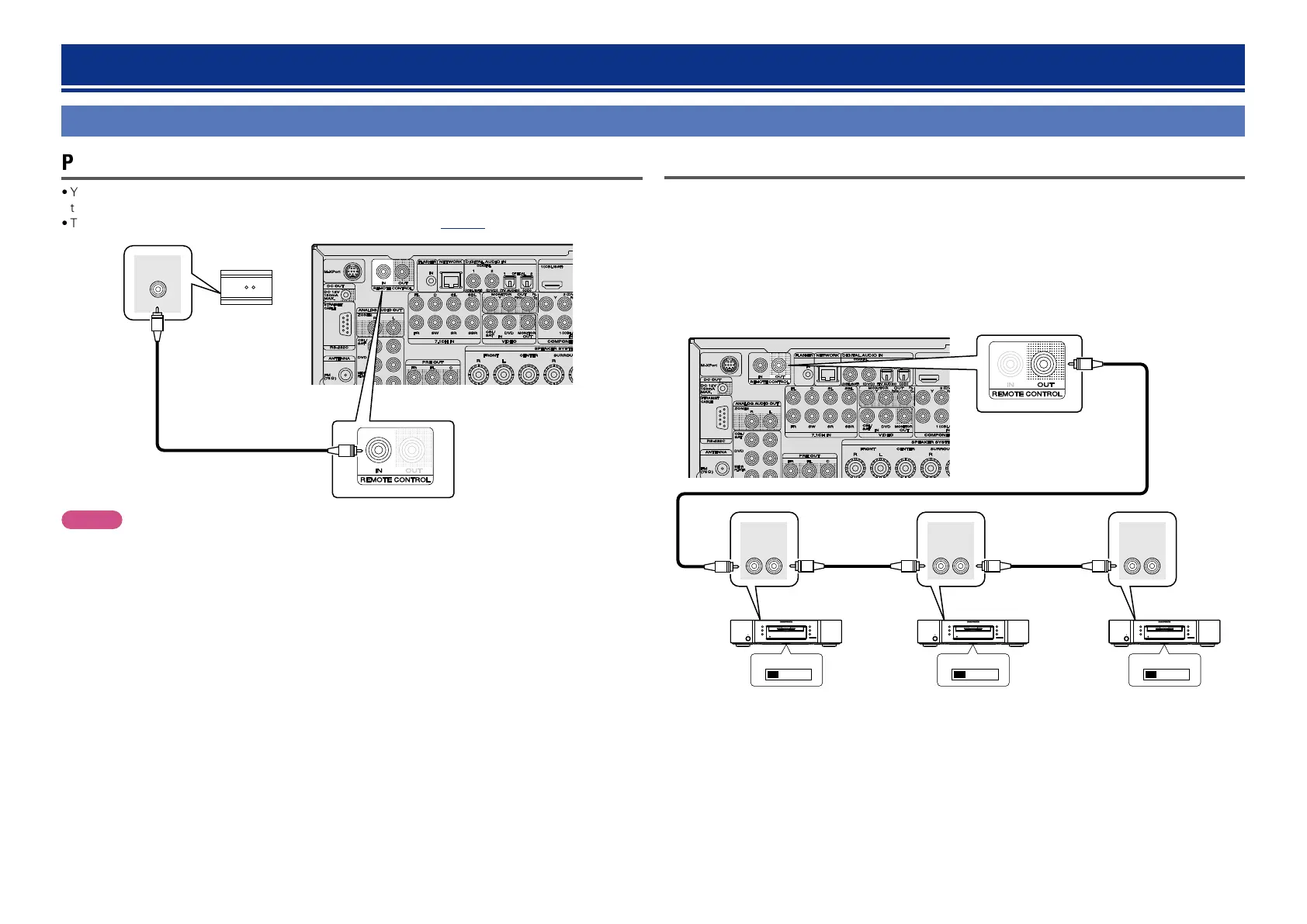
Performing operations on this unit and external devices
•You can connect an IR receiver to this unit to perform operations on this unit and external devices with
the supplied remote control unit.
•To do this, disable the remote control signal receiving function (vpage96 “Remote lock function”).
RC OUT
IR receiver
NOTE
When not connecting an IR receiver, make sure to enable the remote control signal receiving function.
When the function is disabled, you can not perform operations with the remote control unit.
Remotely connecting marantz devices
•When you are using a marantz device other than this unit that supports remote connection, an IR receiver
is not necessary.
•You can transmit remote control signals just by connecting the device to the REMOTE CONTROL IN/
OUT connector with a monaural cable.
•Set the remote control switch located on the rear panel of the connected audio component to
“EXTERNAL” or “EXT.” to use this feature.
•If a marantz power amplifier (excluding certain models is connected to any of these connectors, the
power of the power amplifier switches to on/standby in conjunction with the X ON/STANDBY button of
the this unit.
EXTERNAL INTERNAL EXTERNAL INTERNAL EXTERNAL INTERNAL
REMOTE
CONTROL
OUTIN
REMOTE
CONTROL
OUTIN
REMOTE
CONTROL
OUTIN
CD recorder DVD player CD player



 To Next Page