11
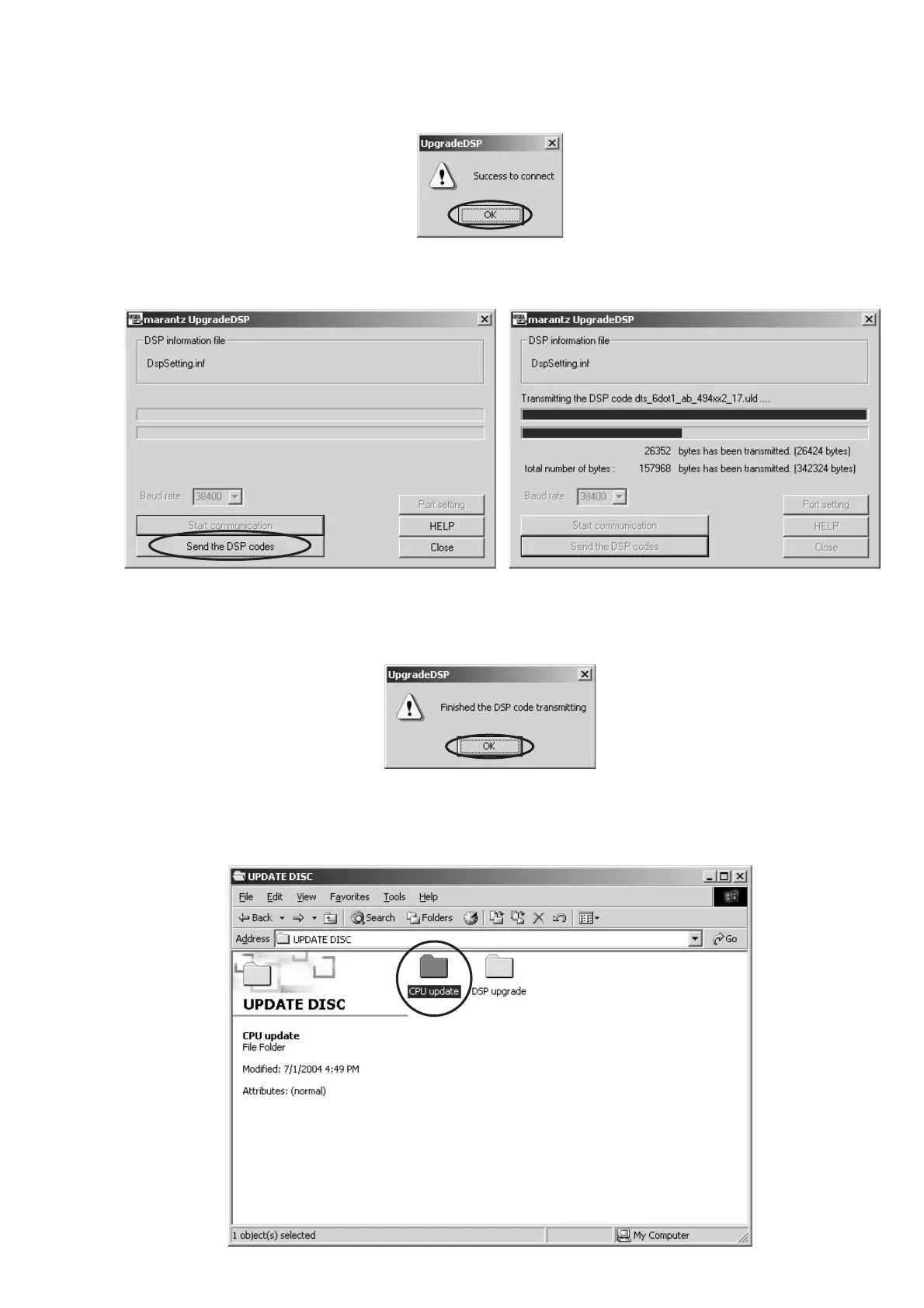
9. If the connection is made successfully, a dialog box saying "Success to connect" appears and "CONNECTED" is
displayed on FLD.
10. Click Send the DSP codes button on the dialog box. Progress status of updating will be shown on PC and LOADING is
displayed on FLD.
11. If updating is completed successfully, "COMPLETED"is displayed on FLD. And a dialog box saying "Finished the DSP
code transmitting" appears. Click OK and then Application is closed automatically.
12. Turn off the unit.
Download Firmware for CPU (Mode 2)
1. Put the "CPU update" folder into anywhere on your PC’s hard disc.



 To Next Page