FRANÇAIS
25
RACCORDEMENTS
DE BASE
ÉLÉMENTAIRES
RACCORDEMENTS
ÉVOLUÉS
CONFIGURATION
FONCTIONNEMENT
ÉVOLUÉ
EN CAS DE
PROBLEME
AUTRES
NOMS ET
FONCTIONS
CONFIGURATION
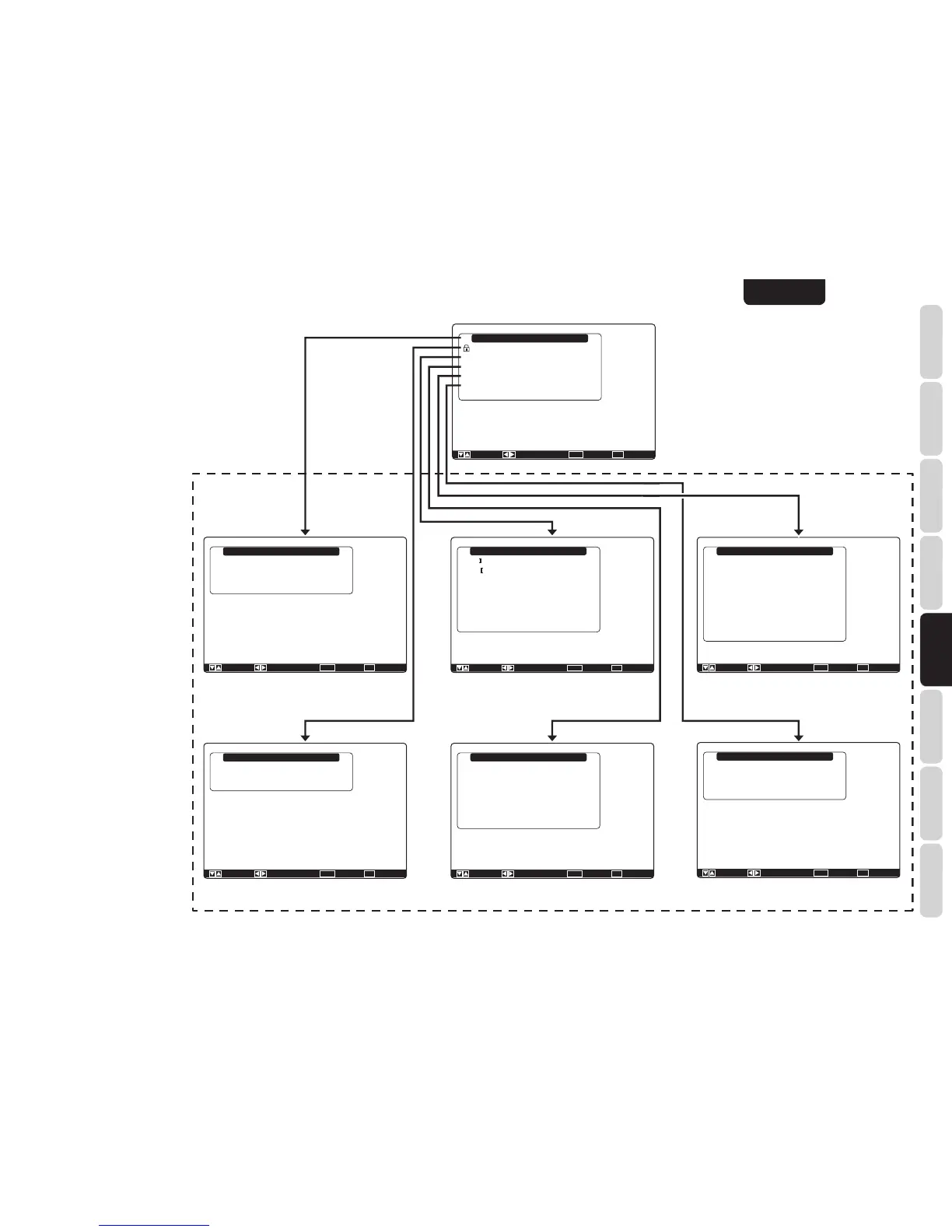
Main Menu
Input Setup
Speaker Setup
Surround Setup
Video Setup
Preference
Acoustic EQ.
: Up / Down : Lock / Unlock Enter : Select Exit : Exit
Input Setup
Function Input Setup
7.1ch Input Setup
Function Rename
Return
: Up / Down : Enter : Select Exit : Exit
Speaker Setup
Auto Setup
Manual Setup
Return
: Up / Down : Enter : Select Exit : Exit
: Up / Down : Enter : Select Exit : Exit
: Off
: 0dB
: Off
Surround Setup
Channel Level
PL x Music Parameter
CS Parameter
NEO: 6 Parameter
HT-EQ.
LFE Level
M-DAX
Return
Video Setup
Video Convert
TV-Auto
OSD Information
Component I / P Convert
HDMI Output
HDMI Output Resolution
Return
: Up / Down : Enter : Select Exit : Exit
: Disable
: Enable
: Disable
: Output1
: Auto
Preference
Zone A Setup
Zone B Setup
DC Trigger Setup
Optical Output
Standby Mode
Audio
HDMI Audio
HDMI Lip Sync
Return
: Up / Down : Enter : Select Exit : Exit
: Rec
: Economy
: Main
: Enable
: Disable
Acoustic EQ.
EQ. Mode
Preset Graphic EQ. Adjust
Check Auto EQ.
Return
: Up / Down : Change Enter : Exit : Exit
: Off
“1. Input Setup” (P. 26)
Main Menu (menu principal)
Sub Menu (Sous-menus)
“2. Speaker Setup” (P. 28)
“3. Surround Setup” (P. 34)
“4. Video Setup” (P. 36)
“5. Preference” (P. 37)
“6. Acoustic EQ.” (P. 39)
Remarque :
Une fois cette étape de la confi guration terminée,
déplacez le curseur sur « Return » avec la touche de
curseur 3 ou 4, puis appuyez sur la touche ENTER.



 To Next Page