ENGLISH
Read
before
use
Th
ank
yo
u for purchasing
th
is marantz product.
This
manu
al
expla
in
s the
Se
tu
p W
iz
ard
that
yo
u
wi
ll need to perform d
ir
ec
tl
y after removing
th
e produ
ct
from i
ts
packaging, before
yo
u sta
rt
usi
ng
th
e product.
Th
e
Se
tup
Wi
zard displays easy
to
f
ol
l
ow
gu
id
ance on your television screen that sho
ws
you
ho
w
to
connect and con
fi
gure s
pe
akers, various other d
ev
ices, and
ne
two
rk functions for full e
nj
oyment
of
this
un
it.
Contents
Read before use 1
Accessories ..............
··
................................................................... ·1
About
this manual ........................................................................ 1
Cautions on handling .................................................................... 1
Preparing
the
Setup Wizard 2
SETUP WIZARD 4
Playback (Basic operation) 7
Important information .........................................................
..
...... 7
Selecting
the
input source .................
..
........................................ 7
Adjusting
th
e mas
ter
volume ....................................
..
................ a
Turning
off
the
sound temporarily .............................................. a
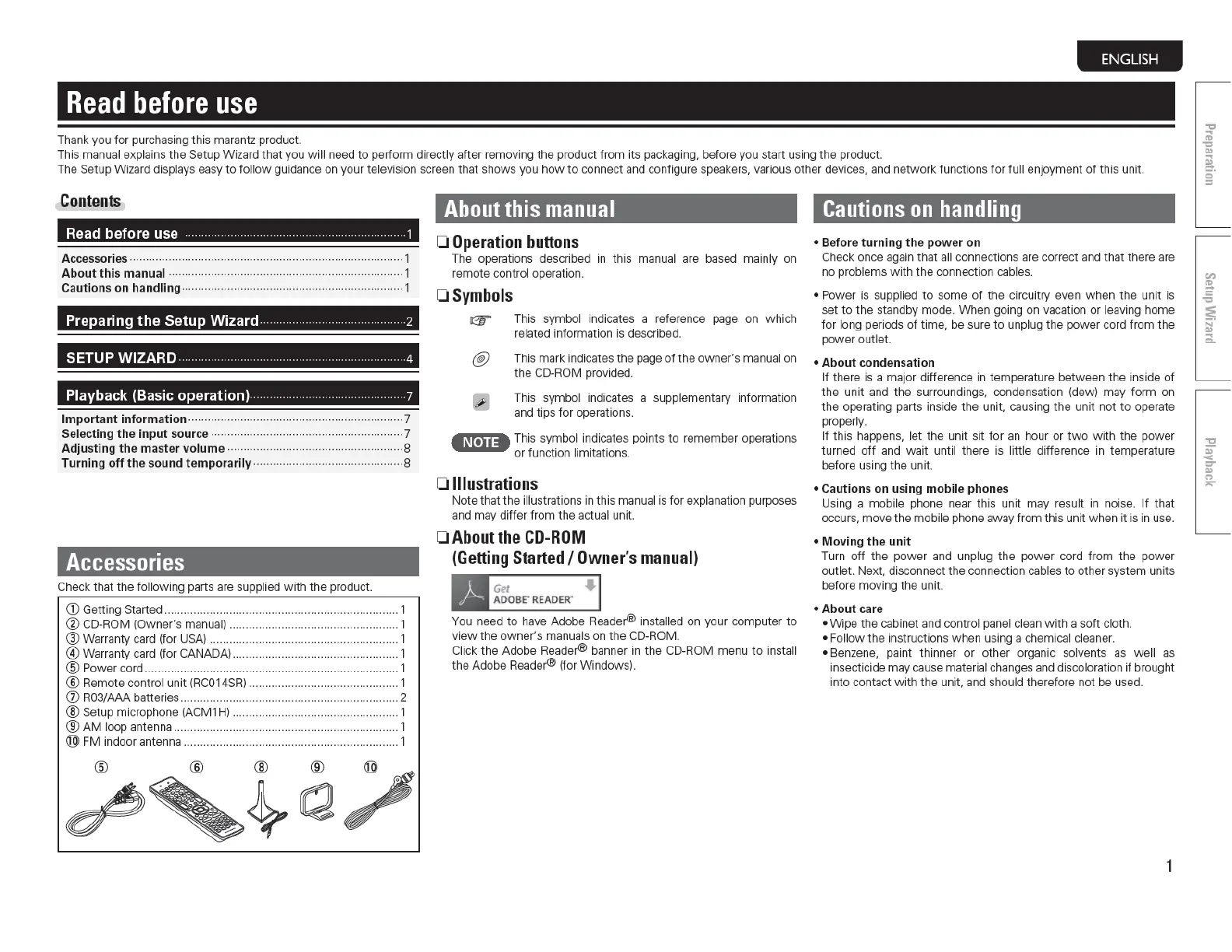
Accessories
Check t
ha
t
th
e foll
ow
in
g parts are suppli
ed
w ith the product.
Q)
Getting Started ........................................................................ 1
®CD
-ROM (Owner's man
ua
l) .................................................... 1
@Warra
n
ty
card (f
or
U
SA)
............................
..
.......................... 1
@Warranty
card (for CA
NA
DA) ................................................... 1
@ Power
co
rd
.............................................................................. 1
®Remo
te control unit (RC014SR) .............................................. 1
(J) R03/AAA batteries ................................................................... 2
®Setup
microphone (ACM1 H) ......................
..
........................... 1
®AM
loop antenna ..................................................................... 1
®
FM
in
door anten
na
.................................................................. 1
About
this
manual
0
Operation
buttons
The operations
de
scribed in this manual are based mai
nl
y
on
remote control operation.
OSymbols
Gf'
This sy
mbol
indicates a reference page on w
hi
ch
related information
is described.
@ This mark
in
d
ica
tes
th
e page of the
owne
r's manual
on
th
e
CD
-ROM provided.
Th
is
symbol indicates a supplementary
in
forma
ti
on
and tips
for
operations.
4N•u•
Th
is
symbo
l.
indi
ca
tes
po
ints to remember operations
or func
ti
on
l1m1t
a
t1on
s.
0
Illustrations
No
te
th
at
th
e ill
ust
rations in this manual is for explanation purposes
and may differ from the
act
ua
l unit.
0
About
the
CD-ROM
(Getting
Started
I
Owner's
manual)
Get
AOOBE"
READER
'
You need
to
ha
ve
Adobe
Re
ader® install
ed
on your computer
to
view
th
e
ow
ne
r's
manuals on the
CD
-R
OM.
Click
th
e Adobe
Rea
der® banner
in
th
e CD-R
OM
menu
to
install
the Adobe Reade
r®
(for Windows).
Cautions
on
handling
• Before turning
th
e power on
Check once again that all connections are correct and that t here are
no
problems w ith the connection
cab
les.
• Power is supplied to some of the c
ir
cuit
ry
even
when
the
unit
is
set
to
the standby mode.
Whe
n
go
ing on vacation or leaving home
f
or
long periods of
time
,
be
sure
to
u
np
lug the power cord
fr
om
the
power
outlet.
• About
co
nden
sa
tion
If
the
re
is
a major difference in temperature between the ins
id
e of
the unit and t he sur
ro
un
d
in
gs, conden
sa
tion (dew) may form on
the operating parts inside
the
un
it, causing
the
unit not to operate
prope
rl
y.
If
th
is
happens, let
th
e unit sit for an hour or
two
with
the power
turned
off
and wait until
th
ere is l
itt
le difference in temperatu
re
before using
th
e unit.
• Cautions on using mobile phon
es
Using a
mob
ile phone near
th
is unit may result in noise.
If
that
occu
rs
, move the mobile phone away
from
th
is u
nit
when
it is in use.
• Moving
the
unit
Turn
off
th
e power and unplug the power cord
from
the power
outlet. Next, di
sco
nnect t he co
nn
ecti
on
cables
to
ot
he
r system units
before
mov
i
ng
the unit.
• About care
• Wipe the cabinet and control panel clean
with
a soft cloth.
• Foll
ow
the in
str
uc
ti
ons w hen using a chemical cleaner.
• Benzene,
paint
th
inner
or
other organic solvents as
we
ll as
insecticide
rna
y cause material changes and discoloration if brought
i
nt
o contact w ith
the
unit, and should therefore not
be
used.
1



 To Next Page