o
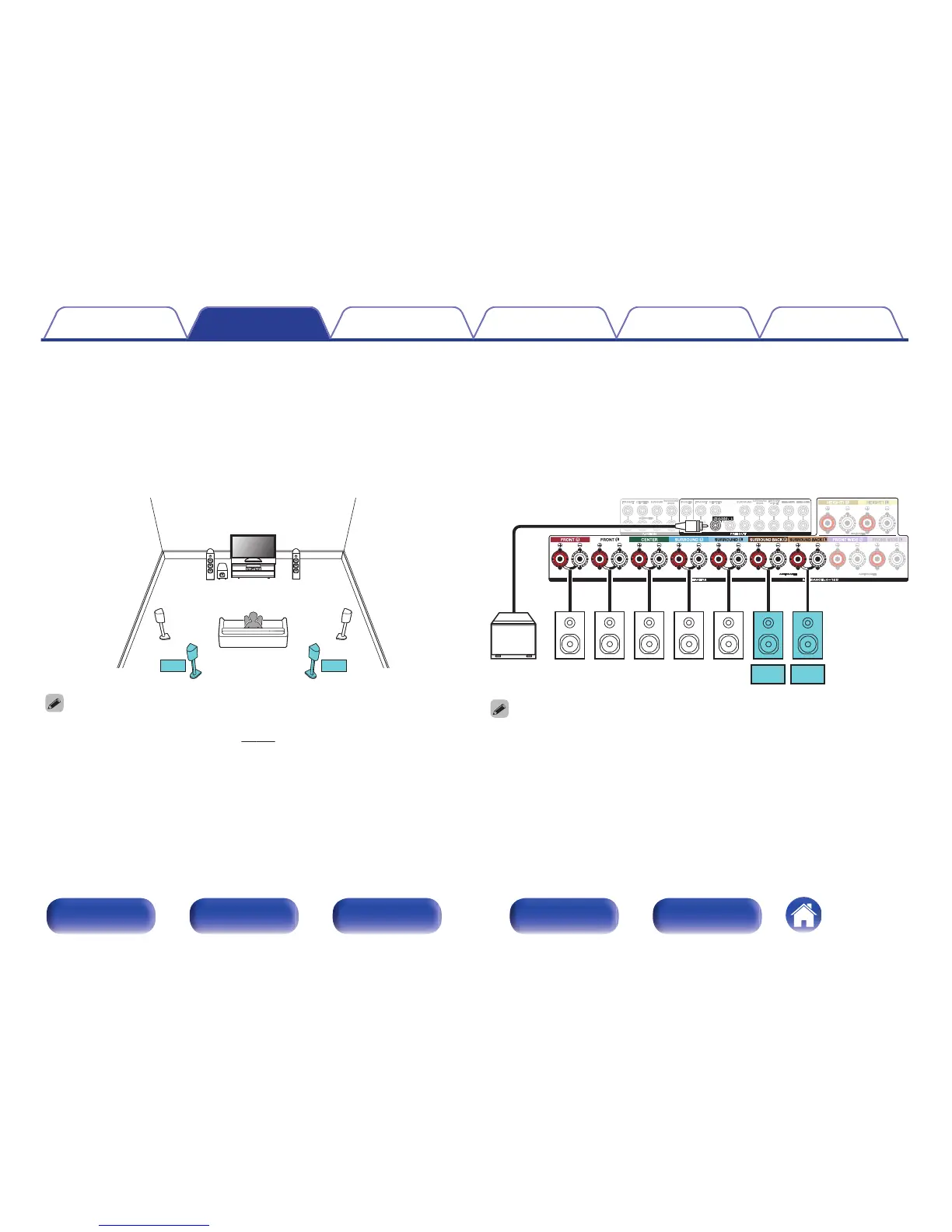
7.1-channel playback
System for 7.1-channel surround playback.
You can connect speakers for up to 11-channels for MAIN ZONE. When you connect speakers for 8 or more channels, the output speakers
automatically switch according to the input signal and sound mode.
n
Example connections when using surround back speakers
This 7.1-channel surround system is the same as a basic 5.1-channel system but with surround back speakers.
.
0
Set “Floor” - “Layout” to “5ch & SB & FW” or “5ch & SB” in the menu when
connecting in this configuration. (v
p. 217)
.
0
When using a single surround back speaker, connect it to the SURROUND BACK
L terminal.
Contents Connections Playback Settings Tips Appendix
43
Front panel Display Rear panel Remote Index



 To Next Page