5251
9. SERVICE PROGRAM
Factory Mode
With the following procedure, the Tracking Point, which is necessary for the adjustment and measurement of the tuner, can
be memorized.
1. Turn on the unit, press DVD, TUNER and 7.1ch - IN key simultaneously more than three seconds.
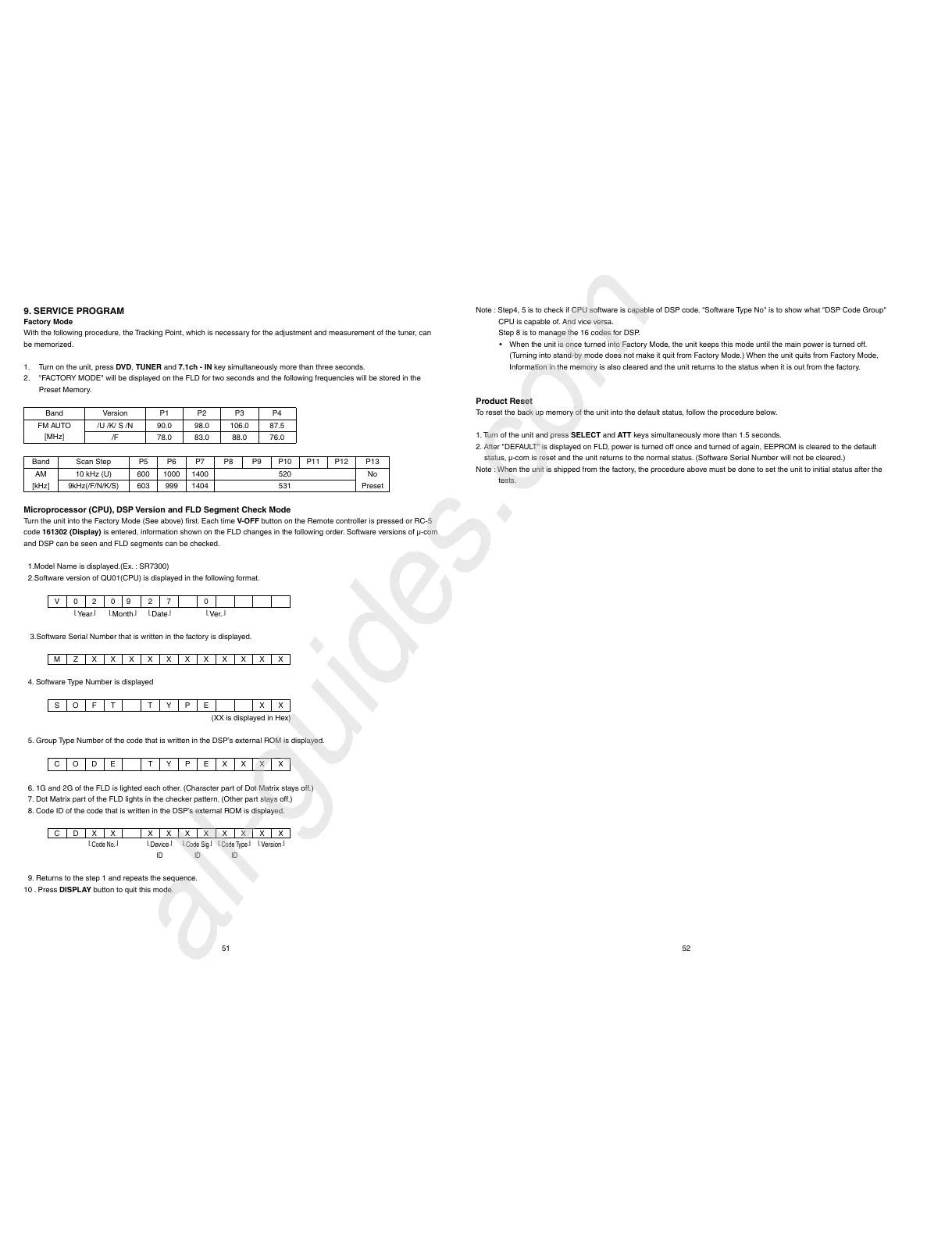
2. "FACTORY MODE" will be displayed on the FLD for two seconds and the following frequencies will be stored in the
Preset Memory.
Band Version P1 P2 P3 P4
FM AUTO
[MHz]
/U /K/ S /N 90.0 98.0 106.0 87.5
/F 78.0 83.0 88.0 76.0
Band Scan Step P5 P6 P7 P8 P9 P10 P11 P12 P13
AM
[kHz]
10 kHz (U) 600 1000 1400 520
No
Preset
9kHz(/F/N/K/S) 603 999 1404 531
Microprocessor (CPU), DSP Version and FLD Segment Check Mode
Turn the unit into the Factory Mode (See above) fi rst. Each time V-OFF button on the Remote controller is pressed or RC-5
code 161302 (Display) is entered, information shown on the FLD changes in the following order. Software versions of µ-com
and DSP can be seen and FLD segments can be checked.
1.Model Name is displayed.(Ex. : SR7300)
2.Software version of QU01(CPU) is displayed in the following format.
V020
9
27 0
Year
Month
Date
Ver.
3.Software Serial Number that is written in the factory is displayed.
MZXXXXXXXXXXX
4. Software Type Number is displayed
SOF T TYPE XX
(XX is displayed in Hex)
5. Group Type Number of the code that is written in the DSP’s external ROM is displayed.
CODE TYPEXXXX
6. 1G and 2G of the FLD is lighted each other. (Character part of Dot Matrix stays off.)
7. Dot Matrix part of the FLD lights in the checker pattern. (Other part stays off.)
8. Code ID of the code that is written in the DSP’s external ROM is displayed.
CDXX XXXXXXXX
Code No.
Device
Code Sig
Code Type
Version
ID ID ID
9. Returns to the step 1 and repeats the sequence.
10 . Press DISPLAY button to quit this mode.
Note : Step4, 5 is to check if CPU software is capable of DSP code. "Software Type No" is to show what "DSP Code Group"
CPU is capable of. And vice versa.
Step 8 is to manage the 16 codes for DSP.
• When the unit is once turned into Factory Mode, the unit keeps this mode until the main power is turned off.
(Turning into stand-by mode does not make it quit from Factory Mode.) When the unit quits from Factory Mode,
Information in the memory is also cleared and the unit returns to the status when it is out from the factory.
Product Reset
To reset the back up memory of the unit into the default status, follow the procedure below.
1. Turn of the unit and press SELECT and ATT keys simultaneously more than 1.5 seconds.
2. After "DEFAULT" is displayed on FLD, power is turned off once and turned of again, EEPROM is cleared to the default
status, µ-com is reset and the unit returns to the normal status. (Software Serial Number will not be cleared.)
Note : When the unit is shipped from the factory, the procedure above must be done to set the unit to initial status after the
tests.



 To Next Page