31
UD9004
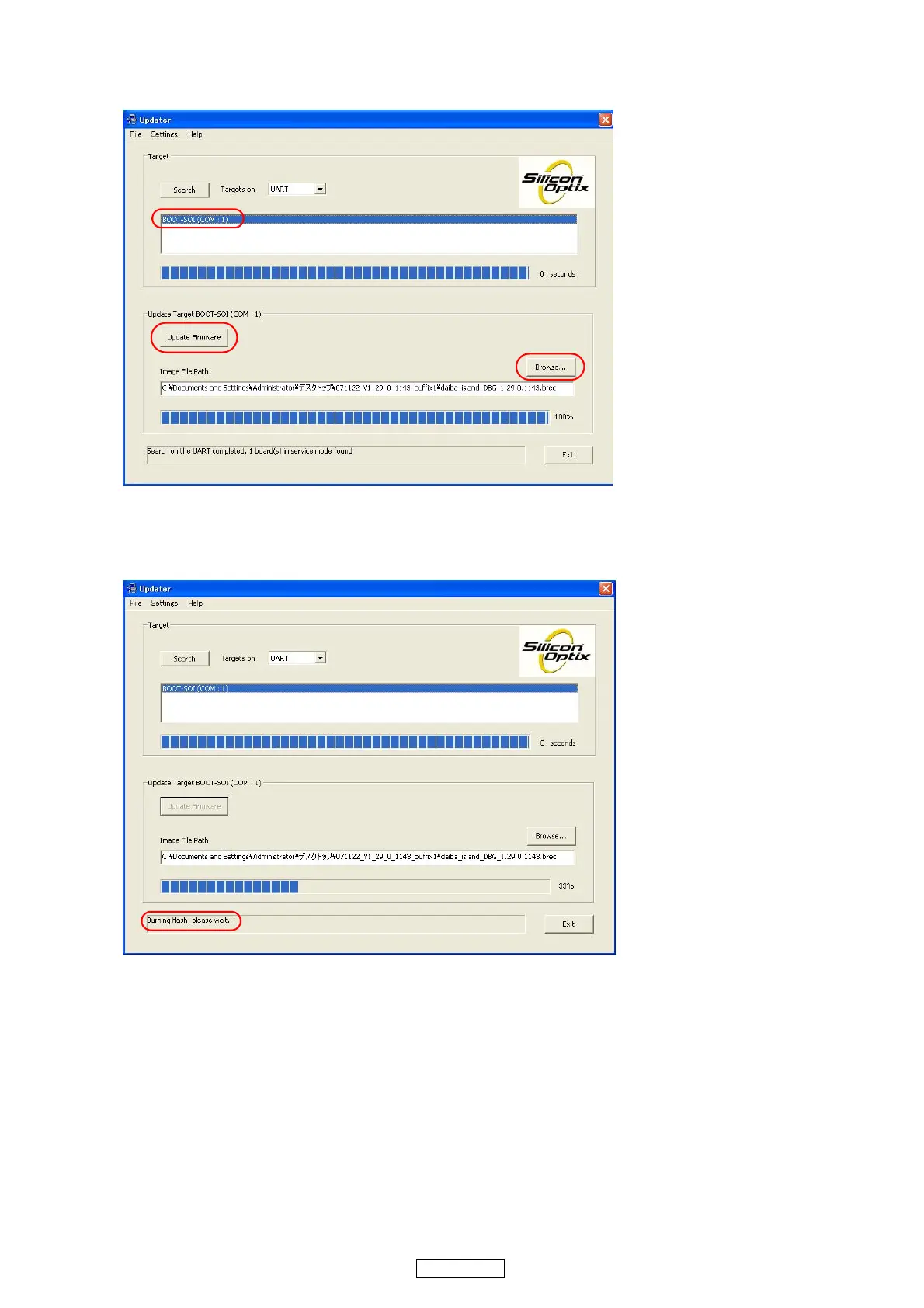
(3) After selecting the " BOOT-SOI(COM:1)" item, click the "Browse" button to select the IP ROM to be updated.
Check the selected file in the "Image File Path window" window, then click the "Update Firmware" button to begin
updating.
(4) During update, the update status is indicated " Burning flash, please wait...".
(Approximately 9 minutes are required for updating to be completed.)
q
w
r
e



 To Next Page