31
M
ode 2: Update MAIN CPU’s software to internal Flash-ROM
Download software for MAIN CPU (Mode 2)
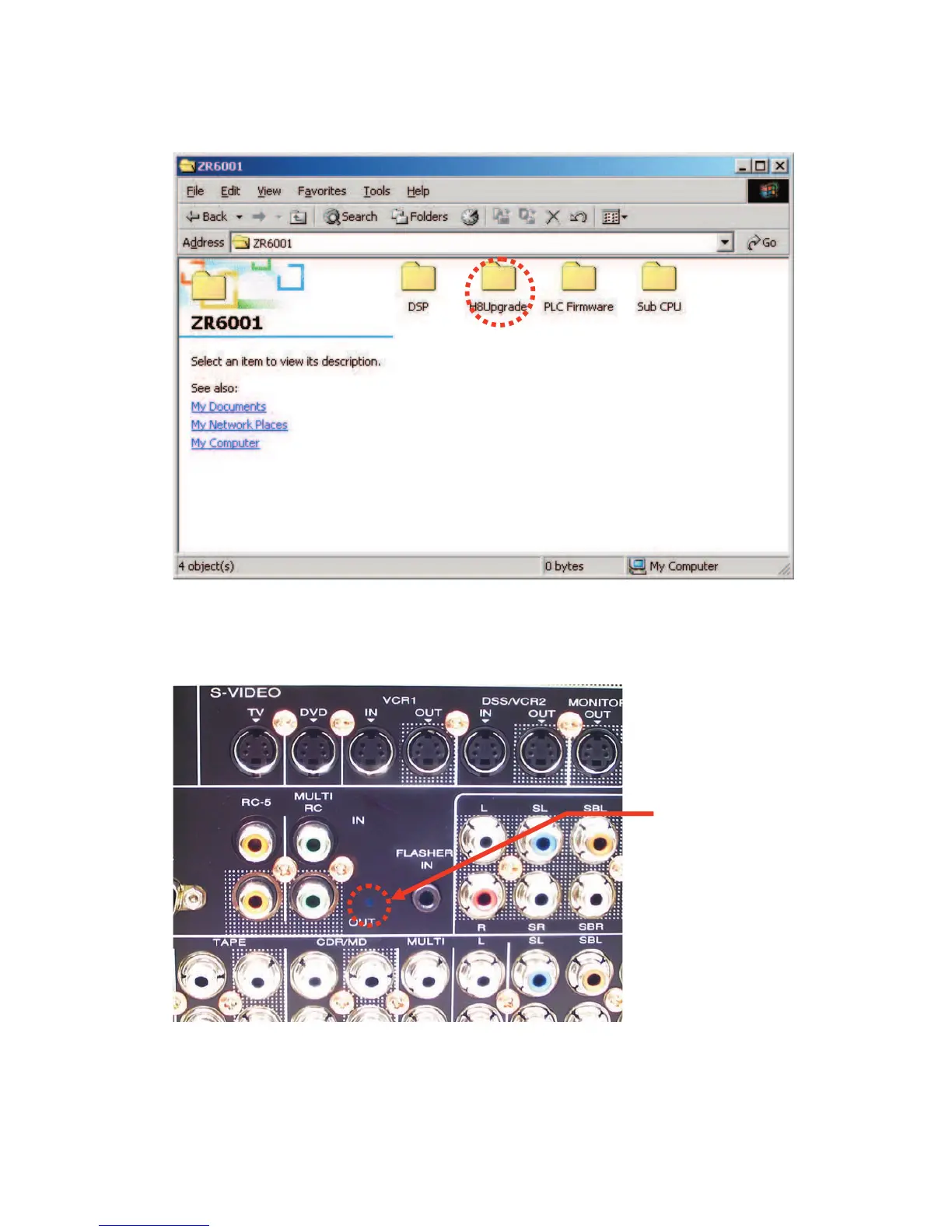
1. Put the "H8Upgrade" folder into anywhere on your PC's hard disc.
2. Connect RS-232C on the rear panel of the unit and Serial Port of windows PC with RS-232C cable.
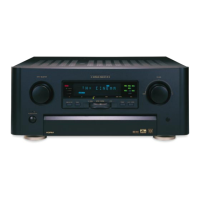
3. Insert a thin rot to the hole and push the switch (SW10) inside to turn on the switch.
4. Turn on the unit.
Note : When the unit is into boot mode, stand-by LED is not lights up.
Hole of rear panel


 To Next Page