through all 9 possible programs. When a program is
selected it is available for execution by the start button.
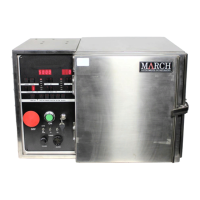
Parameter input is achieved through the 8 buttons in the
upper right section of the panel. The term “L
DISP” denotes the “Left Display” lights above the buttons. If
the “SET” button is pushed and the LED lights up, you can
change the numbers by repeatedly pressing either the
DECR or INCR buttons just below the SET button. The
particular parameter you are selecting is set by repeatedly
toggling the “LDISP” button until the corresponding label is
lit. The third set of 4 buttons in the upper right selects the
process gas by toggling the “RDISP” (Right Display) “SET”
button, and sets the flow in units of “% of Mass flow meter
capacity.” There are six gas sources that can be selected
by repeatedly pressing the “R DISP” button. Currently we
have two gases available – “GAS 1” for Oxygen and “GAS
2” for Argon. Pressure is determined by the flow rate as this
tool has no vacuum level throttle valve control. A table to
correlate pressure with gas flow is attached in Appendix A.
The fourth set of buttons deals with manual operation.
These are in the bottom row to the right of the “Manual”
toggle button. These buttons are active when the “MAN
OP.” light is on, and consist of the “VAC ON” button which
toggles the vacuum valve on or off; the “PRESS” button
which toggles a valve to expose the vacuum gauge to the
vacuum line; the “GAS ON” valve, which toggles the process
gas on or off; the “RF ON” button which toggles the RF
power on or off; and the “BLEED” button, which pumps the
chamber down to a minimum set point, then vents the
chamber.
CAUTION: Take care not to open the “PRESS” valve
when the pressure gauge is at vacuum and the vacuum line
is at atmospheric pressure. This will send a pressure shock


 To Next Page