(2)
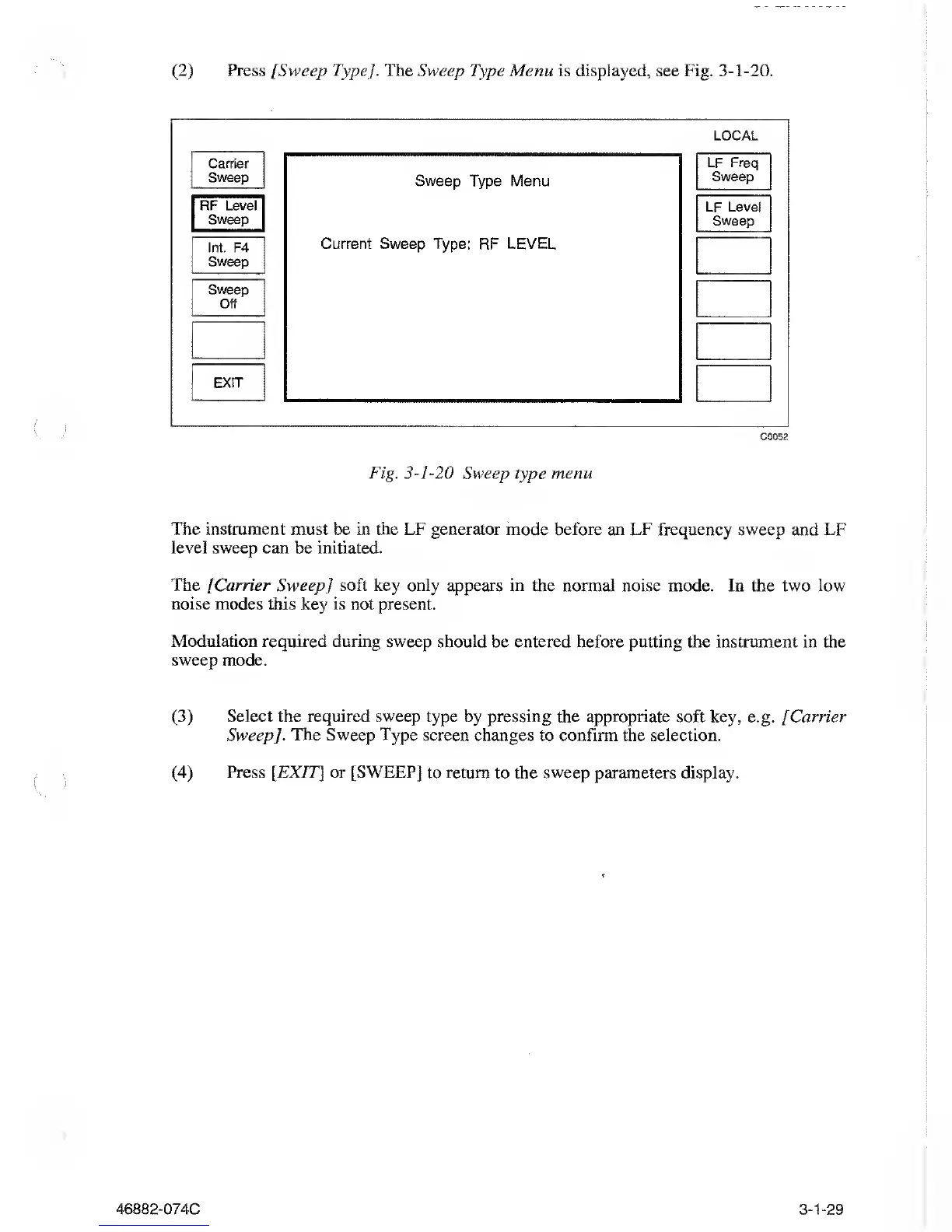
Press [Sweep Type]. The Sweep
Type Menu is
displayed,
see Fig.
3-1-20.
LOCAL
Carrier
Sweep
RF Level
Sweep
Int.
F4
Sweep
Sweep
Off
EXIT
Sweep Type
Menu
Current
Sweep Type: RF LEVEL
LF
Freq
Sweep
LF Level
Sweep
C0052
Fig.
3-1-20
Sweep type menu
The instrument must be in the LF generator
mode
before an LF
frequency sweep and LF
level sweep can
be
initiated.
The
[Carrier Sweep] soft key
only appears in the normal noise mode. In the two low
noise modes this key is not present.
Modulation
required during
sweep
should
be entered before putting
the
instrument
in
the
sweep mode.
(3)
Select
the
required sweep
type by pressing the appropriate soft key,
e.g.
/
Carrier
Sweep]. The Sweep Type
screen changes to
confirm
the selection.
(4)
Press [EXIT] or [SWEEP]
to
return
to the
sweep parameters display.
-074C
3-1-29



 To Next Page