Sweep
mode
(1)
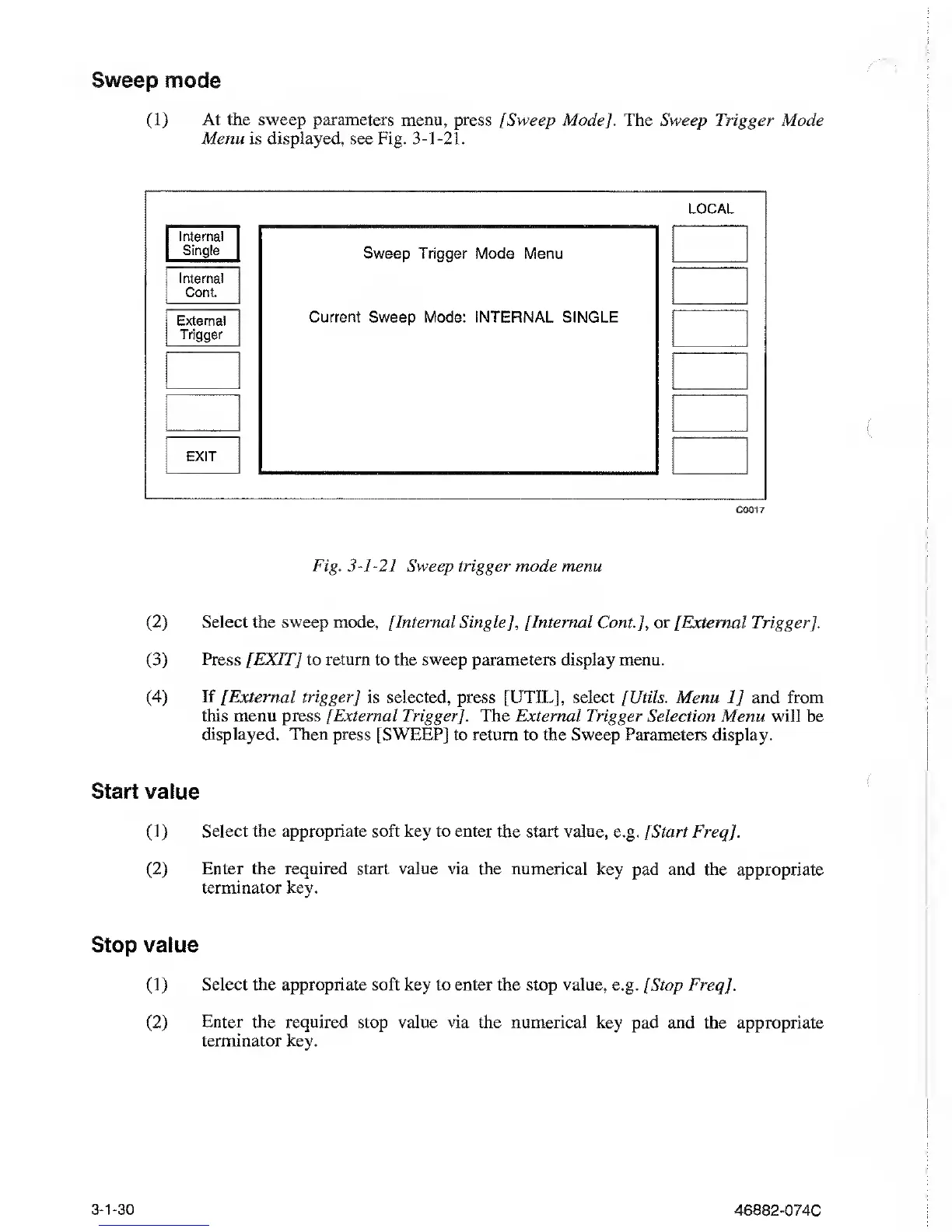
At the sweep parameters menu, press [Sweep Mode]. The
Sweep Trigger Mode
Menu is displayed, see
Fig.
3-1-21.
LOCAL
Internal
Single
Internal
Cont.
External
Trigger
Sweep Trigger Mode Menu
Current Sweep Mode: INTERNAL
SINGLE
EXIT
C001
7
Fig.
3-1-21
Sweep trigger mode menu
(2)
Select the sweep mode, [Internal
Single
],
[Internal
Cont], or [External Trigger],
(3)
Press [EXIT] to return
to
the sweep
parameters display menu.
(4)
If [External trigger] is selected,
press [UTIL], select [Utils. Menu
1]
and from
this
menu press
[External
Trigger]. The External Trigger Selection Menu will
be
displayed. Then press [SWEEP]
to return to
the Sweep
Parameters display.
Start value
(1)
Select the appropriate soft key to enter the start value,
e.g.
[Start Freq
].
(2)
Enter the required
start value via the numerical key pad
and the appropriate
terminator key.
Stop value
(1)
Select the appropriate soft key to enter the
stop
value,
e.g. [Stop Freq].
(2)
Enter the required stop value via the numerical key
pad and the appropriate
terminator key.
3-1-30
46882-074C



 To Next Page