To set a marker, press one of
the
marker soft
keys e.g. [Marker
3],
enter the
required
value on the key pad and terminate with the appropriate units
hard key. Turn the marker ON
using the [Marker ON/OFF] key.
When all markers have been entered use the
[Enable/Disable]
key to activate the marker output on the rear panel. The
marker output produces a
positive going
pulse
with
a
duration of one sweep step when the sweep passes a
marker value.
Starting the sweep
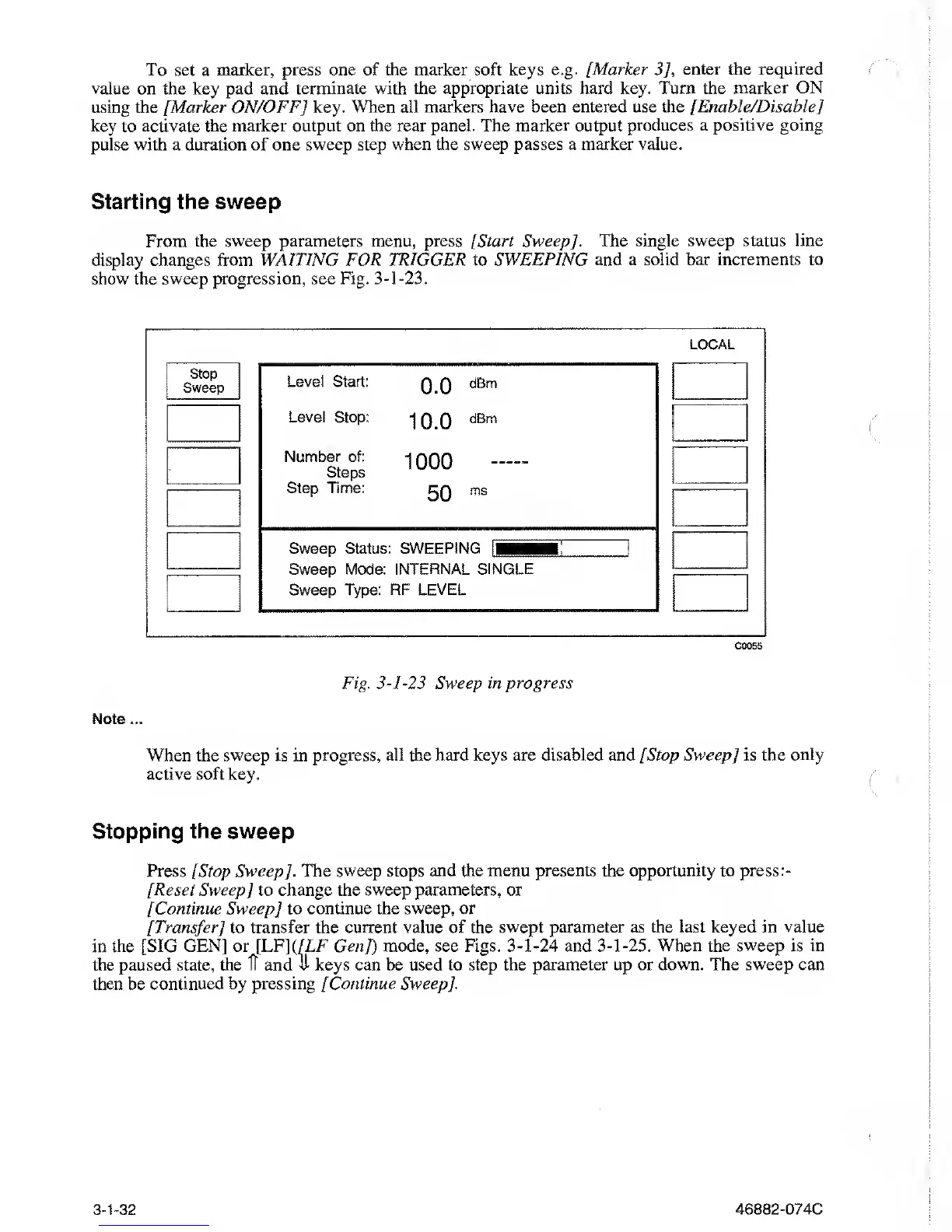
From the sweep parameters menu,
press
[
Start Sweep]. The single
sweep
status line
display changes
from WAITING FOR TRIGGER to SWEEPING and a
solid bar increments to
show the sweep progression, see Fig.
3-1-23.
LOCAL
Stop
Sweep
Level Start:
0.0
dBm
Level Stop:
10.0
dBm
Number of:
Steps
1000
—
Step Time:
50
ms
Sweep Status:
SWEEPING
H
Sweep Mode: INTERNAL
SINGLE
Sweep Type: RF
LEVEL
C0055
Fig.
3-1-23
Sweep
in progress
Note ...
When the sweep is in progress, all the hard keys are disabled and [Stop Sweep]
is the only
active
soft key.
Stopping the sweep
Press [Stop Sweep]. The
sweep
stops
and the menu presents the opportunity to press
:-
[Reset Sweep] to change the sweep parameters, or
[Continue Sweep] to
continue the sweep, or
[Transfer] to transfer the current value of the
swept parameter
as
the last keyed in value
in the [SIG GEN] or
[LF]
(/LF
Gen]) mode, see Figs.
3-1-24
and
3-1-25.
When the
sweep
is
in
the paused state, the ft and ft keys can be used to step
the parameter up or down. The sweep can
then be
continued
by
pressing [Continue Sweep],
3-1-32
46882-074C



 To Next Page