Selection menu 2
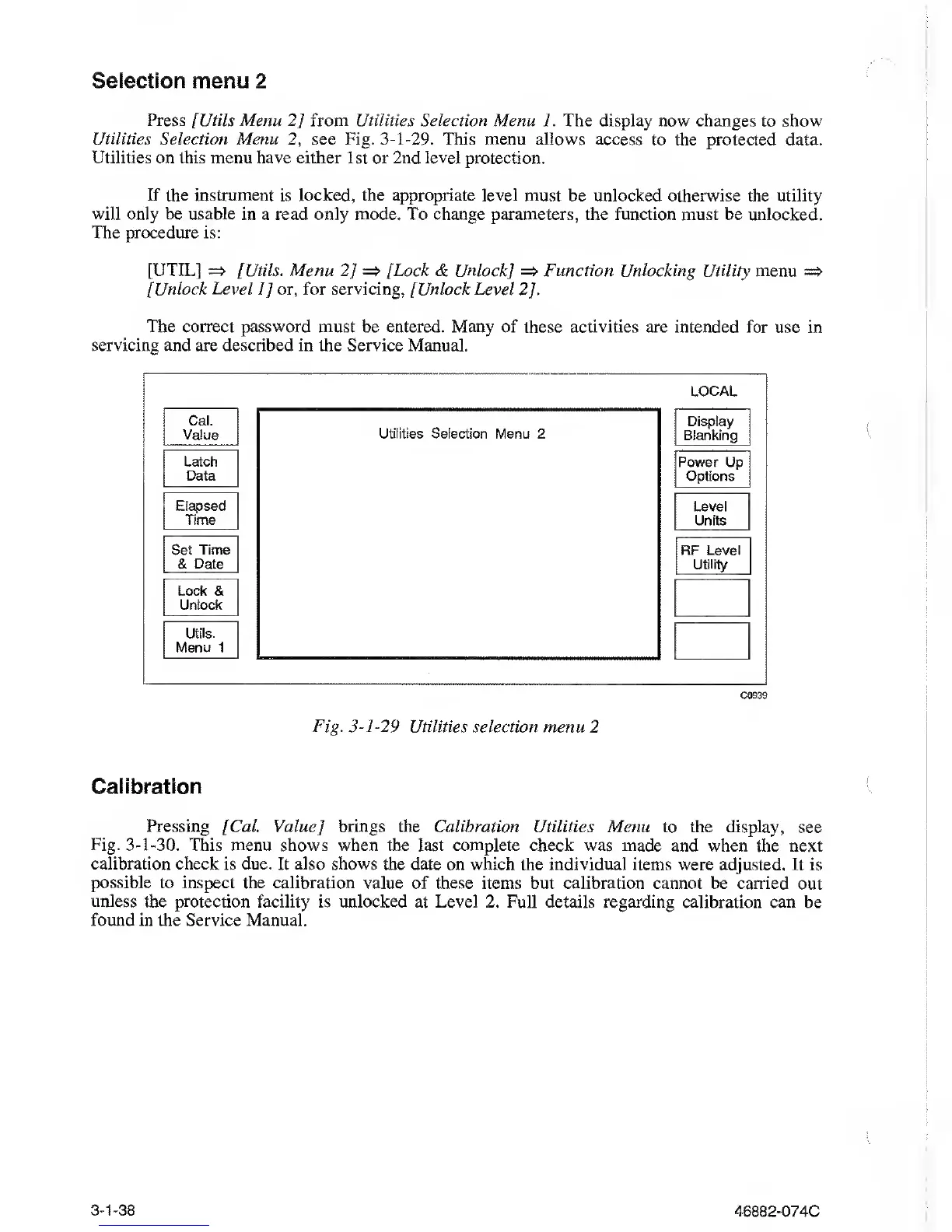
Press [Utils Menu
2]
from Utilities
Selection Menu 1. The display
now
changes to show
Utilities Selection Menu
2,
see Fig.
3-1-29.
This menu allows access to the protected
data.
Utilities
on this menu
have
either 1st or 2nd level
protection.
If
the
instrument is locked, the appropriate level must be unlocked otherwise
the utility
will only be usable in a read only mode.
To change parameters, the function must be unlocked.
The procedure
is:
[UTIL]
=> [Utils. Menu
2]
=>
[Lock & Unlock] => Function Unlocking Utility
menu
=>
[Unlock Level
1]
or, for servicing, [Unlock Level
2].
The correct password must be entered. Many of these activities
are intended for use in
servicing and are described in the Service Manual.
LOCAL
Cal.
Value
Latch
Data
Elapsed
Time
Set
Time
&
Date
Lock &
Unlock
Utils.
Menu 1
Utilities Selection Menu 2
Display
Blanking
Power Up
Options
Level
Units
RF Level
Utility
C0939
Fig.
3-1-29
Utilities selection menu
2
Calibration
Pressing [Cal Value] brings the Calibration
Utilities Menu to the display,
see
Fig.
3-1-30.
This menu shows when
the last complete check was made and when the
next
calibration check is due. It also shows the
date
on which
the individual items
were
adjusted. It is
possible
to
inspect
the calibration value of these items but calibration
cannot
be
carried out
unless the protection facility is unlocked
at
Level 2.
Full details regarding calibration can be
found in the Service
Manual.
3-1-38
46882-074C



 To Next Page