Noise mode selection
The 2040 series of signal generators
have three noise modes. The two low noise modes
(low noise mode 1 and low
noise mode
2)
provide the lowest levels
of
SSB phase noise
and
residual
FM
whilst
the normal noise mode allows
the instrument to operate
with
the
widest
range
of modulation capabilities. The
capabilities of the different modes are as follows:
Low noise
mode
1
In this mode the 2040 series offer the lowest level
of noise with a restricted FM deviation
capability and
a
reduced
AM bandwidth. Phase modulation is not available and
the carrier
sweep
capability is not provided. This mode is suitable
for a wide range of applications where
relatively low modulating frequencies are
used.
Low noise mode 2
Compared with low noise mode
1
,
noise
mode
2
provides a wider AM bandwidth with a
slightly higher level
of noise. This mode should be used when full AM performance
is required
with
good noise performance.
Normal noise
mode
In the normal mode the 2040 series offer a level
of performance equivalent to the 2030
series. Full FM, OM and AM capabilities
are available and the full range
of
sweep facilities are
implemented.
LOCAL
Noise
Mode Selection Menu
Low Noise Mode
1
(Reduced AM BA/V)
Low Noise Mode
2
(Normal
AM B/W)
Normal Noise Mode
Noise
Mode 1
Noise
Mode 2
Normal
Mode
C0060
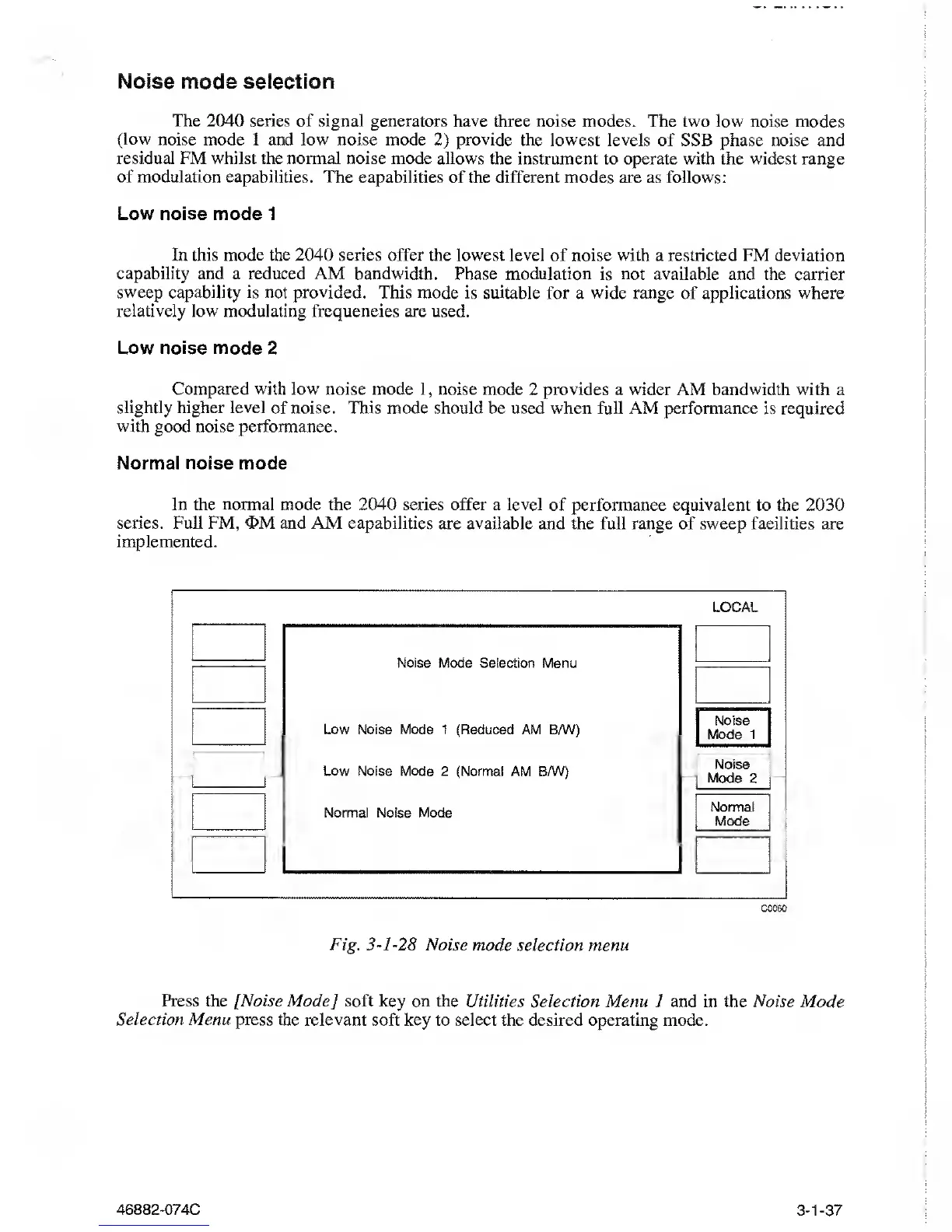
Fig.
3-1-28
Noise mode
selection menu
Press the [Noise Mode] soft key on the
Utilities Selection Menu 1 and in the Noise Mode
Selection Menu press
the
relevant
soft key to select the desired operating mode.
46882-074C
3-1-37



 To Next Page