LOCAL
Low
Noise
Calibration Utilities Menu
Path
/
Src
Gain Adjusted
1990-03-30
Modulation Adjusted
1990-03-30
FM
Tracking Adjusted
1990-03-30
RF Level Adjusted
1990-03-30
Freq Standard Adjusted
1990-03-30
Last Complete Check :
1990-03-30
Next Cal. Check
Due :
1992-03-30
Source/
Path
Mod'n.
FM
Selfcal
RF
Level
Int. Freq
Standard
C0062
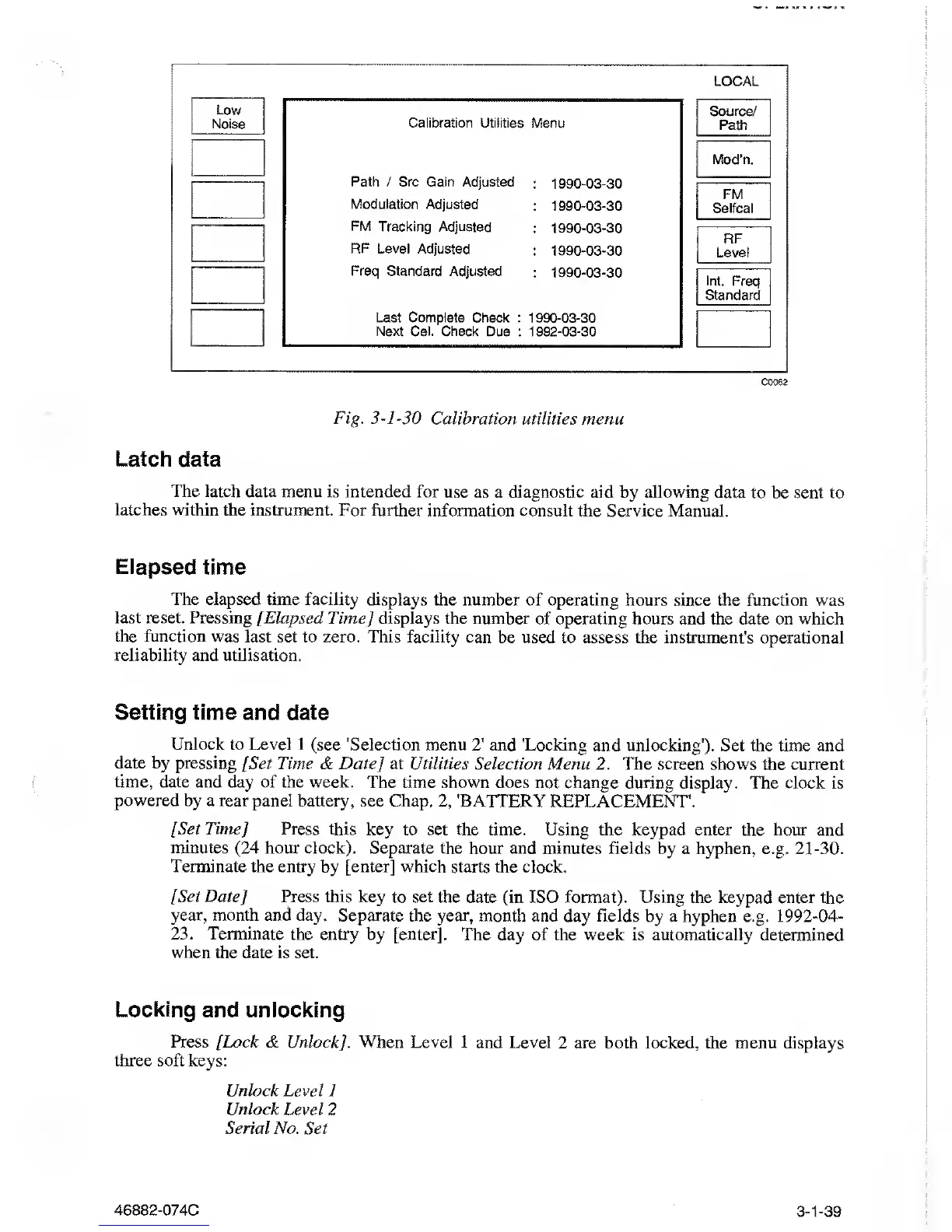
Fig.
3-1-30
Calibration utilities menu
Latch
data
The latch
data menu is intended for
use as a diagnostic aid by allowing data
to be sent to
latches within
the instrument. For further
information consult the Service
Manual.
Elapsed
time
The elapsed time facility
displays the number
of
operating hours
since the function was
last reset.
Pressing [Elapsed Time] displays
the number of operating hours
and the date
on which
the function was last
set
to
zero. This facility
can be used to assess the instrument's operational
reliability and
utilisation.
Setting time
and date
Unlock to
Level
1
(see 'Selection
menu
2'
and 'Locking and unlocking').
Set the time and
date by pressing
/
Set Time
& Date] at Utilities
Selection Menu 2. The screen shows the current
time, date
and day of the week. The
time shown does not change during display. The
clock is
powered by a rear panel battery,
see Chap.
2,
'BATTERY
REPLACEMENT'.
[Set Time] Press
this key to set
the time. Using the keypad enter the hour and
minutes
(24
hour clock).
Separate the hour and minutes fields
by a
hyphen,
e.g.
21-30.
Terminate the
entry by [enter] which starts
the clock.
[Set
Date
J
Press this key
to set the date (in ISO format). Using
the keypad enter the
year, month and
day. Separate the year, month and
day fields by a hyphen e.g.
1992-04-
23.
Terminate the entry by [enter].
The day of the week is automatically
determined
when the date is
set.
Looking and unlocking
Press [Lock
&
Unlock].
When Level 1 and Level
2 are both locked, the menu displays
three soft keys:
Unlock Level 1
Unlock
Level 2
Serial No. Set
46882-074C 3-1-39



 To Next Page