13
N
0
5805 / N
0
5802 INTEGRATED AMPLIFIER / OWNER’S MANUAL
CONTROL
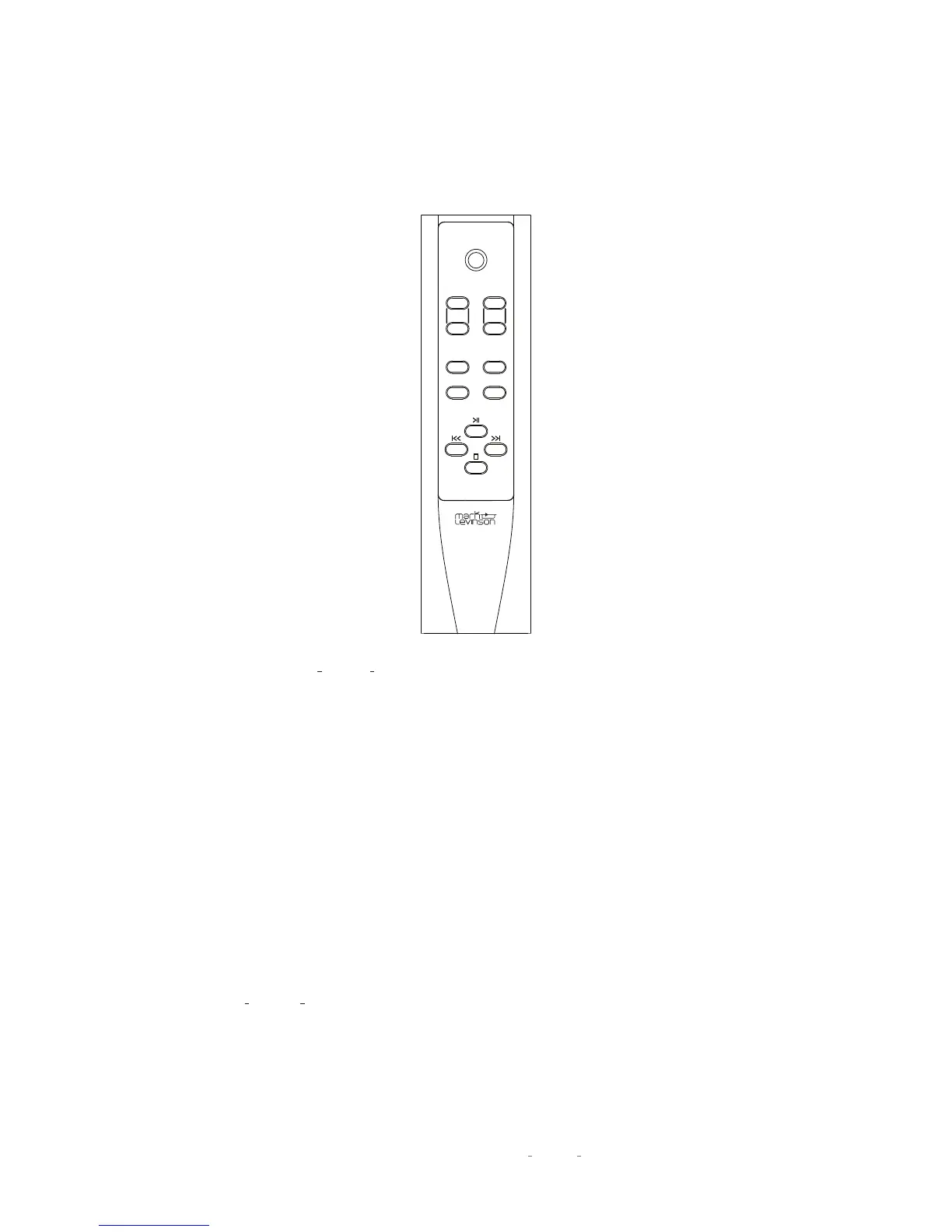
REMOTE CONTROL
REMOTE CONTROL OVERVIEW
Standby:
Press this button to put the N
0
5805/ N
0
5802 into and
out of the
Standby
mode. Press this button twice to wake up unit
from green
Standby
mode.
Input +/-:
Press these buttons to select the desired input. Allow
a moment for the relays to switch. The name and volume level
of the navigate to input is indicated on the front-panel display.
These buttons are also used to select functions in the Setup
mode (see page 16).
Volume +/– buttons:
Press these to adjust the volume level of
the speaker, line, and headphone outputs. The minimum volume
level is 0; the default maximum volume level is 80, but you can
change that value in the
Setup: Volume
menu (see page 21).
Menu:
Press this button to display the
Setup
menu, which you
can use to customize the
N
0
5805 / N
0
5802
to suit your system
and preferences. The word “Setup” appears on the front
panel display when the
Setup
menu is active. This button
performs a "Back" function when more than two levels deep
into menu parameters.
Mute:
Press this button to mute and unmute the speaker, line
and headphone outputs by the amount determined in the
Setup
menu (the default value is -40dB). The word “Mute“ appears on
the front panel display when the mute function is engaged.
Enter:
Press this button to select or deselect a menu item when
in the Setup mode.
Balance:
Press this button to set the left-to-right channel
balance. The symbols < - - L/R - - > appear in the front panel
display. To change balance use the Volume + button to shift
channel balance to the right in 1 dB steps. Use the Volume –
button to shift channel balance to the left. Maximum shift is
-20dB, followed by the reverse channel turning off.
While in Balance mode other controls will not operate. To exit
the Balance mode, push the Balance button a second time.
Bluetooth Transport control:
When using a Bluetooth source
these buttons control navigation of the program material when
used with compatible Apps.
standby
input
volume
enter menu
balance mute










 To Next Page