Technical Notice CSO/CPO V1.1 / 10.14 Page 55 / 86
Options 9
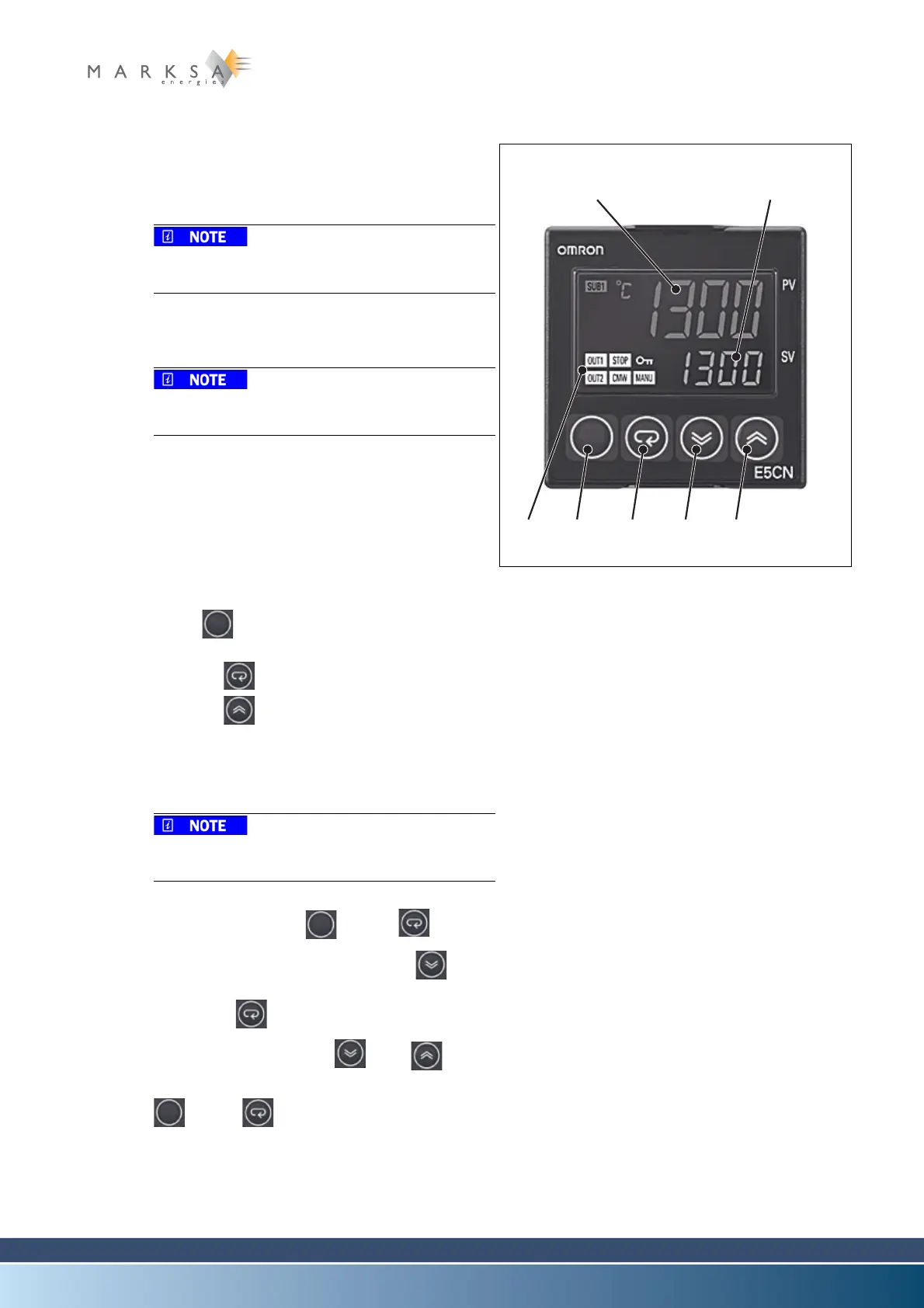
9.1.7.2 Omron E5CN thermostat
Description
(1) Display no. 1 (PV)
Displays the ongoing temperature / process value.
The displayed value corresponds to the value
measured by the temperature probe.
(2) Display no. 2 (SV)
Displays the setpoint to be kept.
The displayed value corresponds to the value
measured by the temperature probe.
(3) Visual operation indicators
(4) Level key
(5) Mode key
(6) Low key
(7) High key
Activation of autotuning
A. Press (4) for less than a second:
« LAdJ » displayed
B. Press the key (5) once : « At » displayed
C. Press the key (7) : The display goes from
« OFF» to « At 2 »
The Auto Tuning is activated ; this operation
may take several tens of minutes.
If this function is inaccessible, it is because
the regulator is locked.
To unlock it :
A. Simultaneously press (4) and (5) for
more than 3 seconds
B. The display indicates « oAPt »; press (6) to
display « 0 ».
C. Then press (5) once ; the display indicates
« cCPt »;
D. Display « 0 » by pressing (6) or (7).
E. To exit the mode, simultaneously press the keys
(4) and (5) for more than 3 seconds.
Fig. 9-7 : Display of E5CN thermostat
(1) (2)
(4) (5) (6) (7)(3)



 To Next Page